Amplified Bible offline
Mise à jour
Version actuelle
Amplified Bible Free OFFLINE 9.0
Proposée par

Ne vous inquiétez plus des surcharges lorsque vous utilisez Amplified Bible offline sur votre téléphone portable, libérez-vous de l'écran minuscule et profitez de l'application sur un écran beaucoup plus grand. Désormais, vous pouvez utiliser votre application en plein écran avec le clavier et la souris. MEmu vous offre toutes les fonctionnalités surprenantes que vous attendiez : installation rapide et configuration facile, commandes intuitives, plus de limitations de batterie, de données mobiles et d'appels dérangeants. Le tout nouveau MEmu 9 est le meilleur choix pour utiliser Amplified Bible offline sur votre ordinateur. Codé avec notre absorption, le gestionnaire multi-instance permet d'ouvrir 2 ou plusieurs comptes en même temps. Et le plus important, notre moteur d'émulation exclusif peut libérer tout le potentiel de votre PC, rendre tout cela fluide et agréable.
Afficher plus
Téléchargez Amplified Bible offline avec le simulateur d’Android MEmu sur votre PC. Profitez de jouer sur un grand écran. This app allows you to both read and listen to the Amplified Version of the Bible.
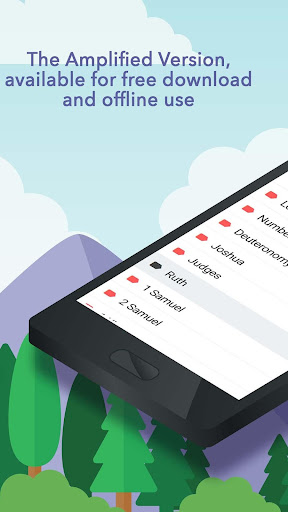
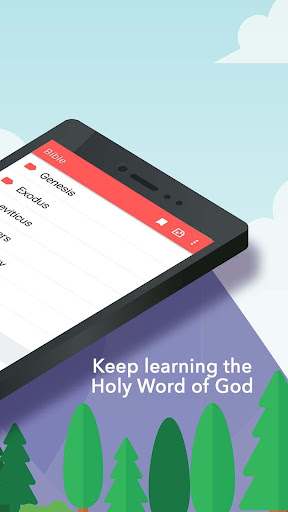
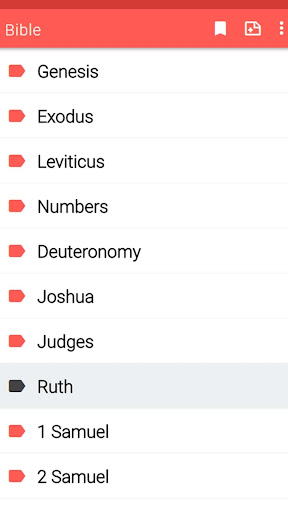
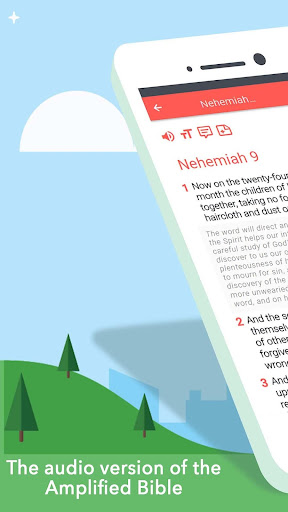
This app allows you to both read and listen to the Amplified Version of the Bible. The Bible easy to read and understand that includes amplifications to assist the reader in understanding what Scriptures say.
Reading the Holy Bible has never been that easy, simple and free! Download now and share what you learn with your friends and family!
The Amplified Bible offline app comes with an audio, and offline mode.
You can read or listen to the Bible offline after downloading it on your phone or tablet. You do not need any Internet connection.
Isn’t that a blessing for all the Christians?
More features:
1- Free download/offline use
This Bible app is available to anyone for free download and offline use.
2- Audio Bible
For those who can’t read the Bible, we added an audio version of the Bible: listen to all the verses!
Tap the audio icon to select the chapter or verse you want to hear. You can adjust the sound settings (speed, volume, treble, bass, etc.)
3-Quick search
You can quickly search for any word, verse or book by using our fast and efficient search system.
4- Bookmark verses
As you are reading a Bible verse, tap the verse you want to bookmark and create your own list of favorites.
5- Take notes
Write down notes and keep them private to you
6- Share the Word
Send verses to friends via text message, WhatsApp or email and share them via social networks like Facebook, Twitter or Instagram
7- Font Size
Customize your font size for a better Bible reading experience
8- Night mode
Eyes feel tired during night reading on the phone? Switch to night mode and the display is much easier on your eyes!
Amplified Bible offline will be your favorite app! Read or listen to the Bible every day and make the Holy Word a part of your daily life!
Select one book from the Bible:
The Bible is divided into two major sections known as the Testaments: the Old and the New Testaments, each of which is divided into chapters:
The Old Testament is composed of the Pentateuch, the Historical books, the Poetic writings and the Prophets:
The Pentateuch includes Genesis, Exodus, Leviticus, Numbers, Deuteronomy.
The Historical books include Joshua, Judges, Ruth, First Samuel, Second Samuel, First Kings, Second Kings, First Chronicles, Second Chronicles, Ezra, Nehemiah, Esther.
The Poetic and Wisdom writings include Job, Psalms, Proverbs, Ecclesiastes, Song of Solomon.
The Major Prophets include Isaiah, Jeremiah, Lamentations, Ezekiel, Daniel.
The Minor Prophets include Hosea, Joel, Amos, Obadiah, Jonah, Micah, Nahum, Habakkuk, Zephaniah, Haggai, Zechariah, Malachi.
The New Testament consists of the Gospels, Acts, the Letters of Paul, the Epistles, and the Apocalypse.
The Gospels: Matthew, Mark, Luke, John.
Acts of the Apostles
Paul's Epistles: Romans, 1 Corinthians, 2 Corinthians, Galatians, Ephesians, Philippians, Colossians, 1 Thessalonians, 2 Thessalonians, 1 Timothy, 2 Timothy, Titus, Philemon, Hebrews.
General Epistles: James, 1 Peter, 2 Peter, 1 John, 2 John, 3 John, Jude.
The book of Revelation.
Afficher plus

1. Téléchargez l'installateur MEmu et terminez l'installation

2. Démarrez MEmu puis ouvrez Google Play sur la page d'accueil

3. Recherchez Amplified Bible offline dans Google Play
Install
4. Téléchargez et installez Amplified Bible offline
5. Une fois l'installation terminée, cliquez sur l'icône pour démarrer

6. Utiliser MEmu pour utiliser Amplified Bible offline sur votre ordinateur
MEmu Play est actuellement le meilleur émulateur Android gratuit, avec 50 millions d'utilisateurs qui profitent d'une expérience Android exceptionnelle. La technologie de virtualisation de MEmu vous permet de jouer facilement à des milliers d'applications Android sur votre ordinateur, même les plus gourmandes en ressources.
L’écran plus grand avec de meilleurs graphismes; Une longue durée, sans limitation de batterie ou de données mobiles.
Soutien du Keymapping pour un contrôle précis du clavier et de la souris ou de la manette de jeu
Plusieurs comptes de jeu ou tâches sur un seul PC en même temps avec le gestionnaire de multi-instance.
Use Amplified Bible offline on PC by following steps: