Apps 4 Chromecast & Android TV
Mise à jour
Version actuelle
2.22.33
Proposée par

Ne vous inquiétez plus des surcharges lorsque vous utilisez Apps 4 Chromecast & Android TV sur votre téléphone portable, libérez-vous de l'écran minuscule et profitez de l'application sur un écran beaucoup plus grand. Désormais, vous pouvez utiliser votre application en plein écran avec le clavier et la souris. MEmu vous offre toutes les fonctionnalités surprenantes que vous attendiez : installation rapide et configuration facile, commandes intuitives, plus de limitations de batterie, de données mobiles et d'appels dérangeants. Le tout nouveau MEmu 9 est le meilleur choix pour utiliser Apps 4 Chromecast & Android TV sur votre ordinateur. Codé avec notre absorption, le gestionnaire multi-instance permet d'ouvrir 2 ou plusieurs comptes en même temps. Et le plus important, notre moteur d'émulation exclusif peut libérer tout le potentiel de votre PC, rendre tout cela fluide et agréable.
Afficher plus
Téléchargez Apps 4 Chromecast & Android TV avec le simulateur d’Android MEmu sur votre PC. Profitez de jouer sur un grand écran. ★ Happy to announce More than 800.
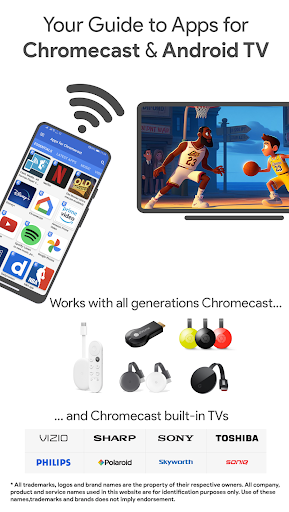
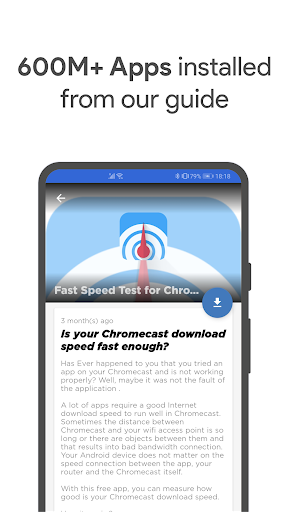
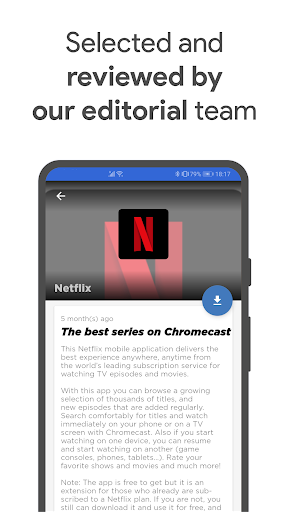
★ Happy to announce More than 800.000.000 apps for Chromecast, and Android TV installed from our apps guide! Thank you! ★
• Install the best apps to get the most out of your Google Chromecast, Chromecast built-in TVs , Google TV, Google TV Streamer or Android TV and keep posted about new releases.
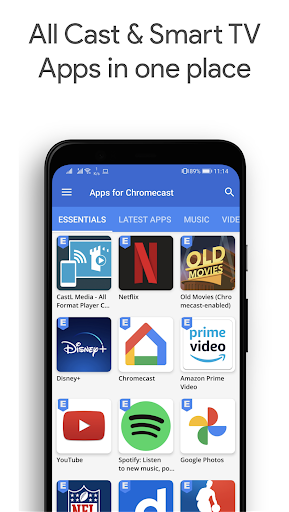
• Browse our categories full of apps Google Cast enabled ready to cast to tv or install in your Android TV: Movies, Music, Photos,Games, Tools and Essentials.
• Mirror your device screen to your big screen without installing any additional apps. Apps for Chromecast includes Cast Mirroring!.
• Our app is completely for free. No spam. We only publish quality apps, and you can enable/disable our notifications with just one tap.
• Runnable in your Android smartphone, tablet device or big screen.
What kind of apps you can find in our apps guide?:
• The most popular video and music streaming apps, apps to cast your own content to your big screen, find the best high quality video players for Chromecast, learn how to use as screen mirror or play games on your TV are just a few of our apps recommendations.
• Besides, we have recently updated the contents with articles that explain how to cast to tv movies and series using Popcorn Time, ShowBox, Kodi and others topics like how to use Netflix, Disney+, TV Cast and MAX outside the US or watch Amazon Prime Video 30 days for free.
• Learn how to install your Chromecast or send your mobile or table screen to your big screen enabling the mirroring feature of your Chromecast in our support section.
• And last, but not least, did you know that thousands of apps compatible with Chromecast are also google cast compatible with your Google Home, Google TV Streamer, Vizio, Philips, Sony, Sharp, Polaroid, Skyworth, TCL, Hisense, Toshiba, Soniq and Samsung Smart TV? Test them and tell us your experience!
All our recommended recommendations have been tested on all generations of Google Cast, Chromecast & Chromecast built-in devices (more info: https://www.google.com/chromecast/built-in/tv/ ) .
We want to assure you that in our Chromecast guide, we do not use AI tools like ChatGPT. All our contents are always edited, reviewed, and validated by human experts with specialised training. We value the quality and reliability of the information we provide, and our team of highly trained professionals carefully selects and verifies every detail. Maintain the highest standards of quality is our priority.
Last versions changes:
✓ Cast your mobile screen to your TV
✓ Minimal app weight
✓ Low battery consumption
✓ Faster start after launch
✓ Free Ads remove option
✓ Feedback button to know our users’ suggestions and experience with the app
✓ Configure new content notifications as you want
✓ New app look & feel. Totally Google Android Guidelines aligned
✓ Content available in English
Please rate our app in the Google Play store.
Your app experience is important to us. If you encounter any problems or issues, please, email us at chromecast@i-artserveis.net for a direct response.
DEVELOPERS: Don’t hesitate to write us an email to introduce your Chromecast-enabled app.
This Independent App doesn't have anything to do with the Google Play Store. All listed apps, app-logos, are property of Google and/or the developer. You can also visit our website: http://en.apps4chromecast.com
Our data is hosted in Amazon EC2 and Amazon CDN services.
Thanks for installing.
Afficher plus

1. Téléchargez l'installateur MEmu et terminez l'installation

2. Démarrez MEmu puis ouvrez Google Play sur la page d'accueil

3. Recherchez Apps 4 Chromecast & Android TV dans Google Play
Install
4. Téléchargez et installez Apps 4 Chromecast & Android TV
5. Une fois l'installation terminée, cliquez sur l'icône pour démarrer

6. Utiliser MEmu pour utiliser Apps 4 Chromecast & Android TV sur votre ordinateur
MEmu Play est actuellement le meilleur émulateur Android gratuit, avec 50 millions d'utilisateurs qui profitent d'une expérience Android exceptionnelle. La technologie de virtualisation de MEmu vous permet de jouer facilement à des milliers d'applications Android sur votre ordinateur, même les plus gourmandes en ressources.
L’écran plus grand avec de meilleurs graphismes; Une longue durée, sans limitation de batterie ou de données mobiles.
Soutien du Keymapping pour un contrôle précis du clavier et de la souris ou de la manette de jeu
Plusieurs comptes de jeu ou tâches sur un seul PC en même temps avec le gestionnaire de multi-instance.
Use Apps 4 Chromecast & Android TV on PC by following steps: