Araby Ai
Mise à jour
Version actuelle
2.2.57
Proposée par

Ne vous inquiétez plus des surcharges lorsque vous utilisez Araby Ai sur votre téléphone portable, libérez-vous de l'écran minuscule et profitez de l'application sur un écran beaucoup plus grand. Désormais, vous pouvez utiliser votre application en plein écran avec le clavier et la souris. MEmu vous offre toutes les fonctionnalités surprenantes que vous attendiez : installation rapide et configuration facile, commandes intuitives, plus de limitations de batterie, de données mobiles et d'appels dérangeants. Le tout nouveau MEmu 9 est le meilleur choix pour utiliser Araby Ai sur votre ordinateur. Codé avec notre absorption, le gestionnaire multi-instance permet d'ouvrir 2 ou plusieurs comptes en même temps. Et le plus important, notre moteur d'émulation exclusif peut libérer tout le potentiel de votre PC, rendre tout cela fluide et agréable.
Afficher plus
Téléchargez Araby Ai avec le simulateur d’Android MEmu sur votre PC. Profitez de jouer sur un grand écran. Introducing Araby.
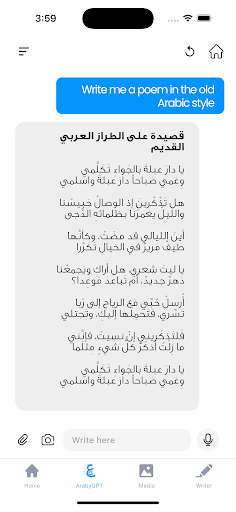
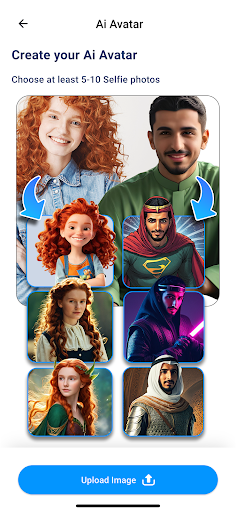

Introducing Araby.ai, the ultimate productivity app designed to empower your workflow with cutting-edge AI tools in both Arabic and English. Enhance your marketing, content creation, and overall productivity with our comprehensive suite of AI-powered features.
Key Features:
AI chatbots in Arabic and English: Seamlessly communicate and collaborate with intelligent chatbots that understand and respond in both languages.
Easy-to-use AI tools for marketing: Boost your marketing efforts with advanced AI algorithms that help you create targeted campaigns and engaging content.
Content creation made simple: Generate high-quality content in Arabic and English with the help of our powerful AI-driven text generation capabilities.
Productivity enhancements: Streamline your work processes and stay organized with our smart productivity tools.
Text to image generation: Transform your ideas into captivating visuals with our innovative text-to-image feature.
Coding assistance: Get real-time AI support for your coding projects, making it easier to debug and optimize your code.
Benefits:
Araby.ai addresses the needs of users who require AI tools that cater to both Arabic and English languages. Our app offers a seamless experience, making it easy to switch between languages and adapt to various tasks. With Araby.ai, you'll save time and effort, allowing you to focus on what matters most.
Unique Selling Points:
Bilingual AI tools: Araby.ai is optimized for both Arabic and English input and output, ensuring a smooth user experience across languages.
Optimized for apps: Our AI tools are specifically designed to work seamlessly within the app environment, providing a consistent and efficient experience.
Full suite of AI tools: Araby.ai offers a comprehensive range of AI-powered features, covering all aspects of content creation, marketing, and productivity.
Discover the power of Araby.ai and revolutionize the way you work with our all-in-one productivity solution. Download Araby.ai now and experience the future of AI-driven productivity.
Afficher plus

1. Téléchargez l'installateur MEmu et terminez l'installation

2. Démarrez MEmu puis ouvrez Google Play sur la page d'accueil

3. Recherchez Araby Ai dans Google Play
Install
4. Téléchargez et installez Araby Ai
5. Une fois l'installation terminée, cliquez sur l'icône pour démarrer

6. Utiliser MEmu pour utiliser Araby Ai sur votre ordinateur
MEmu Play est actuellement le meilleur émulateur Android gratuit, avec 50 millions d'utilisateurs qui profitent d'une expérience Android exceptionnelle. La technologie de virtualisation de MEmu vous permet de jouer facilement à des milliers d'applications Android sur votre ordinateur, même les plus gourmandes en ressources.
L’écran plus grand avec de meilleurs graphismes; Une longue durée, sans limitation de batterie ou de données mobiles.
Soutien du Keymapping pour un contrôle précis du clavier et de la souris ou de la manette de jeu
Plusieurs comptes de jeu ou tâches sur un seul PC en même temps avec le gestionnaire de multi-instance.
Use Araby Ai on PC by following steps: