Camera iPhone 15 - OS16 Camera
Mise à jour
Version actuelle
1.4
Proposée par

Ne vous inquiétez plus des surcharges lorsque vous utilisez Camera iPhone 15 - OS16 Camera sur votre téléphone portable, libérez-vous de l'écran minuscule et profitez de l'application sur un écran beaucoup plus grand. Désormais, vous pouvez utiliser votre application en plein écran avec le clavier et la souris. MEmu vous offre toutes les fonctionnalités surprenantes que vous attendiez : installation rapide et configuration facile, commandes intuitives, plus de limitations de batterie, de données mobiles et d'appels dérangeants. Le tout nouveau MEmu 9 est le meilleur choix pour utiliser Camera iPhone 15 - OS16 Camera sur votre ordinateur. Codé avec notre absorption, le gestionnaire multi-instance permet d'ouvrir 2 ou plusieurs comptes en même temps. Et le plus important, notre moteur d'émulation exclusif peut libérer tout le potentiel de votre PC, rendre tout cela fluide et agréable.
Afficher plus
Téléchargez Camera iPhone 15 - OS16 Camera avec le simulateur d’Android MEmu sur votre PC. Profitez de jouer sur un grand écran. iCamera OS 15 is an app with unbeatable quality, that makes all your photos look sharp and clean in any life circumstances.
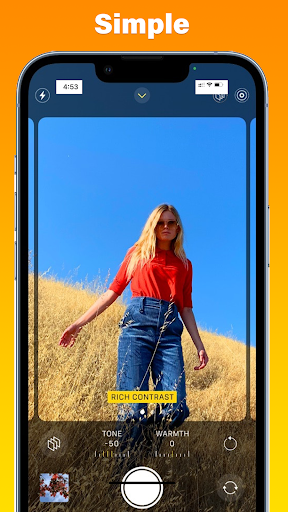
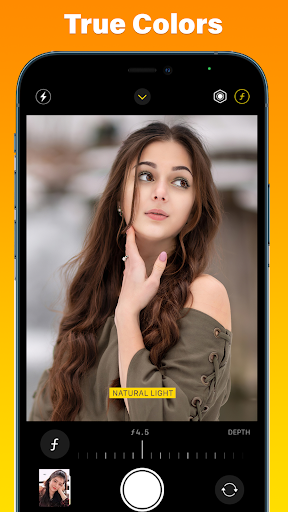
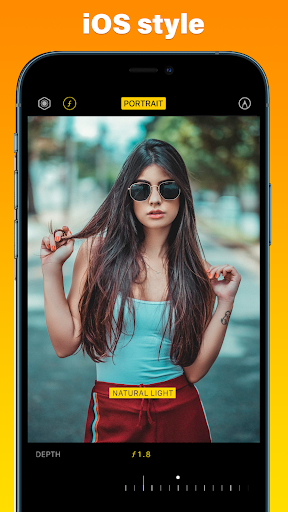
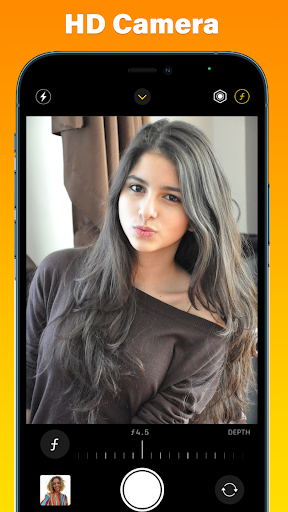
iCamera OS 15 is an app with unbeatable quality, that makes all your photos look sharp and clean in any life circumstances. Most important is that our application makes your experience fun and enjoyable with style OS 15 from Phone 15 latest!
My i OS 15 interface camera is not only capable of taking pictures with true colors and smart features, but it also has built-in AI, helping you choose the best photo. With iPhone and 15 Camera.
The camera is an application that you use every day, it will help you record moments with friends and loved ones. So you always need a good quality camera, right? iCamera will help you with that.
If you are a fan of the Phone and like the Camera (iCamera), you find a camera for your Android phone, you want your phone to be like a camera. Do you know the iCamera for your Android device?
A camera app with the style of OS 15, Selfie – video recording- image editing, video editor, free!
Selfie Camera for iPhone 15 to make a better selfie, add filter camera HD to make it more dramatic. Create a stunning Panorama photo by selecting panorama camera mode and never miss a beautiful landscape anymore. Unlike another selfie camera HD, iCamera iOS 16 is unique by design and worth trying, it is possibly the best selfie camera app as a replacement for your default camera app.
iCamera will bring all features of camera Phone X: style, theme, layout, filter, and color of the new camera is something you can see is the highlight of iCamera OS16
Get a new experience of iCamera on your android phone. This latest camera will help you get better and faster pictures, videos with high-quality pictures, and 4K videos.
iPhone 15 Camera – iOS 15 iCamera to help those who are fans of iPhone products, extremely wonderful application with a friendly interface and is easy to use. Even those who use the android operating system and have never used the ios 13 operating system will be very happy when using Selfie Camera Phone 15 – iOS 15 Camera.
The camera app on the Phone is a great app, but if you’re on an Android phone you can’t use it, so I created the iCamera app for everyone.
iCamera from Phone 15 is here for you! Better than iCamera provides powerful Real-time Filters through deep digging into your GPU’s power. Camera with A clean and easy interface designed based on Material Design makes it easier for you to take beautiful photos anywhere and anytime.
Features iCamera OS 15:
- Timer: Capture the photo with the timer 3s, 5s, 10s
- Photo height quality, a photo can take HD: size photo normal
- Swipe left or right to change mode like video recording, photo and square photo, and more
- Design of brand new Phone 13 with flat style - Selfie beauty with front iCamera
- See the latest photo right away. Go to the album to see another camera of us.
- Ultra HD Camera, Full HD Camera: Professional photo shooting
- Real-Time Filters: iCamera support 9 beautiful real-time filters that appear at the same time, allowing you to choose the best one for your photos at the same time.
- iCamera filter is a professional photographer, Lisa Bettany created a slew of stunningly beautiful effects.
- Photo with filter effects as OS 13 style of Phone 14
- Fast Camera: iCamera Take beautiful pictures and seize unforgettable moments in less than a second same as Phone 13.
- Take photos in perfect quality - Auto flash, autofocus, turn the sound camera
Afficher plus

1. Téléchargez l'installateur MEmu et terminez l'installation

2. Démarrez MEmu puis ouvrez Google Play sur la page d'accueil

3. Recherchez Camera iPhone 15 - OS16 Camera dans Google Play
Install
4. Téléchargez et installez Camera iPhone 15 - OS16 Camera
5. Une fois l'installation terminée, cliquez sur l'icône pour démarrer

6. Utiliser MEmu pour utiliser Camera iPhone 15 - OS16 Camera sur votre ordinateur
MEmu Play est actuellement le meilleur émulateur Android gratuit, avec 50 millions d'utilisateurs qui profitent d'une expérience Android exceptionnelle. La technologie de virtualisation de MEmu vous permet de jouer facilement à des milliers d'applications Android sur votre ordinateur, même les plus gourmandes en ressources.
L’écran plus grand avec de meilleurs graphismes; Une longue durée, sans limitation de batterie ou de données mobiles.
Soutien du Keymapping pour un contrôle précis du clavier et de la souris ou de la manette de jeu
Plusieurs comptes de jeu ou tâches sur un seul PC en même temps avec le gestionnaire de multi-instance.
Use Camera iPhone 15 - OS16 Camera on PC by following steps: