Photo Editor Pro – Sticker, Filter, Collage Maker
Mise à jour
Version actuelle
1.8.7.1044
Proposée par

Ne vous inquiétez plus des surcharges lorsque vous utilisez Photo Editor Pro – Sticker, Filter, Collage Maker sur votre téléphone portable, libérez-vous de l'écran minuscule et profitez de l'application sur un écran beaucoup plus grand. Désormais, vous pouvez utiliser votre application en plein écran avec le clavier et la souris. MEmu vous offre toutes les fonctionnalités surprenantes que vous attendiez : installation rapide et configuration facile, commandes intuitives, plus de limitations de batterie, de données mobiles et d'appels dérangeants. Le tout nouveau MEmu 9 est le meilleur choix pour utiliser Photo Editor Pro – Sticker, Filter, Collage Maker sur votre ordinateur. Codé avec notre absorption, le gestionnaire multi-instance permet d'ouvrir 2 ou plusieurs comptes en même temps. Et le plus important, notre moteur d'émulation exclusif peut libérer tout le potentiel de votre PC, rendre tout cela fluide et agréable.
Afficher plus
Téléchargez Photo Editor Pro – Sticker, Filter, Collage Maker avec le simulateur d’Android MEmu sur votre PC. Profitez de jouer sur un grand écran. Photo Editor Pro, a Full-featured picture editor, gives you everything you need to edit photos.
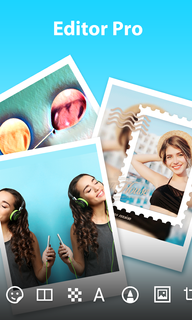
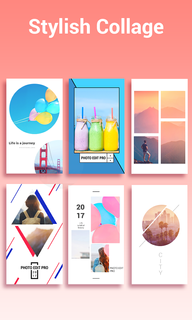
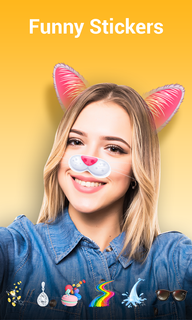

Photo Editor Pro, a Full-featured picture editor, gives you everything you need to edit photos. It contains professional editing tools and funny stickers, awesome filters, photo collage, PIP function.We do not provide the service/content for any minors under 16 years old (or equivalent minimum age in relevant jurisdiction). If you are a minor meeting the above conditions, you must read the terms of User Agreement and use this app under the guidance of your guardian, and confirm that your guardian agrees to your Use of this app.❤Main Features❤- 300+ Funny Sticker: Animal, Emotional, Emoji Stickers will give you so much fun.- Hairstyle, Muscle, Beard, Tattoo, Make up stickers to make your selfie more beautiful.- Live Massive Filters: Use awesome and fancy filters to record beautiful moment in your life- Photo Collage: Stylish poster collage VS Classic, combine photos in different way.- Photo Editing tools: Crop and rotate photos, blur effect, mosaic and mirror feature.- Beauty: Smooth and brighten your face, slim your body.- PIP Photos & Posters: Make your photos more artistic- Face Age Detection: Let’s have some fun to see how old you look.================================================================
Afficher plus

1. Téléchargez l'installateur MEmu et terminez l'installation

2. Démarrez MEmu puis ouvrez Google Play sur la page d'accueil

3. Recherchez Photo Editor Pro – Sticker, Filter, Collage Maker dans Google Play
Install
4. Téléchargez et installez Photo Editor Pro – Sticker, Filter, Collage Maker
5. Une fois l'installation terminée, cliquez sur l'icône pour démarrer

6. Utiliser MEmu pour utiliser Photo Editor Pro – Sticker, Filter, Collage Maker sur votre ordinateur
MEmu Play est actuellement le meilleur émulateur Android gratuit, avec 50 millions d'utilisateurs qui profitent d'une expérience Android exceptionnelle. La technologie de virtualisation de MEmu vous permet de jouer facilement à des milliers d'applications Android sur votre ordinateur, même les plus gourmandes en ressources.
L’écran plus grand avec de meilleurs graphismes; Une longue durée, sans limitation de batterie ou de données mobiles.
Soutien du Keymapping pour un contrôle précis du clavier et de la souris ou de la manette de jeu
Plusieurs comptes de jeu ou tâches sur un seul PC en même temps avec le gestionnaire de multi-instance.
Use Photo Editor Pro – Sticker, Filter, Collage Maker on PC by following steps: