Foap - sell photos & videos
Mise à jour
Version actuelle
3.26.1.991
Proposée par

Ne vous inquiétez plus des surcharges lorsque vous utilisez Foap - sell photos & videos sur votre téléphone portable, libérez-vous de l'écran minuscule et profitez de l'application sur un écran beaucoup plus grand. Désormais, vous pouvez utiliser votre application en plein écran avec le clavier et la souris. MEmu vous offre toutes les fonctionnalités surprenantes que vous attendiez : installation rapide et configuration facile, commandes intuitives, plus de limitations de batterie, de données mobiles et d'appels dérangeants. Le tout nouveau MEmu 9 est le meilleur choix pour utiliser Foap - sell photos & videos sur votre ordinateur. Codé avec notre absorption, le gestionnaire multi-instance permet d'ouvrir 2 ou plusieurs comptes en même temps. Et le plus important, notre moteur d'émulation exclusif peut libérer tout le potentiel de votre PC, rendre tout cela fluide et agréable.
Afficher plus
Téléchargez Foap - sell photos & videos avec le simulateur d’Android MEmu sur votre PC. Profitez de jouer sur un grand écran. Turn your photos and videos into money!
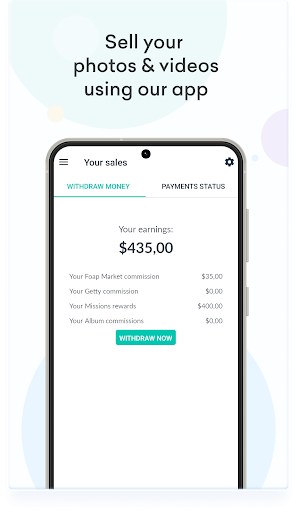
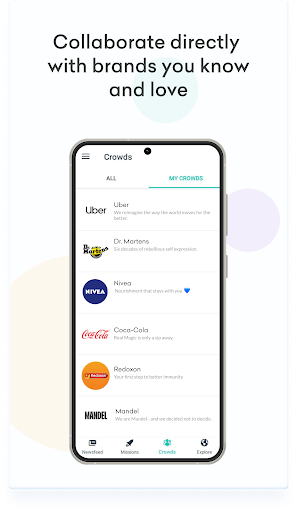
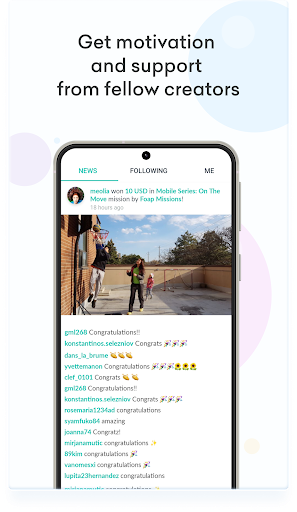
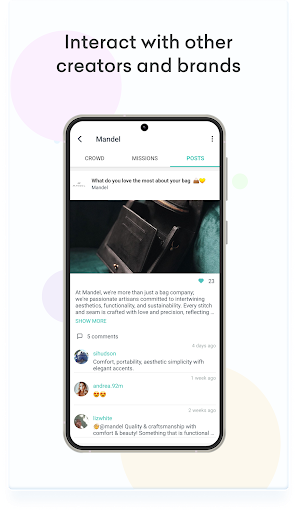
Turn your photos and videos into money! Collaborate with well-known brands and sell user-generated content. Brands from all around the world are here and hungry for your content!
* Collaborate with brands you know and love and start developing long-term relationships.
* Collaborate with brands directly through Crowds and get first-hand feedback from brand teams.
* Sell photos and videos (UGC) through Foap Missions
* Take your creator career to the next level with direct recognition of your work. Become an official brand ambassador on Foap.
* Show up your creativity. Inspire and be inspired.
* Meet & interact with like-minded creators, exchange feedback, give appreciation and get to know each other.
* Discover the creative world of Global Brands. See and learn from the best in the industry.
* Sell your photos through Foap Market at Foap.com
* Create your UGC portfolio for brands to see your photos and videos
* Explore beautiful content from all around the world
* Get feedback on your photos from other Foapers
* Be part of an amazing and growing international community of content creators
* Upload photos and videos straight from your phone
* Enjoy unlimited uploads
* Easy cashouts thanks to PayPal integration
* The best way to make money from what you love doing
Foap is free! Every Mission is rewarded with a prize starting with $50.
Afficher plus

1. Téléchargez l'installateur MEmu et terminez l'installation

2. Démarrez MEmu puis ouvrez Google Play sur la page d'accueil

3. Recherchez Foap - sell photos & videos dans Google Play
Install
4. Téléchargez et installez Foap - sell photos & videos
5. Une fois l'installation terminée, cliquez sur l'icône pour démarrer

6. Utiliser MEmu pour utiliser Foap - sell photos & videos sur votre ordinateur
MEmu Play est actuellement le meilleur émulateur Android gratuit, avec 50 millions d'utilisateurs qui profitent d'une expérience Android exceptionnelle. La technologie de virtualisation de MEmu vous permet de jouer facilement à des milliers d'applications Android sur votre ordinateur, même les plus gourmandes en ressources.
L’écran plus grand avec de meilleurs graphismes; Une longue durée, sans limitation de batterie ou de données mobiles.
Soutien du Keymapping pour un contrôle précis du clavier et de la souris ou de la manette de jeu
Plusieurs comptes de jeu ou tâches sur un seul PC en même temps avec le gestionnaire de multi-instance.
Use Foap - sell photos & videos on PC by following steps: