LitPlay:Play Together&CoCreate
Mise à jour
Version actuelle
1.9.1
Proposée par

Ne vous inquiétez plus des surcharges lorsque vous utilisez LitPlay:Play Together&CoCreate sur votre téléphone portable, libérez-vous de l'écran minuscule et profitez de l'application sur un écran beaucoup plus grand. Désormais, vous pouvez utiliser votre application en plein écran avec le clavier et la souris. MEmu vous offre toutes les fonctionnalités surprenantes que vous attendiez : installation rapide et configuration facile, commandes intuitives, plus de limitations de batterie, de données mobiles et d'appels dérangeants. Le tout nouveau MEmu 9 est le meilleur choix pour utiliser LitPlay:Play Together&CoCreate sur votre ordinateur. Codé avec notre absorption, le gestionnaire multi-instance permet d'ouvrir 2 ou plusieurs comptes en même temps. Et le plus important, notre moteur d'émulation exclusif peut libérer tout le potentiel de votre PC, rendre tout cela fluide et agréable.
Afficher plus
Profitez d'une expérience LitPlay:Play Together&CoCreate exceptionnelle sur PC grâce à MEmu Play. Cet émulateur Android gratuit et performant vous donne accès à des milliers d'applications Android pour votre ordinateur. Restez en contact avec vos amis et travaillez plus efficacement ! We want to do something difficulty yet important: create a place where you feel at ease, find happiness, and connect with people like you.



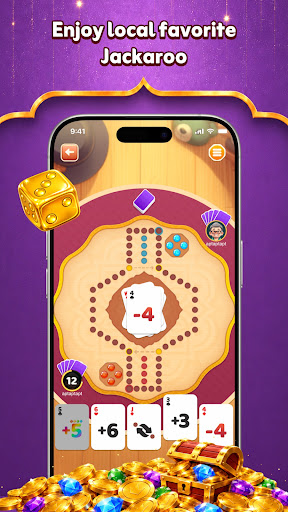
We want to do something difficulty yet important: create a place where you feel at ease, find happiness, and connect with people like you.
If you prefer small circles, you can join a "Family." Here, you're no longer alone—you're with a group of like-minded companions. In this safe, fun environment, you can chat, play, and interact daily, and over time, you become part of the family.
Your every participation in the family has real value: you'll earn growth rewards. The more active you are, the more valued and recognized you become in the family, and you'll unlock more rewards. At the same time, the family grows stronger and more cohesive because of you. This is a united, welcoming home.
Why here?
Because we believe a good app should be like an understanding friend. Our goal isn't to make the app "perfect," but to make you feel at ease, comfortable, and respected. Every word you say, we'll think about it carefully—not as a formality, but because we truly want to build this place with you, making it somewhere you want to come back to every day.
In the end, we want you to find your own happiness here: someone to talk to, a place to belong, no loneliness.
So, we sincerely invite you to build this place with us. Every piece of feedback, every suggestion, could determine where this place goes next.
Got any thoughts? Reach out anytime: luckyteam6688@gmail.com
Afficher plus

1. Téléchargez l'installateur MEmu et terminez l'installation

2. Démarrez MEmu puis ouvrez Google Play sur la page d'accueil

3. Recherchez LitPlay:Play Together&CoCreate dans Google Play
Install
4. Téléchargez et installez LitPlay:Play Together&CoCreate
5. Une fois l'installation terminée, cliquez sur l'icône pour démarrer

6. Utiliser MEmu pour utiliser LitPlay:Play Together&CoCreate sur votre ordinateur
MEmu Play est actuellement le meilleur émulateur Android gratuit, avec 50 millions d'utilisateurs qui profitent d'une expérience Android exceptionnelle. La technologie de virtualisation de MEmu vous permet de jouer facilement à des milliers d'applications Android sur votre ordinateur, même les plus gourmandes en ressources.
L’écran plus grand avec de meilleurs graphismes; Une longue durée, sans limitation de batterie ou de données mobiles.
Soutien du Keymapping pour un contrôle précis du clavier et de la souris ou de la manette de jeu
Plusieurs comptes de jeu ou tâches sur un seul PC en même temps avec le gestionnaire de multi-instance.
Use LitPlay:Play Together&CoCreate on PC by following steps: