Miniland emybaby
Mise à jour
Version actuelle
4.1.16
Proposée par

Ne vous inquiétez plus des surcharges lorsque vous utilisez Miniland emybaby sur votre téléphone portable, libérez-vous de l'écran minuscule et profitez de l'application sur un écran beaucoup plus grand. Désormais, vous pouvez utiliser votre application en plein écran avec le clavier et la souris. MEmu vous offre toutes les fonctionnalités surprenantes que vous attendiez : installation rapide et configuration facile, commandes intuitives, plus de limitations de batterie, de données mobiles et d'appels dérangeants. Le tout nouveau MEmu 9 est le meilleur choix pour utiliser Miniland emybaby sur votre ordinateur. Codé avec notre absorption, le gestionnaire multi-instance permet d'ouvrir 2 ou plusieurs comptes en même temps. Et le plus important, notre moteur d'émulation exclusif peut libérer tout le potentiel de votre PC, rendre tout cela fluide et agréable.
Afficher plus
Téléchargez Miniland emybaby avec le simulateur d’Android MEmu sur votre PC. Profitez de jouer sur un grand écran. Miniland emybaby is a free app for tracking the evolution of your babies and a pregnancy app, focused on the well-being of the baby and designed for families, winner of the MIA award for innovative product.
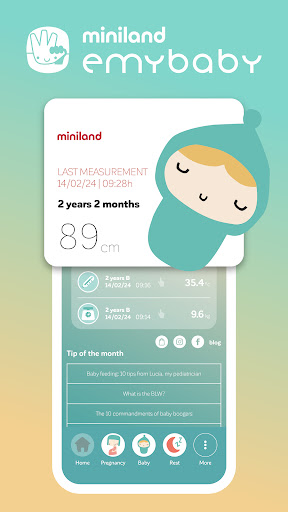
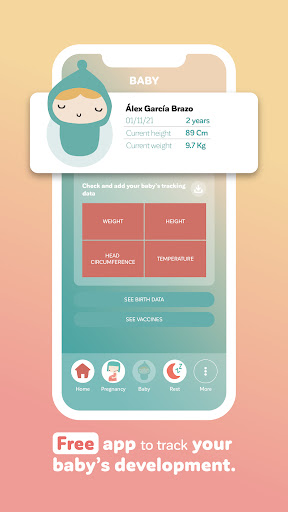
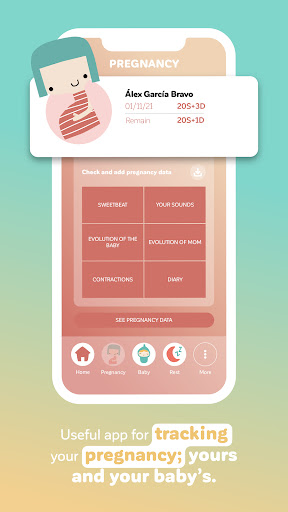
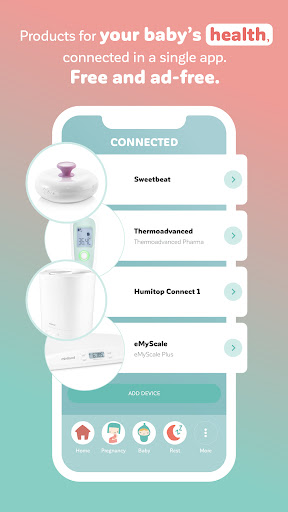
Miniland emybaby is a free app for tracking the evolution of your babies and a pregnancy app, focused on the well-being of the baby and designed for families, winner of the MIA award for innovative product.
Our goal is to help you enjoy what really matters... Your loved ones.
We tell you what you can do in the Miniland emybaby app:
• Pregnancy: Create your pregnancy and start saving your evolution and that of your baby. To use emybaby to listen to the heartbeat of your baby, connect our baby heartbeat monitor (MIA award winner for innovative product) and save or share your baby's sounds with your loved ones. Create your diary or keep track of your contractions.
• Baby: Manage from here all the evolution of your baby; from birth data to their growth, weight, height and temperature. Try our connected devices: baby scales and non-contact thermometers.
• Baby nutrition of baby feeding: Check nutritional advice and recipes for feeding your baby.
• Rest:help your baby sleep with baby lullabies. Download and play melodies and lullabies designed for babies, record yourself or use music from your device to help your baby relax and sleep well. Try our musical stuffed animals!
• My Appointments: Keep a record of your or your baby's shots and all of your doctor's appointments. You also have the option of synchronization with your calendar.
• Miniland World: Discover relevant information about Miniland: our miniland grow&fun app with fun and educational games for children up to 7 years old that cover their real growth needs, our website and much more from Miniland.
• My profile: Here you can access the app settings and the registration of products and guarantees.
• Also discover our humidifier with Wi-Fi connection, with which you can take care of the environment in your home and our baby monitors for baby safety.
Miniland childcare products compatible with emybaby:
- digimonitor 8" plus
- digimonitor 7"
- Digimonitor 3.5" touch
- Digimonitor 3.5" plus
- Digimonitor 2.4'' plus
- digimonitor 2.4" gold
- thermo advanced plus
- thermoadvanced pharma
- eMyScale
- eMyScale Plus
- beMyBuddy
- sweetBeat
- Humitop Connect (only for iOs)
Languages: Spanish, English, Italian, Portuguese, Russian
It does not contains ads.
Compatibility: Android devices with Operating System 2.3.3 or higher with a minimum RAM of 512MB.
Afficher plus

1. Téléchargez l'installateur MEmu et terminez l'installation

2. Démarrez MEmu puis ouvrez Google Play sur la page d'accueil

3. Recherchez Miniland emybaby dans Google Play
Install
4. Téléchargez et installez Miniland emybaby
5. Une fois l'installation terminée, cliquez sur l'icône pour démarrer

6. Utiliser MEmu pour utiliser Miniland emybaby sur votre ordinateur
MEmu Play est actuellement le meilleur émulateur Android gratuit, avec 50 millions d'utilisateurs qui profitent d'une expérience Android exceptionnelle. La technologie de virtualisation de MEmu vous permet de jouer facilement à des milliers d'applications Android sur votre ordinateur, même les plus gourmandes en ressources.
L’écran plus grand avec de meilleurs graphismes; Une longue durée, sans limitation de batterie ou de données mobiles.
Soutien du Keymapping pour un contrôle précis du clavier et de la souris ou de la manette de jeu
Plusieurs comptes de jeu ou tâches sur un seul PC en même temps avec le gestionnaire de multi-instance.
Use Miniland emybaby on PC by following steps: