Movie Box Entertainment Hub
Mise à jour
Version actuelle
Proposée par

Ne vous inquiétez plus des surcharges lorsque vous utilisez Movie Box Entertainment Hub sur votre téléphone portable, libérez-vous de l'écran minuscule et profitez de l'application sur un écran beaucoup plus grand. Désormais, vous pouvez utiliser votre application en plein écran avec le clavier et la souris. MEmu vous offre toutes les fonctionnalités surprenantes que vous attendiez : installation rapide et configuration facile, commandes intuitives, plus de limitations de batterie, de données mobiles et d'appels dérangeants. Le tout nouveau MEmu 9 est le meilleur choix pour utiliser Movie Box Entertainment Hub sur votre ordinateur. Codé avec notre absorption, le gestionnaire multi-instance permet d'ouvrir 2 ou plusieurs comptes en même temps. Et le plus important, notre moteur d'émulation exclusif peut libérer tout le potentiel de votre PC, rendre tout cela fluide et agréable.
Afficher plus
Profitez d'une expérience Movie Box Entertainment Hub exceptionnelle sur PC grâce à MEmu Play. Cet émulateur Android gratuit et performant vous donne accès à des milliers d'applications Android pour votre ordinateur. Restez en contact avec vos amis et travaillez plus efficacement ! Movie Box Entertainment Hub – Explore Entertainment Your Way!
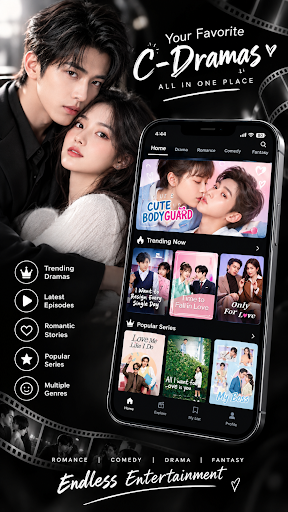
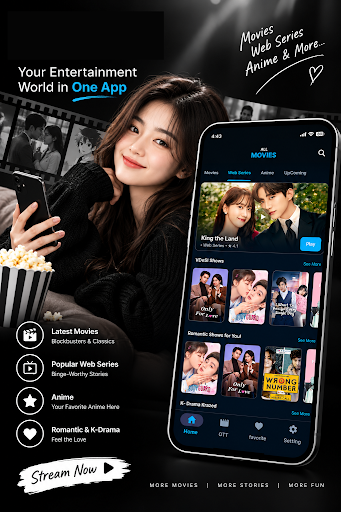
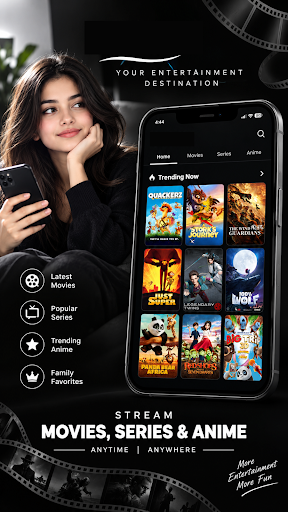
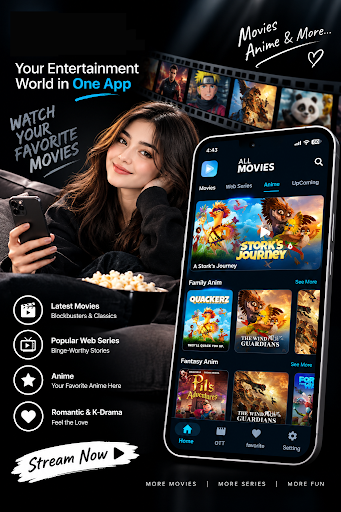
Movie Box Entertainment Hub – Explore Entertainment Your Way!
Discover a world of movies, shows, films, and entertainment with a simple and enjoyable media experience.
Movie Box Entertainment Hub is designed for entertainment lovers who enjoy exploring movie collections, discovering shows, and browsing video content through an easy-to-use interface.
Whether you love action, comedy, romance, drama, thrillers, or classic films, enjoy a convenient way to explore entertainment and find something interesting.
Explore Movies & Entertainment
Movie Discovery
Explore movie titles, discover interesting stories, and browse entertainment across different categories.
Shows & Series
Discover shows, series, and episodic entertainment through an organized browsing experience.
HD & 4K Entertainment
Explore available HD and 4K media content where supported. Actual playback quality depends on the source, device capabilities, and content availability.
Entertainment Categories
Discover action, romance, comedy, thriller, adventure, drama, and other popular entertainment genres.
Easy Content Exploration
Browse entertainment collections and find interesting titles through simple navigation.
Smooth & Simple Experience
Enjoy a clean, user-friendly interface designed for convenient media exploration.
Why Choose This Entertainment App?
• Simple and convenient movie discovery
• Explore movies, shows, and entertainment
• Browse different entertainment categories
• Discover films and interesting stories
• User-friendly navigation
• Organized media browsing experience
• Explore available HD and 4K content
• Convenient entertainment exploration
Find Your Next Favorite Entertainment
From classic films to exciting movie stories, enjoy discovering different types of entertainment in one convenient place.
Explore action adventures, family entertainment, comedy collections, romantic stories, and thrilling dramas through an intuitive media discovery experience.
Whether you are interested in discovering movies, exploring series, or browsing entertainment, the app makes finding content simple and enjoyable.
Important Information
• Media quality, including HD or 4K, depends on the content source, device compatibility, and available playback capabilities.
• The availability of movies, shows, videos, and other media may vary.
• An internet connection may be required for online content and related features.
• The app does not guarantee access to any particular movie, television program, or streaming service.
Copyright & Content Disclaimer
Movie Box respects intellectual property rights and the copyrights of content creators and owners.
All third-party movie titles, posters, images, artwork, logos, and trademarks remain the property of their respective owners.
The app does not claim ownership of third-party copyrighted content. Content may be made available only where appropriate rights or permissions exist.
This app does not authorize unauthorized downloading, copying, distribution, or streaming of copyrighted content.
Independent App Disclaimer
Movie Box Entertainment Hub is an independently developed application and is not affiliated with, endorsed by, sponsored by, or officially associated with any third-party movie studio, television network, entertainment platform, or streaming service.
All trademarks and brand names belong to their respective owners.
Explore Movies, Discover Shows & Enjoy Entertainment!
Discover interesting films, explore different entertainment genres, and enjoy a simple media browsing experience.
Afficher plus

1. Téléchargez l'installateur MEmu et terminez l'installation

2. Démarrez MEmu puis ouvrez Google Play sur la page d'accueil

3. Recherchez Movie Box Entertainment Hub dans Google Play
Install
4. Téléchargez et installez Movie Box Entertainment Hub
5. Une fois l'installation terminée, cliquez sur l'icône pour démarrer

6. Utiliser MEmu pour utiliser Movie Box Entertainment Hub sur votre ordinateur
MEmu Play est actuellement le meilleur émulateur Android gratuit, avec 50 millions d'utilisateurs qui profitent d'une expérience Android exceptionnelle. La technologie de virtualisation de MEmu vous permet de jouer facilement à des milliers d'applications Android sur votre ordinateur, même les plus gourmandes en ressources.
L’écran plus grand avec de meilleurs graphismes; Une longue durée, sans limitation de batterie ou de données mobiles.
Soutien du Keymapping pour un contrôle précis du clavier et de la souris ou de la manette de jeu
Plusieurs comptes de jeu ou tâches sur un seul PC en même temps avec le gestionnaire de multi-instance.
Use Movie Box Entertainment Hub on PC by following steps: