Picora: Collage & Photo Editor
Mise à jour
Version actuelle
2.6.0
Proposée par

Ne vous inquiétez plus des surcharges lorsque vous utilisez Picora: Collage & Photo Editor sur votre téléphone portable, libérez-vous de l'écran minuscule et profitez de l'application sur un écran beaucoup plus grand. Désormais, vous pouvez utiliser votre application en plein écran avec le clavier et la souris. MEmu vous offre toutes les fonctionnalités surprenantes que vous attendiez : installation rapide et configuration facile, commandes intuitives, plus de limitations de batterie, de données mobiles et d'appels dérangeants. Le tout nouveau MEmu 9 est le meilleur choix pour utiliser Picora: Collage & Photo Editor sur votre ordinateur. Codé avec notre absorption, le gestionnaire multi-instance permet d'ouvrir 2 ou plusieurs comptes en même temps. Et le plus important, notre moteur d'émulation exclusif peut libérer tout le potentiel de votre PC, rendre tout cela fluide et agréable.
Afficher plus
Profitez d'une expérience Picora: Collage & Photo Editor exceptionnelle sur PC grâce à MEmu Play. Cet émulateur Android gratuit et performant vous donne accès à des milliers d'applications Android pour votre ordinateur. Restez en contact avec vos amis et travaillez plus efficacement ! Create stunning collages and edit photos effortlessly with Picora, the ultimate Collage Maker & Photo Editor!
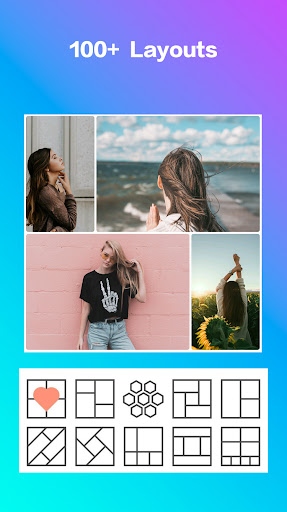
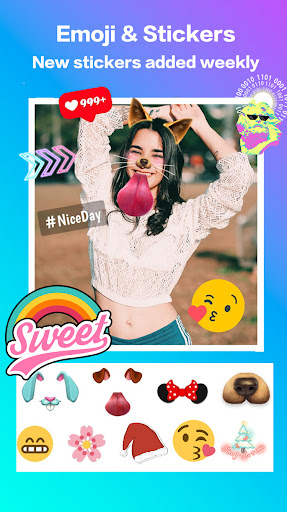
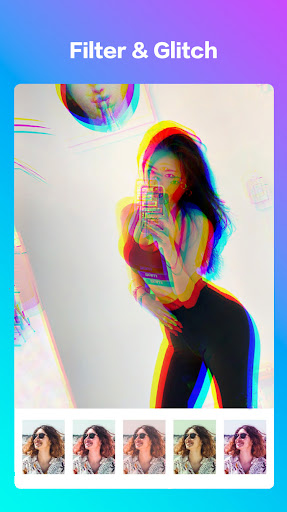
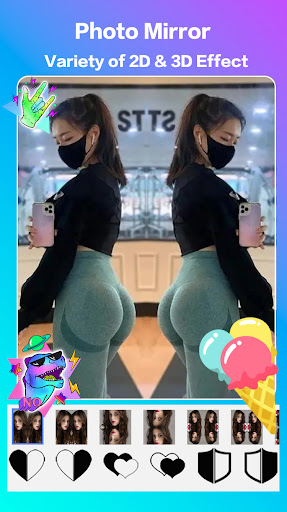
Create stunning collages and edit photos effortlessly with Picora, the ultimate Collage Maker & Photo Editor! Choose from 100+ layouts, frames, filters, and glitch styles, plus backgrounds, stickers, and fonts to craft amazing photo collages for any occasion.
Features:
● Easily create collages with grid or freestyle layouts.
● Hundreds of photo layouts and frames to choose from.
● Use Photo Mirror for beautiful mirror pics.
● Weekly updates with new stickers, fonts, frames, and backgrounds.
● Crop photos with various ratios and manual adjustments.
● Edit photos with filters, glitches, texts, and frames.
● Remove backgrounds and apply color gradients for enhanced photos.
● Save and share high-resolution collages and photos on social apps.
Photo Grid
Quickly create collages from multiple photos with a variety of layouts. Remix and share your creations instantly.
Freestyle Collage
Design scrapbooks with different backgrounds and ratios. Position elements perfectly with photos, stickers, and texts, then share them on Facebook, Instagram Stories, and Snapchat Stories.
Photo Editor
Powerful editing tools for cropping, applying filters, glitches, frames, stickers, text, rotation, and more. Perfect for enhancing photos for WhatsApp and Instagram.
Photo Mirror
Create stunning mirror images with 3D shapes and styles. Add stickers, text, and frames to personalize your mirrored photos.
Background remover
Automatically remove image backgrounds in just 5 seconds. Replace with colors, gradients, or images, or keep it transparent with precise edge handling, even around hair.
Picora is the most trendy collage maker and photo editor for Instagram and selfie editing. If you have any problems or suggestions, feel free to let us know. Email: iwillbe.team@gmail.com
Afficher plus

1. Téléchargez l'installateur MEmu et terminez l'installation

2. Démarrez MEmu puis ouvrez Google Play sur la page d'accueil

3. Recherchez Picora: Collage & Photo Editor dans Google Play
Install
4. Téléchargez et installez Picora: Collage & Photo Editor
5. Une fois l'installation terminée, cliquez sur l'icône pour démarrer

6. Utiliser MEmu pour utiliser Picora: Collage & Photo Editor sur votre ordinateur
MEmu Play est actuellement le meilleur émulateur Android gratuit, avec 50 millions d'utilisateurs qui profitent d'une expérience Android exceptionnelle. La technologie de virtualisation de MEmu vous permet de jouer facilement à des milliers d'applications Android sur votre ordinateur, même les plus gourmandes en ressources.
L’écran plus grand avec de meilleurs graphismes; Une longue durée, sans limitation de batterie ou de données mobiles.
Soutien du Keymapping pour un contrôle précis du clavier et de la souris ou de la manette de jeu
Plusieurs comptes de jeu ou tâches sur un seul PC en même temps avec le gestionnaire de multi-instance.
Use Picora: Collage & Photo Editor on PC by following steps: