Potenza Drive (OBD2 ELM327)
Mise à jour
Version actuelle
1.5.6
Proposée par

Ne vous inquiétez plus des surcharges lorsque vous utilisez Potenza Drive (OBD2 ELM327) sur votre téléphone portable, libérez-vous de l'écran minuscule et profitez de l'application sur un écran beaucoup plus grand. Désormais, vous pouvez utiliser votre application en plein écran avec le clavier et la souris. MEmu vous offre toutes les fonctionnalités surprenantes que vous attendiez : installation rapide et configuration facile, commandes intuitives, plus de limitations de batterie, de données mobiles et d'appels dérangeants. Le tout nouveau MEmu 9 est le meilleur choix pour utiliser Potenza Drive (OBD2 ELM327) sur votre ordinateur. Codé avec notre absorption, le gestionnaire multi-instance permet d'ouvrir 2 ou plusieurs comptes en même temps. Et le plus important, notre moteur d'émulation exclusif peut libérer tout le potentiel de votre PC, rendre tout cela fluide et agréable.
Afficher plus
Téléchargez Potenza Drive (OBD2 ELM327) avec le simulateur d’Android MEmu sur votre PC. Profitez de jouer sur un grand écran. Potenza Drive is an engine sound simulator that brings the most realistic car engine sounds and exhaust sounds produced by powerful cars inside your car.
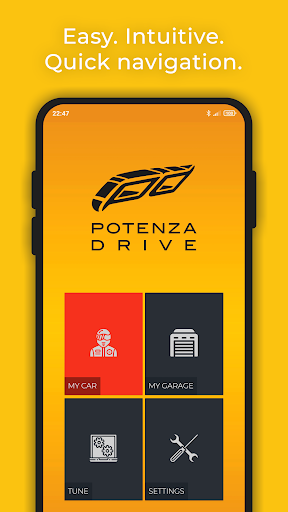
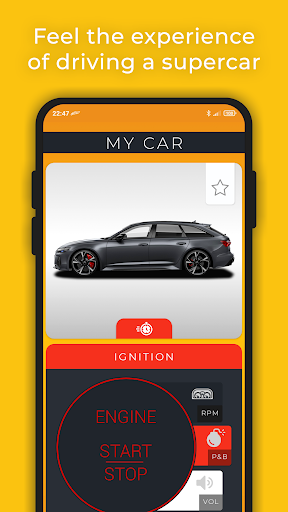
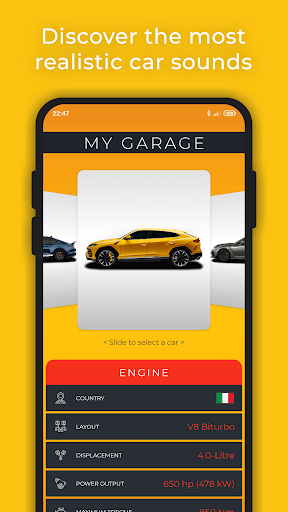
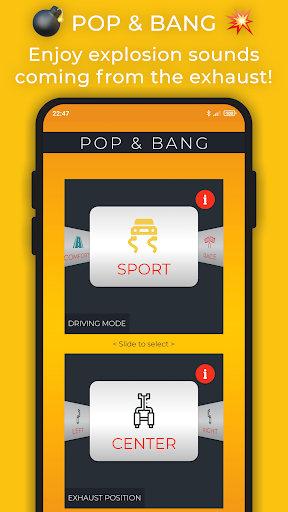
Potenza Drive is an engine sound simulator that brings the most realistic car engine sounds and exhaust sounds produced by powerful cars inside your car.
The purest combination of car engine sounds and exhaust sounds that are recorded from real high performance cars with V8 engine sounds. Feel the pleasure of driving while experience delighted engine sounds that produce the same engine sound effect produced inside a supercar.
Plug an OBD-II ELM327 adapter (On-Board Diagnostic, OBD, OBD2 or OBDII) in your car to read throttle position, acceleration, speed, rev (engine RPM), torque, engine load, gear shift, brake, among others. The sounds are simulated based on the dynamic (mechanical) information of your car which is monitored in real time. The generated sound follows the variations of your car's engine and is played through your car's speakers.
Connect your smartphone to your car's audio system and hear through the speakers the absolute car engine sound experience.
FEATURES:
• Discover exotic car engine sounds with distinctive V8 engine sounds and exhaust sounds.
• Save your favorite car engine sound.
• Explosive Pop & Bang sounds.
• Portrait and landscape mode (use with a car phone holder).
• Listen to music player or navigation while driving.
• Enjoy engine sounds with the app in background.
• Resume engine sounds after incoming/outgoing call.
• Easy car tuning control of engine RPM idle and redline to scale factor the engine sounds.
• Save your OBD-II ELM327 paired device for the next sessions.
• Improve the engine sounds experience with "FAST COMMUNICATION" enabled in the app: most recent cars, support an OBD high speed communication (mandatory since 2008).
• Support for multiple OBD protocols or automatic protocol detection (when OBD protocol is unknown).
THE NEXT GENERATION IS HERE. Sound to your ears.
Love Potenza Drive?
Visit us: https://www.potenzadrive.com
Subscribe to our YouTube channel: https://bit.ly/PD2YaH2MF
Follow us on Instagram: https://bit.ly/PD3d9qdWk
─────────
REQUIREMENTS:
• Mobile device
• OBD-II ELM327 (Bluetooth, Wi-Fi or USB) adapter¹²
• Vehicle OBD-II protocol³
• Sound system⁴
For more detailed information, see the list of requirements: https://www.potenzadrive.com/requirements
IMPORTANT:
¹ The OBD-II adapter with ELM327 chip.
² Supported OBD-II protocols: SAE J1850 PWM, ISO 9141-2, ISO 14230-4 KWP, ISO 15765-4 CAN and SAE J1939 CAN.
³ Not compatible with Electric vehicles. May work on Hybrid while using Internal Combustion Engine.
⁴ AUX cable (3.5 mm jack) offers real-time audio and superior quality, while Bluetooth (A2DP) introduces up to 2 seconds of sound delay and lower quality (codecs). A powerful sound system is required for optimal reproduction of low frequencies (bass).
Note: OBD stands for On-Board Diagnostic and is a communication port used for car diagnostic/car scanner/car doctor/car repair.
─────────
Compatible with the following car manufacturers that are OBD-II compliant:
Abarth, Acura, Alfa Romeo, Aston Martin, Audi, Bentley, BMW, Bugatti, Buick, Cadillac, Chevrolet, Chrysler, Citroën, Corvette, Cupra, Dacia, Daewoo, Daihatsu, Dodge, DS Automobiles, Ferrari, Fiat, Ford, Geely, Genesis, GMC, Holden, Honda, Hummer, Hyundai, Infiniti, Isuzu, Jaguar, Jeep, Kia, Koenigsegg, KTM, Lada, Lamborghini, Lancia, Land Rover, Lexus, Lincoln, Lotus, Maserati, Maybach, Mazda, McLaren, Mercedes-Benz, MG, MINI, Mitsubishi, Nissan, Opel, Pagani, Peugeot, Polestar, Pontiac, Porsche, Renault, Rolls-Royce, Rover, Ruf, Saab, Seat, Skoda, Smart, Spyker, SsangYong, Subaru, Suzuki, Tata, Toyota, TVR, Vauxhall, Volkswagen, Volvo, Wiesmann.
Afficher plus

1. Téléchargez l'installateur MEmu et terminez l'installation

2. Démarrez MEmu puis ouvrez Google Play sur la page d'accueil

3. Recherchez Potenza Drive (OBD2 ELM327) dans Google Play
Install
4. Téléchargez et installez Potenza Drive (OBD2 ELM327)
5. Une fois l'installation terminée, cliquez sur l'icône pour démarrer

6. Utiliser MEmu pour utiliser Potenza Drive (OBD2 ELM327) sur votre ordinateur
MEmu Play est actuellement le meilleur émulateur Android gratuit, avec 50 millions d'utilisateurs qui profitent d'une expérience Android exceptionnelle. La technologie de virtualisation de MEmu vous permet de jouer facilement à des milliers d'applications Android sur votre ordinateur, même les plus gourmandes en ressources.
L’écran plus grand avec de meilleurs graphismes; Une longue durée, sans limitation de batterie ou de données mobiles.
Soutien du Keymapping pour un contrôle précis du clavier et de la souris ou de la manette de jeu
Plusieurs comptes de jeu ou tâches sur un seul PC en même temps avec le gestionnaire de multi-instance.
Use Potenza Drive (OBD2 ELM327) on PC by following steps: