Real Piano-Piano Keyboard
Mise à jour
Version actuelle
3.0.7
Proposée par

Ne vous inquiétez plus des surcharges lorsque vous utilisez Real Piano-Piano Keyboard sur votre téléphone portable, libérez-vous de l'écran minuscule et profitez de l'application sur un écran beaucoup plus grand. Désormais, vous pouvez utiliser votre application en plein écran avec le clavier et la souris. MEmu vous offre toutes les fonctionnalités surprenantes que vous attendiez : installation rapide et configuration facile, commandes intuitives, plus de limitations de batterie, de données mobiles et d'appels dérangeants. Le tout nouveau MEmu 9 est le meilleur choix pour utiliser Real Piano-Piano Keyboard sur votre ordinateur. Codé avec notre absorption, le gestionnaire multi-instance permet d'ouvrir 2 ou plusieurs comptes en même temps. Et le plus important, notre moteur d'émulation exclusif peut libérer tout le potentiel de votre PC, rendre tout cela fluide et agréable.
Afficher plus
Téléchargez Real Piano-Piano Keyboard avec le simulateur d’Android MEmu sur votre PC. Profitez de jouer sur un grand écran. You can download Virtual Piano 2024 organ keyboard App free of charge like a real pianist.
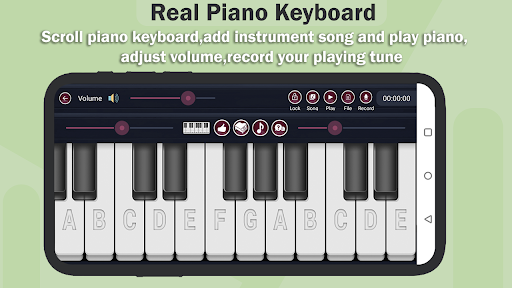
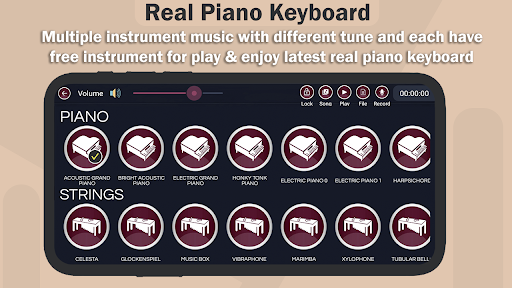
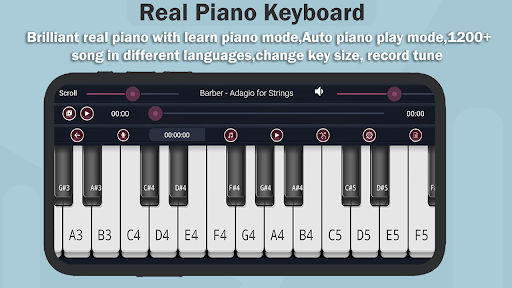
You can download Virtual Piano 2024 organ keyboard App free of charge like a real pianist..
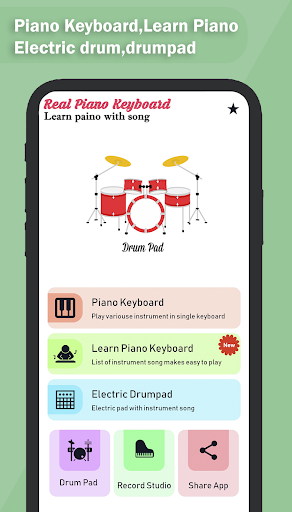
Piano is an electric keyboard simulator app with virtual musical instruments to help you learn chords and music notes for free! Learn how to play the piano keys in many interesting ways!
Learn piano keyboard has new features to learn piano in some days, we have added new instrument auto play song with particular song tune.
Piano keyboard has 950+ new & old auto play song collection in different category.
Real Piano Keyboard for Musicians is include 8+ song category like Hindi song, love song,Movie title tune,kids song,natural tune and many more.
One more part of app is any time change keyboard key and scroll left to right or right to left piano keyboard.
Adjust piano tune volume or song volume.
Multiple in-built sound effects: Grand piano, Bright Piano, Music Box, Pipe Organ, Rhodes, Synthesizer
The only realistic Real piano learning app with free songs made by musicians for musicians and beginners.
you can fine tune it so it can play other instruments.You can combine two instruments to a new one to achieve amazing new sounds,you can split the keyboard to play bass with your left hand and piano on the right hand.
Learn Scales and Chords by viewing as a reference or playing back,Unlike all other piano apps,you are not forced to follow the fixed instructions,animated dropping bar.
• Learn to play your favorite songs on the piano by playing back the piano keyboard.
• Resizable piano suitable for all devices.
• Highly configurable piano(multitouch,glissando,highlighting,note labels)
Play Learning Keyboard with different kind of music with pleasure!High-quality Stereo output.
Digital Piano with Grand Piano,Electric Piano,Synth,Organ,Acoustic Guitar,Electric Guitar,Electric Bass,Synth Bass,Strings,Horns,Clav,Toy Organ,Banjo,Sitar,Vibraphone,Flute,grand,to the violin,harpsichord,accordion and guitar and Vocals sounds.
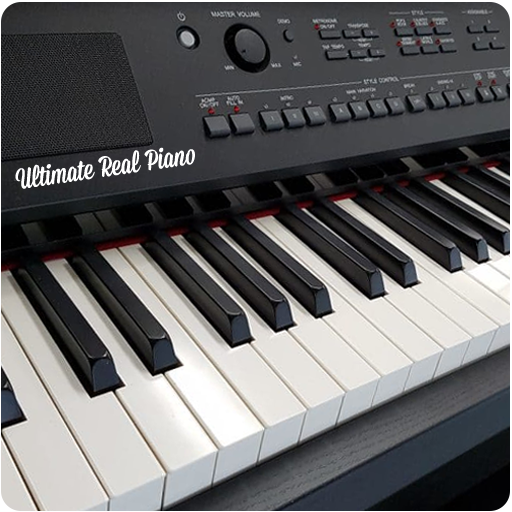
Piano Keyboard has 52 white keys/tiles and 36 black keys/tiles for a total of 88 keys/tiles, seven octaves plus a minor third, from A0 to C8.
3D Pianos Keyboard easily play this Piano Keyboard by pressing the Piano Keyboard keys in the app.
Features of the realistic pianos key board learner:
- 3D Piano Game full on-screen multi-touch 88 keys keyboard with 3D Touch support.
- Play the real thing on the 3D graphics platform.
- 3D Piano keyboard use high-fidelity piano sound.
- Built-in video recording, midi or audio recording (optional)
- Piano keyboard Slow down the song at any time or pause it and start learning it note by note
- Switch to learn mode to help you sharpen your skills further and differentiate left hand and right hand
- 3D Piano game HD built in Audio/Midi/Video recorder
- Full core midi support: connect your midi keyboard via Apple camera kit or any other Android
supported midi adapter and watch your performance turn into 3D art
- Piano keyboard record on-screen performance and instantly share on soical media !
- Midi Out/Virtual Midi Out: control any midi capable device and apps that supports background audio
- 3D Piano Keyboard integration using Inter-App Audio & Audio bus support
- Improve Skills - Score and Feedback at every song compilation
- Rich play - play with backing vocals and instruments
- Share - Invite your friends and compete for the best score.
Electric DrumPad:
The most complete DJ Pads app. There are pads with different beats,loops and vocals for you make the perfect beat!
What you can do with DJ music Pads:
• Make music on a device like a beat maker
• Compose tracks, make beats and create mixtapes
• Record sounds by beats maker
• Share music and songs with the world.
Musical REAL Drum:
REAL DRUM lets you try the true drumming experience in any music style! A free, fun, user-friendly app!
Check out the REAL DRUM specs:
- Customize your kit: load in your own Song
- Wide range of toms and snares
- Studio-quality sound
- Recording mode
- Export your recordings to MP3.
Afficher plus

1. Téléchargez l'installateur MEmu et terminez l'installation

2. Démarrez MEmu puis ouvrez Google Play sur la page d'accueil

3. Recherchez Real Piano-Piano Keyboard dans Google Play
Install
4. Téléchargez et installez Real Piano-Piano Keyboard
5. Une fois l'installation terminée, cliquez sur l'icône pour démarrer

6. Utiliser MEmu pour utiliser Real Piano-Piano Keyboard sur votre ordinateur
MEmu Play est actuellement le meilleur émulateur Android gratuit, avec 50 millions d'utilisateurs qui profitent d'une expérience Android exceptionnelle. La technologie de virtualisation de MEmu vous permet de jouer facilement à des milliers d'applications Android sur votre ordinateur, même les plus gourmandes en ressources.
L’écran plus grand avec de meilleurs graphismes; Une longue durée, sans limitation de batterie ou de données mobiles.
Soutien du Keymapping pour un contrôle précis du clavier et de la souris ou de la manette de jeu
Plusieurs comptes de jeu ou tâches sur un seul PC en même temps avec le gestionnaire de multi-instance.
Use Real Piano-Piano Keyboard on PC by following steps: