Romantic Stickers WASticker.ly
Mise à jour
Version actuelle
1.3.7
Proposée par

Ne vous inquiétez plus des surcharges lorsque vous utilisez Romantic Stickers WASticker.ly sur votre téléphone portable, libérez-vous de l'écran minuscule et profitez de l'application sur un écran beaucoup plus grand. Désormais, vous pouvez utiliser votre application en plein écran avec le clavier et la souris. MEmu vous offre toutes les fonctionnalités surprenantes que vous attendiez : installation rapide et configuration facile, commandes intuitives, plus de limitations de batterie, de données mobiles et d'appels dérangeants. Le tout nouveau MEmu 9 est le meilleur choix pour utiliser Romantic Stickers WASticker.ly sur votre ordinateur. Codé avec notre absorption, le gestionnaire multi-instance permet d'ouvrir 2 ou plusieurs comptes en même temps. Et le plus important, notre moteur d'émulation exclusif peut libérer tout le potentiel de votre PC, rendre tout cela fluide et agréable.
Afficher plus
Téléchargez Romantic Stickers WASticker.ly avec le simulateur d’Android MEmu sur votre PC. Profitez de jouer sur un grand écran. Love and Romantic Stickers for WhatsApp WAStickerapp.
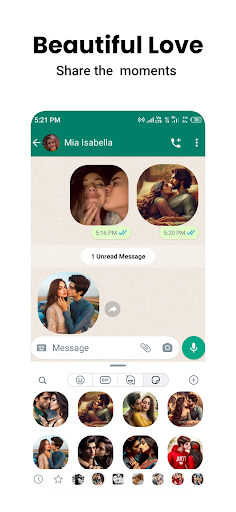
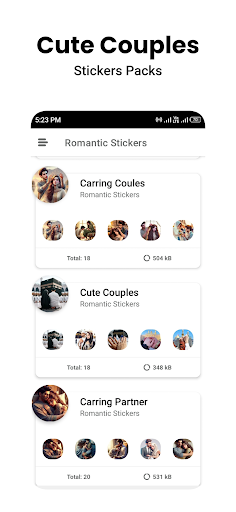
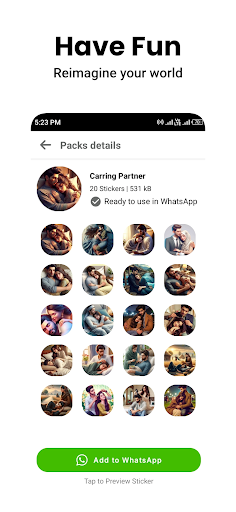
Love and Romantic Stickers for WhatsApp WAStickerapp
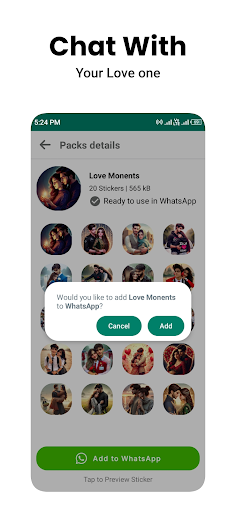
Are you looking for the perfect way to express your love. We have a romantic stickers app for you. With this WA Romantic Stickers App you can send love, kiss , hug,forehead kissing stickers with your love. You can also share your romantic feelings with your loved ones through these beautiful stickers.
Looking for some new stickers for your WhatsApp app ? Here's a list of all the best stickers!
1. Kisses 2.Romantic 3.Forehead Kissing 4.Loving 5.Hug Stickers 6.Sleeping With Partner 7.Cute Love 8.Romantic Couples 9.Cute loved Couple 10.Caring Love 11.Romantic Moments 12.Girlfriend Love
Romantic stickers are a popular way to express your love. Romantic stickers for WhatsApp are the beautiful sticker conveying a different message of love and romance. Want to show your love with a romantic Stickers? This collection of romantic stickers features everything from heartfelt hugs and kisses to sweet embraces and loving touches. These stickers are perfect for letting your partner know just how much you care.
The most popular romantic stickers for WhatsApp are kiss stickers. Kiss stickers are usually used to show some love and romance with your partner. Romantic sticker is the kiss sticker. Kiss stickers are used to convey love and affection between two people.
Through this WA Romantic stickers app you can impress your love by sending him/her most beautiful romantic and caring stickers. When your love see these stickers in chat she/he fall in love with you and enjoy the feelings of love . These Stickers pack for WhatsApp can be used to express a variety of emotions such as, love , romance and caring. lyStickers WA romantic Stickers with wings stickers are a popular choice for those looking to express their love in a unique and creative way.
There are also a variety of more modern options available in this romantic stickers app. These include stickers featuring popular love stickers, such as the heart eyes stickers or the kissing stickers.
When your love sad or angry with you then make your love happiest and cool by sending these beautiful WA romantic love stickers. Celebrate the feelings of love and share these romantic stickers for whatsapp with your girlfriend through chating.
Overall, romantic stickers are a best way to express your love and someone special. There is sure to be a romantic sticker that perfectly conveys your feelings and emotions.
How to add Stickers for WhatsApp?
Install this 'WAStickers' app.
Tap on ADD BUTTON.
Click on confirm dialog.
You have added stickers successfully for whatsapp.
Now open whatsapp App and send stickers with your love.
Check in your WA Stickers
IMPORTANT NOTE:
Don't uninstall this romantic stickers WAStickersly App. Otherwise WA will remove all the stickers from it.
Afficher plus

1. Téléchargez l'installateur MEmu et terminez l'installation

2. Démarrez MEmu puis ouvrez Google Play sur la page d'accueil

3. Recherchez Romantic Stickers WASticker.ly dans Google Play
Install
4. Téléchargez et installez Romantic Stickers WASticker.ly
5. Une fois l'installation terminée, cliquez sur l'icône pour démarrer

6. Utiliser MEmu pour utiliser Romantic Stickers WASticker.ly sur votre ordinateur
MEmu Play est actuellement le meilleur émulateur Android gratuit, avec 50 millions d'utilisateurs qui profitent d'une expérience Android exceptionnelle. La technologie de virtualisation de MEmu vous permet de jouer facilement à des milliers d'applications Android sur votre ordinateur, même les plus gourmandes en ressources.
L’écran plus grand avec de meilleurs graphismes; Une longue durée, sans limitation de batterie ou de données mobiles.
Soutien du Keymapping pour un contrôle précis du clavier et de la souris ou de la manette de jeu
Plusieurs comptes de jeu ou tâches sur un seul PC en même temps avec le gestionnaire de multi-instance.
Use Romantic Stickers WASticker.ly on PC by following steps: