S.H.E. colorist
Mise à jour
Version actuelle
2.1.1
Proposée par

Ne vous inquiétez plus des surcharges lorsque vous utilisez S.H.E. colorist sur votre téléphone portable, libérez-vous de l'écran minuscule et profitez de l'application sur un écran beaucoup plus grand. Désormais, vous pouvez utiliser votre application en plein écran avec le clavier et la souris. MEmu vous offre toutes les fonctionnalités surprenantes que vous attendiez : installation rapide et configuration facile, commandes intuitives, plus de limitations de batterie, de données mobiles et d'appels dérangeants. Le tout nouveau MEmu 9 est le meilleur choix pour utiliser S.H.E. colorist sur votre ordinateur. Codé avec notre absorption, le gestionnaire multi-instance permet d'ouvrir 2 ou plusieurs comptes en même temps. Et le plus important, notre moteur d'émulation exclusif peut libérer tout le potentiel de votre PC, rendre tout cela fluide et agréable.
Afficher plus
Téléchargez S.H.E. colorist avec le simulateur d’Android MEmu sur votre PC. Profitez de jouer sur un grand écran. s.
s.h.e. colorist
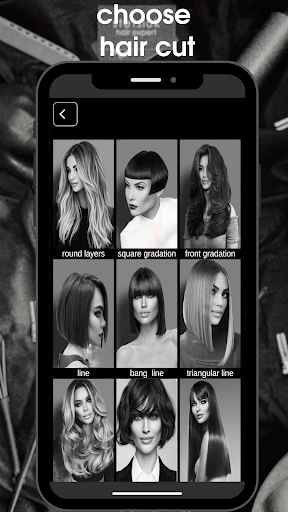
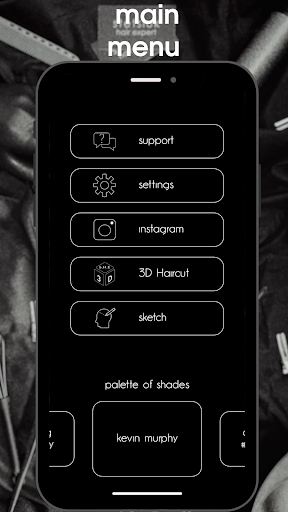
An innovative application for hairdressers that uses the latest technology to help you learn all aspects of the professional work of a hairdresser: coloring, cutting, technical drawings.
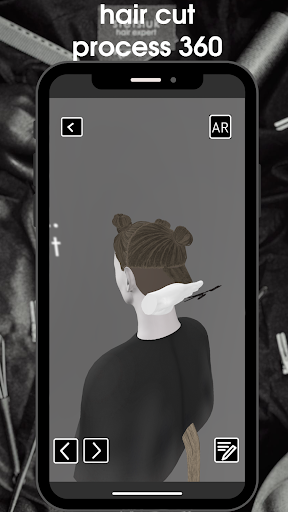
3D haircut from s.h.e. colorist is a modern way to study and understand the geometry of haircuts. The user can view and study every moment of the haircut process at 360 degrees. Augmented reality technology makes it possible to transfer the haircut model to any environment in which the user is located. Improve your skills. Be professional.
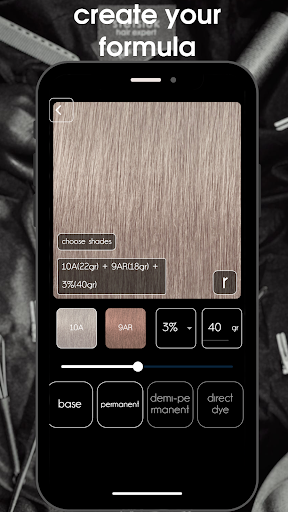
The S.H.E.colorist application will allow you to create shades by mixing two colors from the palette and show the final result on the hair, according to the given parameters: hair type, initial hair color and type of selected hair dye.
This program will allow the hairdresser to accurately assess the original base using the scanner function and help with the selection of the necessary colors to achieve the desired effect.
You can test several formulas and choose the most suitable final effect.
More than 20 professional most popular global brands in one app!
S.H.E.colorist is created by hairdressers and color specialists for hairdressers.
Get full control over the hair coloring process.
Get the expected result of hair coloring, which will allow you to become even more confident in your professional activity.
The definition of neutralization of an unwanted shade did not have specific defined parameters.
Now that's history!
With this application, the hairdresser will be sure that he will not "overdo it" with pigments during neutralization, that he will always get the desired effect, because he does not mix colors "by eye".
- schwarzkopf professional
- loreal professionnel
-goldwell
-guy tang #mydenity
-mounir
- wella professionals
-kenra professional
-lakme
-artego
- professional matrix
-nouvelle
-z.one concept
-estel
- alfaparf milano
-montibello
- kemon
- rica
-revlon professional
-redken
- indole
pravana
joico,
kevin murphy ,
paul mitchel ,
leyton house ,
glynt ,
difiaba ,
framesi .
keune
, rusk
For a correct drawing process, the main element is the definition of the initial base. you can select the starting base in the main menu.
There are two types to choose from:
N is a natural base and
B - illuminated base.
Or use the scanner to determine the shade.
Hair color scanner
Using the scanner function, you can easily determine the level of your natural hair color.
With the help of the program, you can easily determine the level of your natural hair color, for example: 6N or 7N.
The scanner will also determine the color of dyed hair.
From now on, it will be easy to neutralize the unwanted shade. A properly calibrated scanner will help you determine the level of unwanted color. Select the shades you want to neutralize from the palette and create the appropriate formula.
Create formulas!
Feel comfortable and control the hair dyeing process.
Choose shades from the palette, change the oxidizers, the amount of product, and the program will show how the result will look. S.H.E. Colorist will not allow you to do the wrong things, for example, use the wrong oxidizers, apply the wrong shades to super light blonde (bases).
Saving formulas
Save the created formula in your directory. Having found a saved formula by name or number in the catalog, you can edit it and create new proportions.
Settings
In the settings, you can change the language, units of measurement and oxidizer. To change the scanner settings according to the lighting in your workplace, watch the tutorial video on how to properly adjust the smartphone screen
Afficher plus

1. Téléchargez l'installateur MEmu et terminez l'installation

2. Démarrez MEmu puis ouvrez Google Play sur la page d'accueil

3. Recherchez S.H.E. colorist dans Google Play
Install
4. Téléchargez et installez S.H.E. colorist
5. Une fois l'installation terminée, cliquez sur l'icône pour démarrer

6. Utiliser MEmu pour utiliser S.H.E. colorist sur votre ordinateur
MEmu Play est actuellement le meilleur émulateur Android gratuit, avec 50 millions d'utilisateurs qui profitent d'une expérience Android exceptionnelle. La technologie de virtualisation de MEmu vous permet de jouer facilement à des milliers d'applications Android sur votre ordinateur, même les plus gourmandes en ressources.
L’écran plus grand avec de meilleurs graphismes; Une longue durée, sans limitation de batterie ou de données mobiles.
Soutien du Keymapping pour un contrôle précis du clavier et de la souris ou de la manette de jeu
Plusieurs comptes de jeu ou tâches sur un seul PC en même temps avec le gestionnaire de multi-instance.
Use S.H.E. colorist on PC by following steps: