Umniah
Mise à jour
Version actuelle
18.9.44
Proposée par

Ne vous inquiétez plus des surcharges lorsque vous utilisez Umniah sur votre téléphone portable, libérez-vous de l'écran minuscule et profitez de l'application sur un écran beaucoup plus grand. Désormais, vous pouvez utiliser votre application en plein écran avec le clavier et la souris. MEmu vous offre toutes les fonctionnalités surprenantes que vous attendiez : installation rapide et configuration facile, commandes intuitives, plus de limitations de batterie, de données mobiles et d'appels dérangeants. Le tout nouveau MEmu 9 est le meilleur choix pour utiliser Umniah sur votre ordinateur. Codé avec notre absorption, le gestionnaire multi-instance permet d'ouvrir 2 ou plusieurs comptes en même temps. Et le plus important, notre moteur d'émulation exclusif peut libérer tout le potentiel de votre PC, rendre tout cela fluide et agréable.
Afficher plus
Téléchargez Umniah avec le simulateur d’Android MEmu sur votre PC. Profitez de jouer sur un grand écran. Umniah is proud to present the brand-new Umniah Self-Care application to its customers!
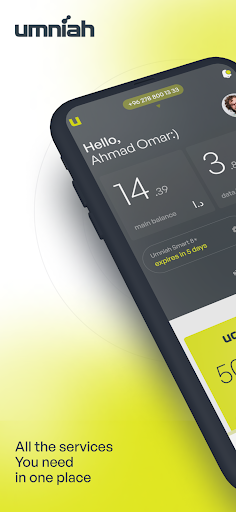
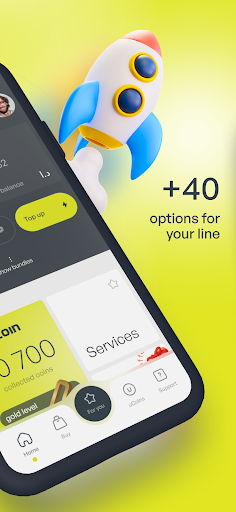
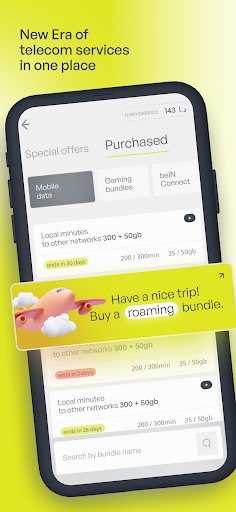

Umniah is proud to present the brand-new Umniah Self-Care application to its customers! Keep all of your phone, internet and fixed line accounts in your pocket with you, wherever you go. Become independent and take control of your digital life with Umniah Self-Care!
With the Umniah Self-Care app, you can:
*CHECK YOUR LINE DETAILS - One tap on your phone, and you can see the minutes, SMSs and data you have left on your account straight from our home page. Quick and simple.
*TOP-UP - No more need to walk to a store or call a phone number to recharge your postpaid account, you can now top-up directly from your phone in just a few clicks!
*TRANSFER BALANCE - Transferring credit between phone lines has never been easier; with the Self-Care app, send balance to your family or friends in less than five minutes.
*PAY YOUR BILL - No one likes to see unpaid bills pile up; save yourself some time and take care of your bills directly from your phone!
*AND MUCH MORE - Browse Umniah’s latest products and services, locate your nearest Umniah shop, find the answers to all of your Umniah-related questions… All from a single app.
Take control of your digital life with the new Umniah Self-Care application today!
What’s New
Bill Payment:
Pay your bills directly through the application using your credit card
Special Promotions:
Find out the special promotions that are available to you
Balance transfer:
Transfer balance to your friends easily using the application
Buy bundles:
With the new application you have more bundles and packages available for you to buy.
Afficher plus

1. Téléchargez l'installateur MEmu et terminez l'installation

2. Démarrez MEmu puis ouvrez Google Play sur la page d'accueil

3. Recherchez Umniah dans Google Play
Install
4. Téléchargez et installez Umniah
5. Une fois l'installation terminée, cliquez sur l'icône pour démarrer

6. Utiliser MEmu pour utiliser Umniah sur votre ordinateur
MEmu Play est actuellement le meilleur émulateur Android gratuit, avec 50 millions d'utilisateurs qui profitent d'une expérience Android exceptionnelle. La technologie de virtualisation de MEmu vous permet de jouer facilement à des milliers d'applications Android sur votre ordinateur, même les plus gourmandes en ressources.
L’écran plus grand avec de meilleurs graphismes; Une longue durée, sans limitation de batterie ou de données mobiles.
Soutien du Keymapping pour un contrôle précis du clavier et de la souris ou de la manette de jeu
Plusieurs comptes de jeu ou tâches sur un seul PC en même temps avec le gestionnaire de multi-instance.
Use Umniah on PC by following steps: