Weatherzone: Weather Forecasts
Mise à jour
Version actuelle
7.3.5
Proposée par

Ne vous inquiétez plus des surcharges lorsque vous utilisez Weatherzone: Weather Forecasts sur votre téléphone portable, libérez-vous de l'écran minuscule et profitez de l'application sur un écran beaucoup plus grand. Désormais, vous pouvez utiliser votre application en plein écran avec le clavier et la souris. MEmu vous offre toutes les fonctionnalités surprenantes que vous attendiez : installation rapide et configuration facile, commandes intuitives, plus de limitations de batterie, de données mobiles et d'appels dérangeants. Le tout nouveau MEmu 9 est le meilleur choix pour utiliser Weatherzone: Weather Forecasts sur votre ordinateur. Codé avec notre absorption, le gestionnaire multi-instance permet d'ouvrir 2 ou plusieurs comptes en même temps. Et le plus important, notre moteur d'émulation exclusif peut libérer tout le potentiel de votre PC, rendre tout cela fluide et agréable.
Afficher plus
Téléchargez Weatherzone: Weather Forecasts avec le simulateur d’Android MEmu sur votre PC. Profitez de jouer sur un grand écran. The Weatherzone app gives you access to current weather conditions, 10-day weather forecasts, 28-day rainfall, temperature and moon forecasts, 7-day graphs, rain radar, snow radar, wind streamline maps, and more!
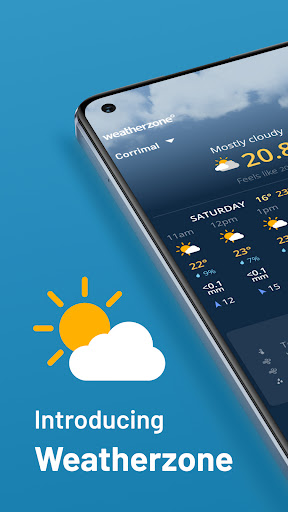
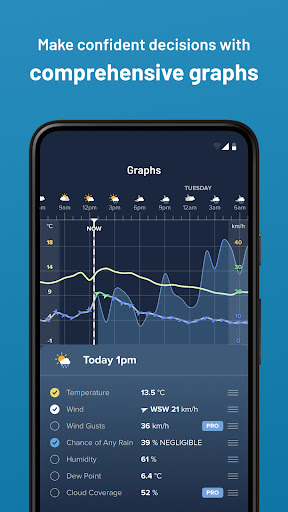
The Weatherzone app gives you access to current weather conditions, 10-day weather forecasts, 28-day rainfall, temperature and moon forecasts, 7-day graphs, rain radar, snow radar, wind streamline maps, and more!
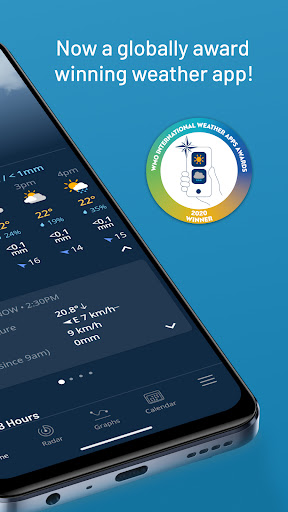
Recognized by the World Meteorological Organization, Weatherzone is an award-winning weather app for Android known for its quality of data, live weather updates, reliability, and user interface. Join over 1M+ people who rely on our accurate weather forecasts and features. Plan for today, tomorrow, and the week ahead with our comprehensive weather forecast, including UV, sunrise and sunset times, and detailed hourly weather changes. Wondering what is the weather in the USA? Our app provides local USA forecasts, but please note that some features may not be available in all regions.
– Free Weather App Features - Local Weather Conditions
◆ Weather observations - current conditions for your location including temperature, feels like, wind, gusts, rain, humidity, dew point, and pressure.
◆ 10-day weather forecast - plan for today and the week ahead with our weather forecast including UV, sunrise, and sunset times.
◆ Detailed hourly weather forecasts - showing real-time changes in temperature, rain, wind, humidity, and more.
◆ Calendar forecasts for the next month – plan ahead for the next 28 days with rainfall, temperature and moon phase forecasts.
More weather app features
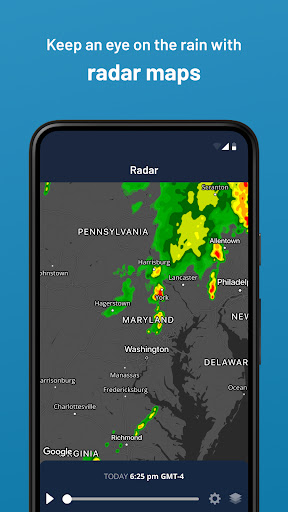
◆ Extensive US rain radar and snow radar, high-resolution satellite imagery, and lightning maps.
◆ Wind streamlines - track wind direction across the US with animated streamlines.
◆ Today, tomorrow, weekly forecast summary push notifications.
◆ Weather widgets - add native weather widgets to your phone’s home screen.
◆ Moon calendar - discover the current moon phase with moon rise and moon set times expected over the next 28 days.
– Paid Weatherzone AdFree Account –
◆ Enjoy our weather app without any ads.
– Paid Weatherzone Pro Account –
◆ No advertising.
◆ Wind gusts and cloud coverage by the hour.
◆ More Pro features to come soon.
*WMO weather app awards, 2020 for usefulness, reliability, quantity and quality of information in the private sector. Features may vary by country based on the availability of data for that region.
– Contact Weatherzone – Learn more about the app: https://weatherzone.app If you have any feedback, issues with the app/account or have any feature suggestions, please email us at help@weatherzone.com.au.
Afficher plus

1. Téléchargez l'installateur MEmu et terminez l'installation

2. Démarrez MEmu puis ouvrez Google Play sur la page d'accueil

3. Recherchez Weatherzone: Weather Forecasts dans Google Play
Install
4. Téléchargez et installez Weatherzone: Weather Forecasts
5. Une fois l'installation terminée, cliquez sur l'icône pour démarrer

6. Utiliser MEmu pour utiliser Weatherzone: Weather Forecasts sur votre ordinateur
MEmu Play est actuellement le meilleur émulateur Android gratuit, avec 50 millions d'utilisateurs qui profitent d'une expérience Android exceptionnelle. La technologie de virtualisation de MEmu vous permet de jouer facilement à des milliers d'applications Android sur votre ordinateur, même les plus gourmandes en ressources.
L’écran plus grand avec de meilleurs graphismes; Une longue durée, sans limitation de batterie ou de données mobiles.
Soutien du Keymapping pour un contrôle précis du clavier et de la souris ou de la manette de jeu
Plusieurs comptes de jeu ou tâches sur un seul PC en même temps avec le gestionnaire de multi-instance.
Use Weatherzone: Weather Forecasts on PC by following steps: