Rocket League Sideswipe
Ενημερώθηκε
Τρέχουσα έκδοση
1.0
Προσφέρεται από

Με όλο το πάθος σας για το παιχνίδι Rocket League Sideswipe, τα χέρια σας δεν πρέπει να περιορίζονται σε μια μικροσκοπική οθόνη του τηλεφώνου σας. Παίξτε σαν επαγγελματίας και αποκτήστε τον πλήρη έλεγχο του παιχνιδιού σας με πληκτρολόγιο και ποντίκι. Το MEmu σας προσφέρει όλα όσα περιμένετε. Κατεβάστε και παίξτε Rocket League Sideswipe σε υπολογιστή. Παίξτε όσο θέλετε, χωρίς άλλους περιορισμούς μπαταρίας, δεδομένων κινητής τηλεφωνίας και ενοχλητικών κλήσεων. Το ολοκαίνουργιο MEmu 9 είναι η καλύτερη επιλογή για να παίξετε Rocket League Sideswipe σε υπολογιστή. Ετοιμασμένο με την εμπειρία μας, το εξαιρετικό σύστημα προκαθορισμένης αντιστοίχισης πλήκτρων καθιστά το Rocket League Sideswipe ένα πραγματικό παιχνίδι υπολογιστή. Ο διαχειριστής πολλαπλών περιπτώσεων MEmu καθιστά δυνατό το παιχνίδι με 2 ή περισσότερους λογαριασμούς στην ίδια συσκευή. Και το πιο σημαντικό, η αποκλειστική μηχανή εξομοίωσης μας μπορεί να απελευθερώσει πλήρως τις δυνατότητες του υπολογιστή σας, κάνοντας τα πάντα ομαλά.
Show more
Απολαύστε την υπέροχη εμπειρία αναπαραγωγής του Rocket League Sideswipe σε υπολογιστή με το MEMU App Player. Πρόκειται για έναν ισχυρό δωρεάν εξομοιωτή Android που σας επιτρέπει να παίζετε χιλιάδες παιχνίδια Android. From the makers of Rocket League, car soccer has been reimagined for mobile devices!
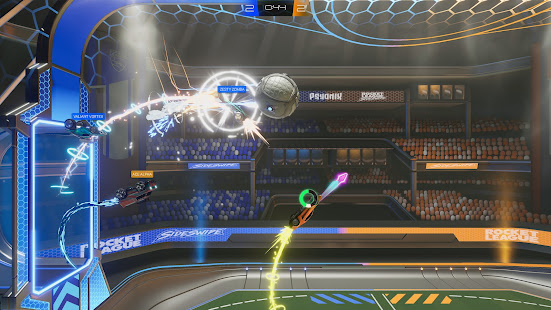
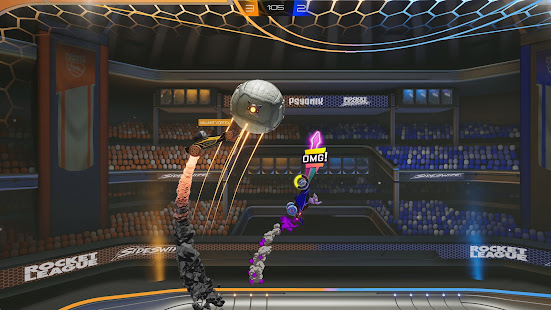
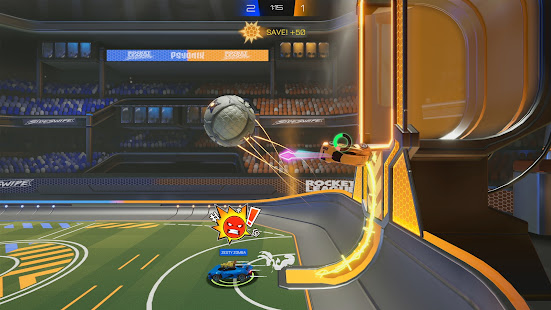
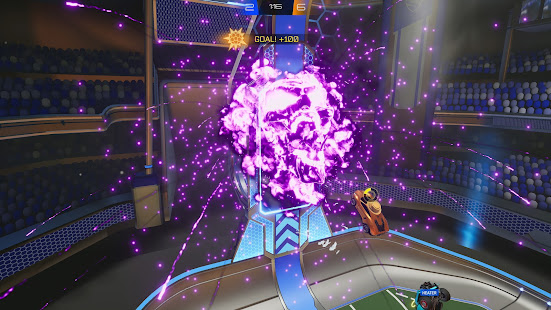
From the makers of Rocket League, car soccer has been reimagined for mobile devices! Get in the game with the intuitive touch controls. It's as simple as putting the ball in your opponent's net, but watch out! Your opponent will try to score too. Hit your boost to go faster, or use it to get off the ground and into the air to pull off some siiiick maneuvers in the air leaving your opponent in awe.
Matches are just two minutes, making Rocket League Sideswipe easy to pick up and play no matter where you are. Good luck!
Fast-paced, easy-to-learn gameplay
Face off in 1v1 or 2v2 gameplay! Rocket League Sideswipe is easy to pick up and play from anywhere! It doesn't matter if you're a veteran of Rocket League or just learning your way around the pitch.
Compete Online
Enjoy Private Matches with friends, or play Competitive Matches online with players around the world! Climb your way up the Competitive Ranks, and even crack the worldwide leaderboard.
Rocket Pass and Seasons
Unlock items in the Rocket Pass just by playing Online Matches. Look out for new Rocket Pass items each Season. Rocket League Sideswipe also features Competitive Seasons. Climb as high as you can in Competitive modes each season and earn Player Titles based on your Rank once the Season ends.
Make your car your own
Unlock new customization items for your car just by playing! Rocket League Sideswipe features thousands of customization combinations with items like cars, wheels, decals, and more. Make a statement as soon as you hit the pitch.
Modes and more!
In addition to 1v1 and 2v2 modes in soccar (soccer with cars) check out Hoops mode. Communicate with your teammates and opponent with Quick Chat Stickers! Plus, hone your skills in freeplay, offline matches, and tutorials!
Follow for all the latest news and updates:
Website: https://RocketLeague.com
Twitter: https://twitter.com/RocketLeague
Instagram: https://instagram.com/RocketLeague
Discord: https://discord.gg/rlsideswipe
Facebook: https://facebook.com/RocketLeague
Support: https://support.RocketLeague.com
Show more

1. Κατεβάστε το πρόγραμμα εγκατάστασης MEmu και ολοκληρώστε την εγκατάσταση

2. Ξεκινήστε το MEmu και στη συνέχεια ανοίξτε το Google Play στην επιφάνεια εργασίας

3. Αναζητήστε τον Rocket League Sideswipe στο Google Play
Install
4. Λήψη και εγκατάσταση του Rocket League Sideswipe
5. Μόλις ολοκληρωθεί η εγκατάσταση, κάντε κλικ στο εικονίδιο για να ξεκινήσετε

6. Enjoy playing Rocket League Sideswipe on PC with MEmu
Το MEmu Play, αποτελεί την ιδανικότερη δωρεάν λύση για την εξομοίωση του λειτουργικού Android, και χρησιμοποιείται ήδη από περισσότερους από 50 εκατομμύρια χρήστες, ο οποίοι απολαμβάνουν, την καταπληκτική εμπειρία παιχνιδιού που προσφέρεται μέσω της εφαρμογής. Με τη χρήση του MEmu Virtualization, είναι δυνατή η αναπαραγωγή παιχνιδιών Android στον υπολογιστή, ακόμη και εκείνων που απαιτούν μεγάλη επεξεργαστική ισχύ γραφικών, δίχως συμβιβασμούς στην ποιότητα και στην εμπειρία χρήσης, ακριβώς όπως ένα τελευταίας γενιάς κινητό τηλέφωνο.
Μεγαλύτερη οθόνη με καλύτερα γραφικά. Μεγάλη διάρκεια ζωής, χωρίς περιορισμό μπαταρίας ή δεδομένων κινητής τηλεφωνίας.
Πλήρης υποστήριξη αντιστοίχισης πλήκτρων για ακριβή έλεγχο του πληκτρολογίου και του ποντικιού ή του gamepad.
Πολλαπλοί λογαριασμοί παιχνιδιών ή εργασίες σε έναν υπολογιστή ταυτόχρονα με τον διαχειριστή πολλαπλών περιπτώσεων.
Play Rocket League Sideswipe on PC by following steps: