DNA Watch
Ενημερώθηκε
Τρέχουσα έκδοση
3.5
Προσφέρεται από

Με όλο το πάθος σας για το παιχνίδι DNA Watch, τα χέρια σας δεν πρέπει να περιορίζονται σε μια μικροσκοπική οθόνη του τηλεφώνου σας. Παίξτε σαν επαγγελματίας και αποκτήστε τον πλήρη έλεγχο του παιχνιδιού σας με πληκτρολόγιο και ποντίκι. Το MEmu σας προσφέρει όλα όσα περιμένετε. Κατεβάστε και παίξτε DNA Watch σε υπολογιστή. Παίξτε όσο θέλετε, χωρίς άλλους περιορισμούς μπαταρίας, δεδομένων κινητής τηλεφωνίας και ενοχλητικών κλήσεων. Το ολοκαίνουργιο MEmu 9 είναι η καλύτερη επιλογή για να παίξετε DNA Watch σε υπολογιστή. Ετοιμασμένο με την εμπειρία μας, το εξαιρετικό σύστημα προκαθορισμένης αντιστοίχισης πλήκτρων καθιστά το DNA Watch ένα πραγματικό παιχνίδι υπολογιστή. Ο διαχειριστής πολλαπλών περιπτώσεων MEmu καθιστά δυνατό το παιχνίδι με 2 ή περισσότερους λογαριασμούς στην ίδια συσκευή. Και το πιο σημαντικό, η αποκλειστική μηχανή εξομοίωσης μας μπορεί να απελευθερώσει πλήρως τις δυνατότητες του υπολογιστή σας, κάνοντας τα πάντα ομαλά.
Show more
Απολαύστε την υπέροχη εμπειρία αναπαραγωγής του DNA Watch σε υπολογιστή με το MEMU App Player. Πρόκειται για έναν ισχυρό δωρεάν εξομοιωτή Android που σας επιτρέπει να παίζετε χιλιάδες παιχνίδια Android. The Wear OS DNA Watch app has many exclusive features, like a parasite playlist, 5YL mode, and much more!
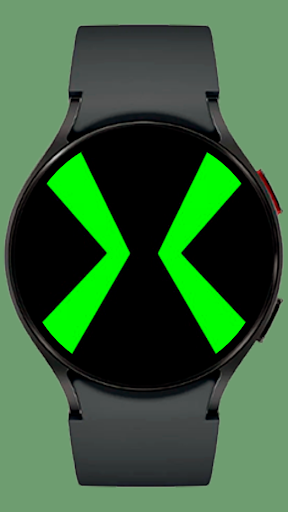
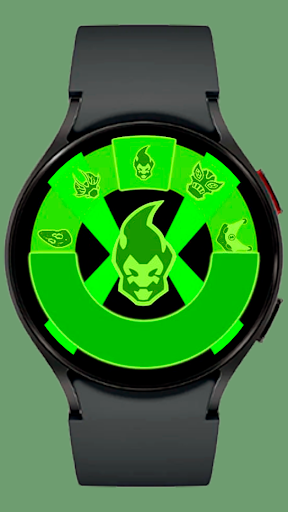
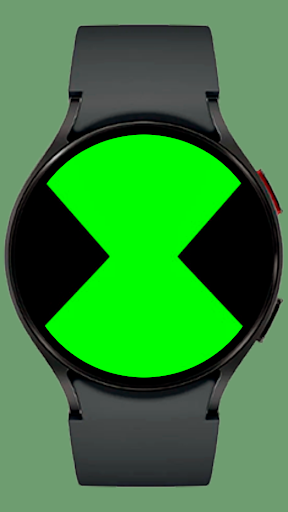
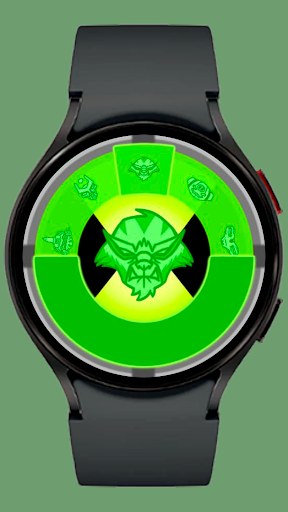
The Wear OS DNA Watch app has many exclusive features, like a parasite playlist, 5YL mode, and much more!
For any questions and doubts please go to the DnaWatch discord server: https://discord.gg/M6QKk9T9Fx
Codes:
1 = Right/Clockwise 0 = Left/Counter-Clockwise
On the HomeScreen:
Parasite Playlist: 0000000000
Master Control: 1100110101 (disables recharge mode, gives infinite transformation time and press-hold on the HomeScreen insta-transforms)
DNA Lock: 0101010101 (locks you into 10 random aliens, you can scan the rest back. Inputting the code again gives you 10 new random aliens)
De-activate DNA Lock: 1110001100 (unlocks the whole playlist again if you're on DNA lock)
Playlists: 1111110011 (lets you choose between playlists)
Locked Playlist: 1111000000 (If you have locked aliens, they will appear here (this does not apply to the DNA Lock function)
Self Destruct: 0110010010 (same code to abort)
Randomizer: 0000111111 (after using the randomizer, you'll have a 50/50 chance of getting random aliens when you transform)
De-activate Randomized Transformations: 1111110000
DNA Repair: 1100011001
DNA Scan: 0001111000 (if DNA lock is on, you'll get another alien)
Silhouettes: 1110010110 (changes the face holograms into silhouettes)
5YL mode: 10100110111 (gives you new icons and new faceplate and core) input the code again to get back to the normal playlist)
Uniform mode/Powerhouse playlist: 0010100101 (can only be activated on 5YL mode, locks you into the powerhouse playlist and changes the design of the faceplate/core, has some ne codes) input the code again to get back to the normal.
While transformed:
Ultimate: 111111111111
Reverse Ultimate: 000000000000
Life-Form Lock: 0101010 (you will no longer be able to quick-change or timeout, input the code again to de-transform)
DNA Scan: 0001111000 (same as the other DNA Scan)
Fusion: 0000111111 (1111000000 reverse)
Swiping up on the faceplate/main screen let's you swipe the faceplate off and access the core
you can input some codes there:
Vibrations on/off: "1110010110"
Backlight on the alien selection wheel on/off: "0011010011"
"Upgraded design": "0101110100" (this adds a new design to the faceplate)
Clock: "0010111001" (this adds a clock to the faceplate)
Lock aliens: "1010101010" (you can lock certain aliens you own on a separate playlist, effectively making you able to customize your main playlist) (locked aliens can be accessed on the main screen via the code "Locked Playlist: 1111000000")
The invisible buttons on the side of the screen (the ones that work similar to the bezel movements) can be turned off by inputting "1110001001" using the bezel. (This code doesn't work using the side buttons so users can't accidentally turn them off)
Press and hold on this screen to access the Menu (here, you can customize the colors of the faceplate, core, alien wheel, and recharge mode separately, choosing the colors: green, cyan dark blue, red, purple, pink, orange, yellow and gray)
Additional features (that aren't codes):
Cinematic transformation - Press and hold on the screen after selecting what alien to transform, some aliens have their own themes
Quick change - Press and hold the screen while transformed to quick-change aliens
Physical Back-button - Pressing the physical back button on the watch sometimes have special interactions, like being able to cancel transformations after selecting the aliens, spamming the back-button may also have some special interactions
Cancel alien selection wheel - Press and hold on the alien selection wheel to dismiss it
Pressing the back button will cancel after selecting an alien (same place where you can do cinematic transformations)
Pressing the physical back button while on the un-poped core will make it pop-up
spamming the physical back button on recharge mode will recharge instantly and make an energy feedback
physical back button while transformed on 5YL mode will trigger a security protocol
Show more

1. Κατεβάστε το πρόγραμμα εγκατάστασης MEmu και ολοκληρώστε την εγκατάσταση

2. Ξεκινήστε το MEmu και στη συνέχεια ανοίξτε το Google Play στην επιφάνεια εργασίας

3. Αναζητήστε τον DNA Watch στο Google Play
Install
4. Λήψη και εγκατάσταση του DNA Watch
5. Μόλις ολοκληρωθεί η εγκατάσταση, κάντε κλικ στο εικονίδιο για να ξεκινήσετε

6. Enjoy playing DNA Watch on PC with MEmu
Το MEmu Play, αποτελεί την ιδανικότερη δωρεάν λύση για την εξομοίωση του λειτουργικού Android, και χρησιμοποιείται ήδη από περισσότερους από 50 εκατομμύρια χρήστες, ο οποίοι απολαμβάνουν, την καταπληκτική εμπειρία παιχνιδιού που προσφέρεται μέσω της εφαρμογής. Με τη χρήση του MEmu Virtualization, είναι δυνατή η αναπαραγωγή παιχνιδιών Android στον υπολογιστή, ακόμη και εκείνων που απαιτούν μεγάλη επεξεργαστική ισχύ γραφικών, δίχως συμβιβασμούς στην ποιότητα και στην εμπειρία χρήσης, ακριβώς όπως ένα τελευταίας γενιάς κινητό τηλέφωνο.
Μεγαλύτερη οθόνη με καλύτερα γραφικά. Μεγάλη διάρκεια ζωής, χωρίς περιορισμό μπαταρίας ή δεδομένων κινητής τηλεφωνίας.
Πλήρης υποστήριξη αντιστοίχισης πλήκτρων για ακριβή έλεγχο του πληκτρολογίου και του ποντικιού ή του gamepad.
Πολλαπλοί λογαριασμοί παιχνιδιών ή εργασίες σε έναν υπολογιστή ταυτόχρονα με τον διαχειριστή πολλαπλών περιπτώσεων.
Play DNA Watch on PC by following steps: