Solitaire - Classic Card Games
Ενημερώθηκε
Τρέχουσα έκδοση
6.1.0-25123085
Προσφέρεται από

Με όλο το πάθος σας για το παιχνίδι Solitaire - Classic Card Games, τα χέρια σας δεν πρέπει να περιορίζονται σε μια μικροσκοπική οθόνη του τηλεφώνου σας. Παίξτε σαν επαγγελματίας και αποκτήστε τον πλήρη έλεγχο του παιχνιδιού σας με πληκτρολόγιο και ποντίκι. Το MEmu σας προσφέρει όλα όσα περιμένετε. Κατεβάστε και παίξτε Solitaire - Classic Card Games σε υπολογιστή. Παίξτε όσο θέλετε, χωρίς άλλους περιορισμούς μπαταρίας, δεδομένων κινητής τηλεφωνίας και ενοχλητικών κλήσεων. Το ολοκαίνουργιο MEmu 9 είναι η καλύτερη επιλογή για να παίξετε Solitaire - Classic Card Games σε υπολογιστή. Ετοιμασμένο με την εμπειρία μας, το εξαιρετικό σύστημα προκαθορισμένης αντιστοίχισης πλήκτρων καθιστά το Solitaire - Classic Card Games ένα πραγματικό παιχνίδι υπολογιστή. Ο διαχειριστής πολλαπλών περιπτώσεων MEmu καθιστά δυνατό το παιχνίδι με 2 ή περισσότερους λογαριασμούς στην ίδια συσκευή. Και το πιο σημαντικό, η αποκλειστική μηχανή εξομοίωσης μας μπορεί να απελευθερώσει πλήρως τις δυνατότητες του υπολογιστή σας, κάνοντας τα πάντα ομαλά.
Show more
Απολαύστε την υπέροχη εμπειρία αναπαραγωγής του Solitaire - Classic Card Games σε υπολογιστή με το MEMU App Player. Πρόκειται για έναν ισχυρό δωρεάν εξομοιωτή Android που σας επιτρέπει να παίζετε χιλιάδες παιχνίδια Android. The Most Relaxing & Addictive FREE Classic Solitaire Card Games, original Solitaire or Patience, is just for you!
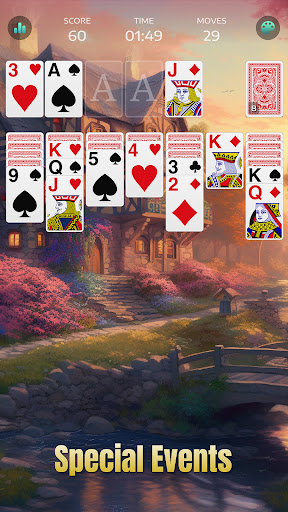
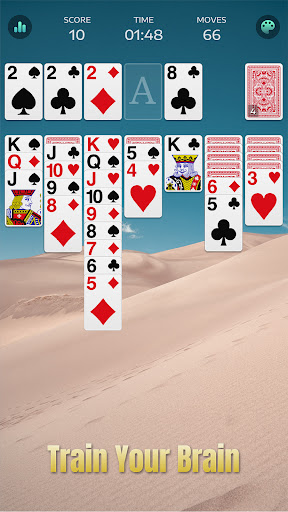
The Most Relaxing & Addictive FREE Classic Solitaire Card Games, original Solitaire or Patience, is just for you!
Enjoy the best free and popular original Solitaire card games in the world for free at any time and place! It's time to train your brain, challenge yourself and be a Solitaire or Patience master, try this original, classic and free Patience Solitaire card game!
Solitaire games, also known as Patience in Europe (such as the United Kingdom, French, etc.), are Solitaire card games, and can be played by a single player.
This is not a social casino game. You can enjoy original Solitaire anytime and anywhere, without money in and money out.
How to play this free original solitaire card games
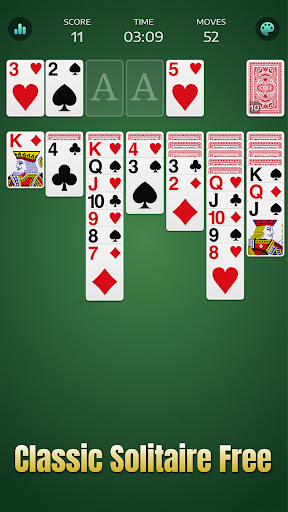
To solve this FREE Solitaire card puzzle, you should move all solitaire cards of 4 suits - hearts, diamonds, spades and crosses to the Solitaire Foundations. There is one deck - 52 solitaire cards in the classic Solitaire game.
You need to stack solitaire cards by suit, from Aces to King (A, 2, 3 and more). You can also move solitaire cards between columns, and stack solitaire cards in descending order and differentiate between red and black suits. For example, a black 10 could only be followed by a red 9. Only a King could be placed in the Free Column. You can move the stack of solitaire cards by dragging the whole stack to another column.
Solitaire game or Patience game is an addictive solitaire card game from the Classic Solitaire collection, which is similar to other Solitaire card/board games, such as Cube, Freecell, Spider, Tri Peaks, Pyramind, Golf, Mahjong and Yukon. Classic never fades. Solitaire, or Patience is the best way for you to relax and pass the time, play it anytime, anywhere with patience and insistence. You would absolutely love playing this free Solitaire card game.
Key Features of Solitaire Card Games
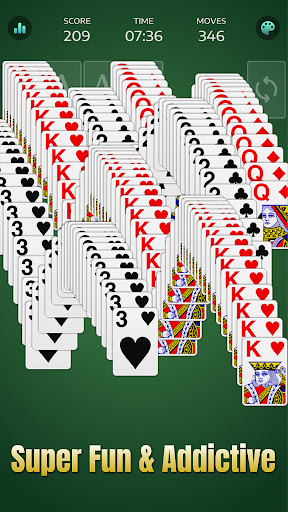
- Original and Classic solitaire gameplay, super fun and addictive
- Left-hand mode, more convenient for you
- Solitaire 3 Draw Mode, more challenging to play games
- Statistics section, keep improving and challenging yourself during solitaire games
- Daily Challenge, start every day with fun and relaxing Solitaire games
- Unlimited hints and undo. Playing solitaire could be easier.
- Play Joker. Get stuck? No worries, the Joker card is here for you to play solitaire card games smoothly
- Various backgrounds - the classic green one, those with beautiful scenery, and cute animals, etc. Select the one you like, customize your solitaire game, and enjoy!
- Kinds of card faces and card backs. Playing solitaire is more than a relax, snowman, dogs and cats are here for you to choose from.
- Dynamic background animation. It brings more fun while playing. You'll love it!
Some solitaire games are unsolvable, according to the classic solitaire rules. If you get stuck, you can try a new solitaire deal or try some boosters in the solitaire game for help.
We are always keeping improving to make this free solitaire game better and better. Try this solitaire game, you will find it's really fun and relaxing! Enjoy yourself with the popular and classic solitaire card games for free!
Privacy Policy: https://solitaire.gurugame.ai/policy.html
Terms of Service: https://solitaire.gurugame.ai/termsofservice.html
Show more

1. Κατεβάστε το πρόγραμμα εγκατάστασης MEmu και ολοκληρώστε την εγκατάσταση

2. Ξεκινήστε το MEmu και στη συνέχεια ανοίξτε το Google Play στην επιφάνεια εργασίας

3. Αναζητήστε τον Solitaire - Classic Card Games στο Google Play
Install
4. Λήψη και εγκατάσταση του Solitaire - Classic Card Games
5. Μόλις ολοκληρωθεί η εγκατάσταση, κάντε κλικ στο εικονίδιο για να ξεκινήσετε

6. Enjoy playing Solitaire - Classic Card Games on PC with MEmu
Το MEmu Play, αποτελεί την ιδανικότερη δωρεάν λύση για την εξομοίωση του λειτουργικού Android, και χρησιμοποιείται ήδη από περισσότερους από 50 εκατομμύρια χρήστες, ο οποίοι απολαμβάνουν, την καταπληκτική εμπειρία παιχνιδιού που προσφέρεται μέσω της εφαρμογής. Με τη χρήση του MEmu Virtualization, είναι δυνατή η αναπαραγωγή παιχνιδιών Android στον υπολογιστή, ακόμη και εκείνων που απαιτούν μεγάλη επεξεργαστική ισχύ γραφικών, δίχως συμβιβασμούς στην ποιότητα και στην εμπειρία χρήσης, ακριβώς όπως ένα τελευταίας γενιάς κινητό τηλέφωνο.
Μεγαλύτερη οθόνη με καλύτερα γραφικά. Μεγάλη διάρκεια ζωής, χωρίς περιορισμό μπαταρίας ή δεδομένων κινητής τηλεφωνίας.
Πλήρης υποστήριξη αντιστοίχισης πλήκτρων για ακριβή έλεγχο του πληκτρολογίου και του ποντικιού ή του gamepad.
Πολλαπλοί λογαριασμοί παιχνιδιών ή εργασίες σε έναν υπολογιστή ταυτόχρονα με τον διαχειριστή πολλαπλών περιπτώσεων.
Play Solitaire - Classic Card Games on PC by following steps: