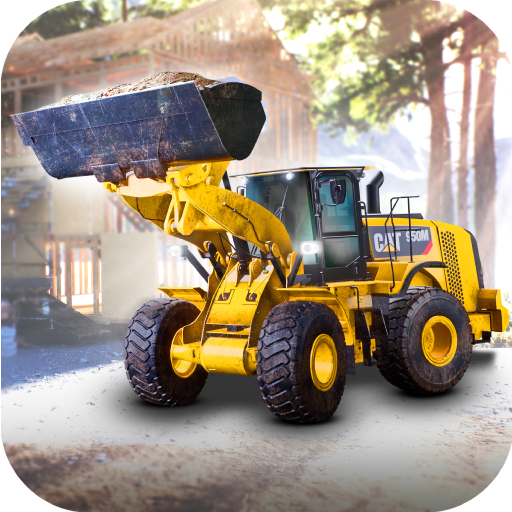
Construction Simulator 4
अपडेट किया गया
वर्तमान वर्शन
1.24.1235
संसाधन

अपने सेलफोन पर Construction Simulator 4 का उपयोग करते समय ओवरचार्ज के बारे में चिंता करना बंद करें, अपने आप को छोटी स्क्रीन से मुक्त करें और बहुत बड़े डिस्प्ले पर ऐप का उपयोग करने का आनंद लें। अब से, कीबोर्ड और माउस के साथ अपने ऐप का पूर्ण-स्क्रीन अनुभव प्राप्त करें। एमईएमयू आपको उन सभी आश्चर्यजनक सुविधाओं की पेशकश करता है जिनकी आपको उम्मीद थी: त्वरित इंस्टॉल और आसान सेटअप, सहज नियंत्रण, बैटरी की कोई सीमा नहीं, मोबाइल डेटा और परेशान कॉल। आपके कंप्यूटर पर Construction Simulator 4 का उपयोग करने का सबसे अच्छा विकल्प नया MEmu 9 है। हमारे अवशोषण के साथ कोडित, बहु-उदाहरण प्रबंधक एक ही समय में 2 या अधिक खाते खोलना संभव बनाता है। और सबसे महत्वपूर्ण, हमारा अनन्य उत्सर्जन इंजन आपके पीसी की पूरी क्षमता को जारी कर सकता है, सब कुछ सुचारू और सुखद बना सकता है।
और दिखाएं
डाउनलोड करें Construction Simulator 4 पीसी पर MEmu एंड्रॉयड एमुलेटर के साथ बड़े पर्दे पर खेलने का आनंद लें। [ध्यान दें: कृपया ध्यान दें कि इस गेम को चलाने के लिए आपको 4 GB RAM वाले डिवाइस की आवश्यकता होगी!
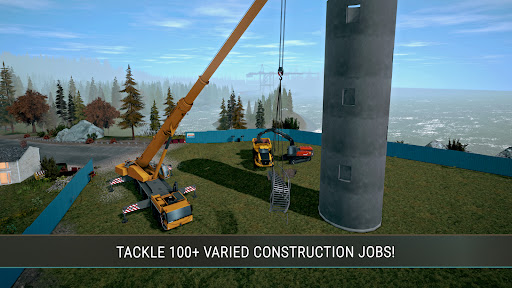
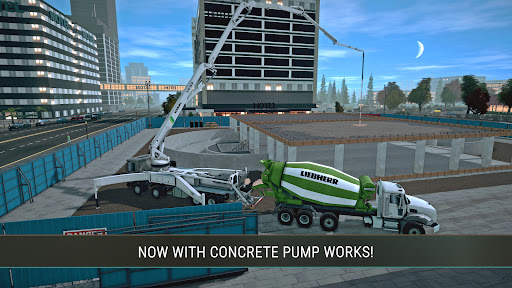
[ध्यान दें: कृपया ध्यान दें कि इस गेम को चलाने के लिए आपको 4 GB RAM वाले डिवाइस की आवश्यकता होगी!]
कंस्ट्रक्शन सिम्युलेटर मोबाइल डिवाइस पर वापस आ गया है!
इस बार, आपका काम आपको उत्तरी अमेरिकी परिदृश्य से प्रेरित एक काल्पनिक मानचित्र के सुंदर जंगलों और खाड़ियों में ले जाएगा।
कंस्ट्रक्शन सिम्युलेटर श्रृंखला में पहले कभी नहीं देखे गए मानचित्र के भीतर तीन बड़े क्षेत्रों का अन्वेषण करें! अलग-अलग स्थानों के लिए अद्वितीय एक व्यापक अभियान का अनुभव करें, जिसमें विशेष चुनौतियाँ शामिल हैं जिन्हें आपको अपने बढ़ते निर्माण साम्राज्य के साथ पार करना होगा।
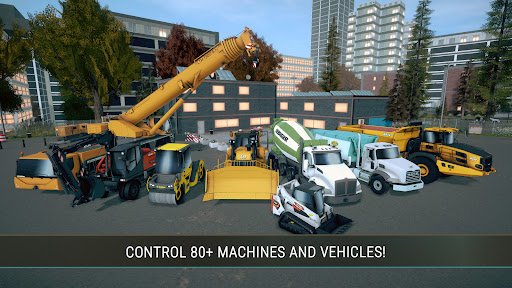
हमारे लाइसेंस प्राप्त भागीदारों एटलस, बेल इक्विपमेंट, बॉबकैट, बोमैग, केस, कैटरपिलर, केनवर्थ, लिबहर, मैक ट्रक्स, मैन ट्रक एंड बस, मेइलर किपर, पाल्फिंगर, स्टिल और विर्टजेन ग्रुप से परिचित ब्रांडों और मशीनों की वापसी की उम्मीद करें। आप CIFA, DAF और स्कैनिया जैसे नए जोड़े गए ब्रांडों की मशीनों और वाहनों के साथ अपने व्यवसाय का विस्तार करने की भी उम्मीद कर सकते हैं।
इसमें शामिल हैं:
• 20+ लाइसेंस भागीदारों से 80+ वाहन, मशीनें और अटैचमेंट
• 100 से ज़्यादा निर्माण कार्य
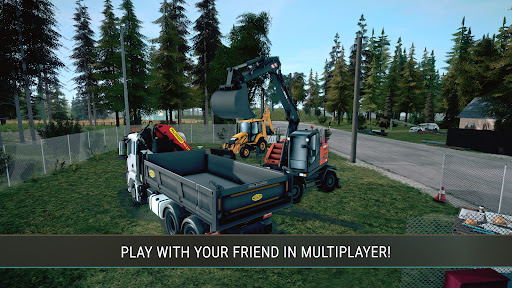
• 2 खिलाड़ियों के लिए मल्टीप्लेयर मोड
• मूल मानचित्र, कनाडाई परिदृश्य से प्रेरित
• विस्तृत कॉकपिट दृश्य
और दिखाएं

1. MEmu इंस्टॉलर को डाउनलोड करें और इंस्टॉलेशन को पूरा करें

2. MEmu शुरू करें फिर होमपेज पर Google Play खोलें

3. Google Play में Construction Simulator 4 खोजें
Install
4. Construction Simulator 4 डाउनलोड कर इंस्टॉल करें
5. इंस्टॉल पूरा होने पर आइकन दबाएं

6. MEmu से पीसी पर Construction Simulator 4 खेलने का आनंद लें
MEmu Play सबसे बेहतरीन मुफ़्त Android एमुलेटर है और 5 करोड़ लोग पहले ही इसके शानदार Android गेमिंग अनुभव का आनंद ले चुके हैं। MEmu 9 वर्चुअलाइज़ेशन तकनीक आपको अपने PC पर हज़ारों Android गेम, यहाँ तक कि सबसे ज़्यादा ग्राफ़िक्स वाले गेम भी, आसानी से खेलने की सुविधा देती है।
असीमित बैटरी या मोबाइल डेटा के साथ बेहतर ग्राफिक्स के साथ बड़ी स्क्रीन; लंबी अवधि।
कीबोर्ड और माउस या गेमपैड के उत्तम नियंत्रण के लिए संपूर्ण कीमैपिंग का समर्थन करता हैं।
एक ही पीसी पर मल्टी-इंस्टेंस मैनेजर के साथ एक समय में कई गेम खाते या कार्य कर सकते हैं।
Play Construction Simulator 4 on PC by following steps: