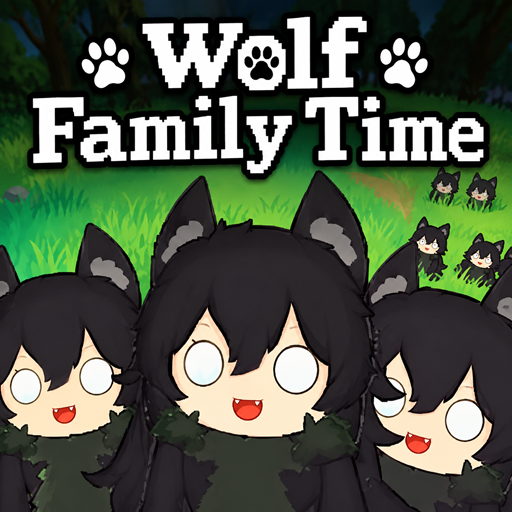
Wolf Family Time
अपडेट किया गया
वर्तमान वर्शन
संसाधन

अपने सेलफोन पर Wolf Family Time का उपयोग करते समय ओवरचार्ज के बारे में चिंता करना बंद करें, अपने आप को छोटी स्क्रीन से मुक्त करें और बहुत बड़े डिस्प्ले पर ऐप का उपयोग करने का आनंद लें। अब से, कीबोर्ड और माउस के साथ अपने ऐप का पूर्ण-स्क्रीन अनुभव प्राप्त करें। एमईएमयू आपको उन सभी आश्चर्यजनक सुविधाओं की पेशकश करता है जिनकी आपको उम्मीद थी: त्वरित इंस्टॉल और आसान सेटअप, सहज नियंत्रण, बैटरी की कोई सीमा नहीं, मोबाइल डेटा और परेशान कॉल। आपके कंप्यूटर पर Wolf Family Time का उपयोग करने का सबसे अच्छा विकल्प नया MEmu 9 है। हमारे अवशोषण के साथ कोडित, बहु-उदाहरण प्रबंधक एक ही समय में 2 या अधिक खाते खोलना संभव बनाता है। और सबसे महत्वपूर्ण, हमारा अनन्य उत्सर्जन इंजन आपके पीसी की पूरी क्षमता को जारी कर सकता है, सब कुछ सुचारू और सुखद बना सकता है।
और दिखाएं
डाउनलोड करें Wolf Family Time पीसी पर MEmu एंड्रॉयड एमुलेटर के साथ बड़े पर्दे पर खेलने का आनंद लें। Welcome to an exciting wolf family life and survival simulator where you build a home, explore the wild, hunt, farm, and grow your family.
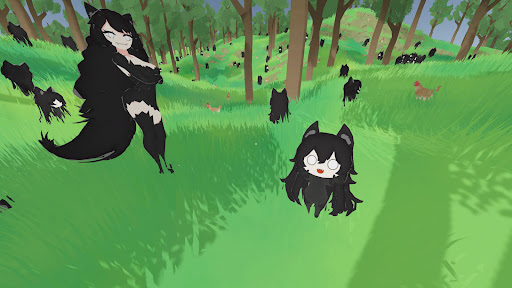
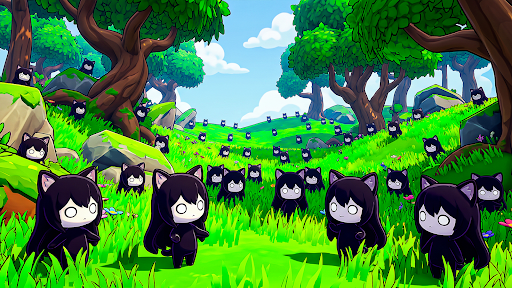
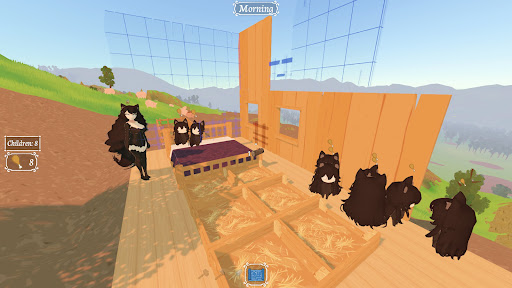
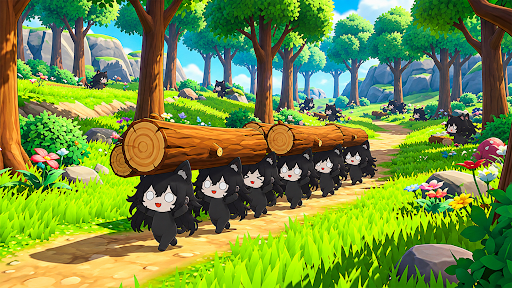
Welcome to an exciting wolf family life and survival simulator where you build a home, explore the wild, hunt, farm, and grow your family.
Build a family of thousands of wolf Family with your own wolf partner! Take care of your growing wolf family and create a safe and comfortable home for everyone. As your family grows, you will need more food, shelter, beds, and resources to keep your pack happy and healthy.
Explore the wilderness, hunt for food, gather valuable resources, and develop your own farm. Build and expand your home with useful structures while managing everything your growing family needs.
Wolf Family Time combines family simulation, wolf simulator gameplay, farming, hunting, building, exploration, and survival into a unique 3D experience. Watch your wolf family grow from a small home into a large and thriving pack.
FEATURES:
• Build a huge wolf family with your wolf partner
• Raise and care for thousands of wolf Family
• Hunt and gather resources
• Farm and produce food
• Build homes, beds, shelters, and useful structures
• Explore a beautiful wild environment
• Manage food and resources
• Expand your home as your family grows
• Enjoy a unique wolf family life simulator
Build your home, grow your pack, explore the wild, and experience Wolf Family Time!
और दिखाएं

1. MEmu इंस्टॉलर को डाउनलोड करें और इंस्टॉलेशन को पूरा करें

2. MEmu शुरू करें फिर होमपेज पर Google Play खोलें

3. Google Play में Wolf Family Time खोजें
Install
4. Wolf Family Time डाउनलोड कर इंस्टॉल करें
5. इंस्टॉल पूरा होने पर आइकन दबाएं

6. MEmu से पीसी पर Wolf Family Time खेलने का आनंद लें
MEmu Play सबसे बेहतरीन मुफ़्त Android एमुलेटर है और 5 करोड़ लोग पहले ही इसके शानदार Android गेमिंग अनुभव का आनंद ले चुके हैं। MEmu 9 वर्चुअलाइज़ेशन तकनीक आपको अपने PC पर हज़ारों Android गेम, यहाँ तक कि सबसे ज़्यादा ग्राफ़िक्स वाले गेम भी, आसानी से खेलने की सुविधा देती है।
असीमित बैटरी या मोबाइल डेटा के साथ बेहतर ग्राफिक्स के साथ बड़ी स्क्रीन; लंबी अवधि।
कीबोर्ड और माउस या गेमपैड के उत्तम नियंत्रण के लिए संपूर्ण कीमैपिंग का समर्थन करता हैं।
एक ही पीसी पर मल्टी-इंस्टेंस मैनेजर के साथ एक समय में कई गेम खाते या कार्य कर सकते हैं।
Play Wolf Family Time on PC by following steps: