100x Zoom Camera
अपडेट किया गया
वर्तमान वर्शन
1.0.6
संसाधन

100x Zoom Camera पर अपनी मोबाइल डेटा सीमा पार करने को अलविदा कहें और छोटी स्क्रीन की सीमाओं से मुक्त होकर बड़े डिस्प्ले के लाभों का अनुभव करें। अब, आप अपने कीबोर्ड और माउस का उपयोग करके फुल-स्क्रीन मोड में टॉपर्स क्लैन की शक्ति का अनुभव कर सकते हैं। MEmu Play में वे सभी बेहतरीन सुविधाएँ हैं जिनकी आप अपेक्षा करते हैं: त्वरित इंस्टॉलेशन और आसान सेटअप, सहज नियंत्रण, बैटरी की आवश्यकता नहीं, और कोई डेटा या कॉल समय सीमा नहीं। नया MEmu 9 आपके कंप्यूटर पर 100x Zoom Camera का उपयोग करने के लिए सबसे अच्छा विकल्प है। हमारा मालिकाना मल्टी-इंस्टेंस मैनेजर एक साथ दो या अधिक खातों को चलाने का समर्थन करता है। इससे भी महत्वपूर्ण बात यह है कि हमारा अनूठा इम्यूलेशन इंजन आपके कंप्यूटर के प्रदर्शन का पूरा उपयोग करता है, जिससे एक सहज और निर्बाध अनुभव मिलता है।
और दिखाएं
डाउनलोड करें 100x Zoom Camera पीसी पर MEmu एंड्रॉयड एमुलेटर के साथ बड़े पर्दे पर खेलने का आनंद लें। 100x Zoom Camera App extraordinary level of zoom capability right at your fingertips.
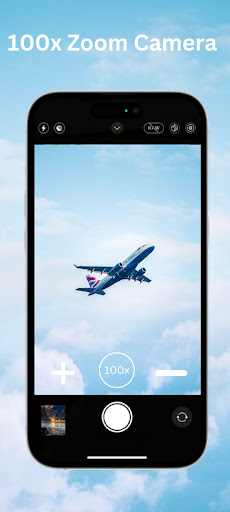
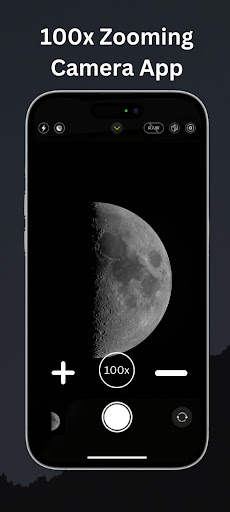
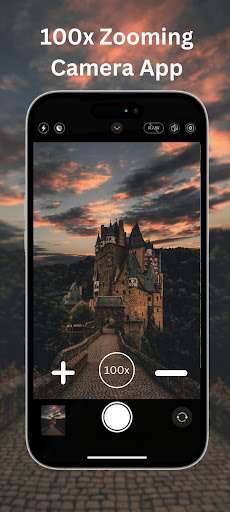
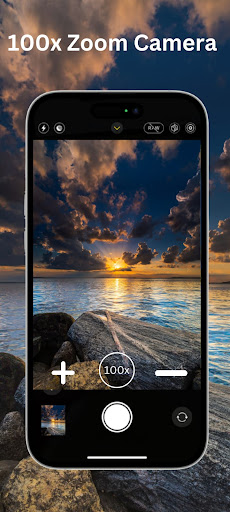
100x Zoom Camera App extraordinary level of zoom capability right at your fingertips. With this app installed on your smartphone or tablet, you'll experience an unprecedented level of detail and magnification in your photos and videos.
The 100x Zoom App utilizes advanced algorithms and image processing techniques to enable an incredible 100x zoom level. This means you can capture subjects from a significant distance and still obtain clear, detailed images and videos.
The app provides user-friendly controls for adjusting the zoom level of your smartphone's camera. You can easily zoom in and out, extending the reach of your camera well beyond its native zoom range.
Main Features:
* Easy to use.
* Amazing Photo and Video quality.
* Front back hd camera selection.
* Location targeting feature.
* Flash mode feature.
* Brightness setting.
* Change camera and video quality and resolution.
* Select the video format.
* Set the timer.
* Adjust the camera preview.
* Photo and video automatically save in the selected folder.
* Easily share and delete photos and videos.
Note:
The zoom of the smart-device camera depends on your phone hardware so maximum zoom will vary from smart phone to smart phone all smart phones will not have the same zoom, it has been made only for entertainment purpose.
और दिखाएं

1. MEmu इंस्टॉलर को डाउनलोड करें और इंस्टॉलेशन को पूरा करें

2. MEmu शुरू करें फिर होमपेज पर Google Play खोलें

3. Google Play में 100x Zoom Camera खोजें
Install
4. 100x Zoom Camera डाउनलोड कर इंस्टॉल करें
5. इंस्टॉल पूरा होने पर आइकन दबाएं

6. MEmu का उपयोग करके अपने कंप्यूटर पर 100x Zoom Camera का अनुभव करें
MEmu Play सबसे बेहतरीन मुफ़्त Android एमुलेटर है और 5 करोड़ लोग पहले ही इसके शानदार Android ऐप अनुभव का आनंद ले चुके हैं। MEmu 9 वर्चुअलाइज़ेशन तकनीक आपको अपने PC पर हज़ारों Android ऐप्स, यहाँ तक कि सबसे ज़्यादा ग्राफ़िक्स वाले ऐप्स भी, आसानी से चलाने की सुविधा देती है।
असीमित बैटरी या मोबाइल डेटा के साथ बेहतर ग्राफिक्स के साथ बड़ी स्क्रीन; लंबी अवधि।
कीबोर्ड और माउस या गेमपैड के उत्तम नियंत्रण के लिए संपूर्ण कीमैपिंग का समर्थन करता हैं।
एक ही पीसी पर मल्टी-इंस्टेंस मैनेजर के साथ एक समय में कई गेम खाते या कार्य कर सकते हैं।
Use 100x Zoom Camera on PC by following steps: