ANY CALL
अपडेट किया गया
वर्तमान वर्शन
v3.0.6
संसाधन

ANY CALL पर अपनी मोबाइल डेटा सीमा पार करने को अलविदा कहें और छोटी स्क्रीन की सीमाओं से मुक्त होकर बड़े डिस्प्ले के लाभों का अनुभव करें। अब, आप अपने कीबोर्ड और माउस का उपयोग करके फुल-स्क्रीन मोड में टॉपर्स क्लैन की शक्ति का अनुभव कर सकते हैं। MEmu Play में वे सभी बेहतरीन सुविधाएँ हैं जिनकी आप अपेक्षा करते हैं: त्वरित इंस्टॉलेशन और आसान सेटअप, सहज नियंत्रण, बैटरी की आवश्यकता नहीं, और कोई डेटा या कॉल समय सीमा नहीं। नया MEmu 9 आपके कंप्यूटर पर ANY CALL का उपयोग करने के लिए सबसे अच्छा विकल्प है। हमारा मालिकाना मल्टी-इंस्टेंस मैनेजर एक साथ दो या अधिक खातों को चलाने का समर्थन करता है। इससे भी महत्वपूर्ण बात यह है कि हमारा अनूठा इम्यूलेशन इंजन आपके कंप्यूटर के प्रदर्शन का पूरा उपयोग करता है, जिससे एक सहज और निर्बाध अनुभव मिलता है।
और दिखाएं
डाउनलोड करें ANY CALL पीसी पर MEmu एंड्रॉयड एमुलेटर के साथ बड़े पर्दे पर खेलने का आनंद लें। Free Global Internet Wifi phone caller, VoIP Call & Free texting .
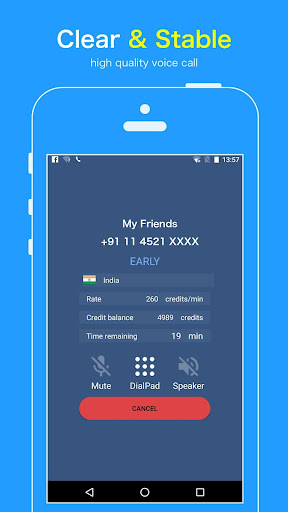
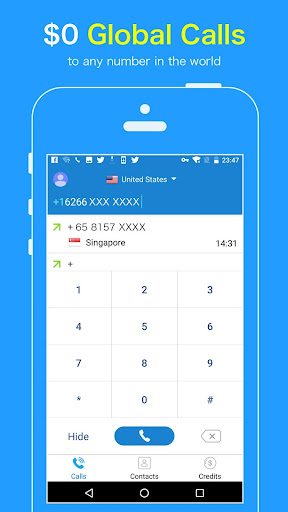
Free Global Internet Wifi phone caller, VoIP Call & Free texting
Free Call anyone,any phone number worldwide even if he doesn't have Free Any Call App!
Free call via WiFi or cellular data, no cell minutes used.
Download this VOIP phone call app & enjoy cheap calls global to any mobile & landline!
Completely FREE CALL
100% Free global phone call. No contract, no hidden fees.
WIFI Phone Call
No cell phone data plan? No problem. You can use WiFi to make Any Call & texts.
Popular countries
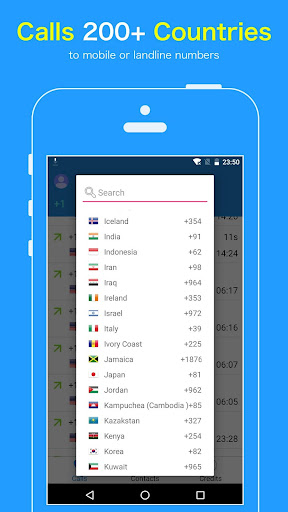
Cheap or free international calls to over 200 countries
New user bonus
Each new user free reward 1000 credits
【Features】
★ International Calling
to any mobile or landline numbers over 200+ countries supported!
- Free Any Call allows you to make a international calls to anyone across the globe for free, even if the recipient has no Internet connection.
★ Clear & Stable Calling
- Dial away and make a high quality phone calls with voice quality that is crystal clear, just like making phone calls from a landline!
Today, there are more and more people are using Free Any Call to make global calls!
【Why Use Any Call】
** No Phone Bills **
Calling via Wifi or 3G/4G/LITE network, you don't get hit with expensive service charges. And best of all, you can pay as you go - there are no minimums, contracts or worries.
IS IT REALLY FREE?
No monthly fees! It is completely free!
HOW CAN ALL OF THIS BE FREE?
Check out some sponsored ads.
** Unlimited FREE Call Credits **
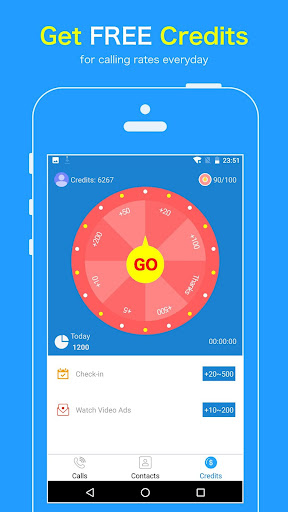
We have plenty of different offers on Free Call, just complete these simple offers and earn call credits to call non-Free Call users for FREE! You can receive free calling time easily by watching ads and completing tasks and inviting friends.
और दिखाएं

1. MEmu इंस्टॉलर को डाउनलोड करें और इंस्टॉलेशन को पूरा करें

2. MEmu शुरू करें फिर होमपेज पर Google Play खोलें

3. Google Play में ANY CALL खोजें
Install
4. ANY CALL डाउनलोड कर इंस्टॉल करें
5. इंस्टॉल पूरा होने पर आइकन दबाएं

6. MEmu का उपयोग करके अपने कंप्यूटर पर ANY CALL का अनुभव करें
MEmu Play सबसे बेहतरीन मुफ़्त Android एमुलेटर है और 5 करोड़ लोग पहले ही इसके शानदार Android ऐप अनुभव का आनंद ले चुके हैं। MEmu 9 वर्चुअलाइज़ेशन तकनीक आपको अपने PC पर हज़ारों Android ऐप्स, यहाँ तक कि सबसे ज़्यादा ग्राफ़िक्स वाले ऐप्स भी, आसानी से चलाने की सुविधा देती है।
असीमित बैटरी या मोबाइल डेटा के साथ बेहतर ग्राफिक्स के साथ बड़ी स्क्रीन; लंबी अवधि।
कीबोर्ड और माउस या गेमपैड के उत्तम नियंत्रण के लिए संपूर्ण कीमैपिंग का समर्थन करता हैं।
एक ही पीसी पर मल्टी-इंस्टेंस मैनेजर के साथ एक समय में कई गेम खाते या कार्य कर सकते हैं।
Use ANY CALL on PC by following steps: