Camp Chef
अपडेट किया गया
वर्तमान वर्शन
4.2.61
संसाधन

Camp Chef पर अपनी मोबाइल डेटा सीमा पार करने को अलविदा कहें और छोटी स्क्रीन की सीमाओं से मुक्त होकर बड़े डिस्प्ले के लाभों का अनुभव करें। अब, आप अपने कीबोर्ड और माउस का उपयोग करके फुल-स्क्रीन मोड में टॉपर्स क्लैन की शक्ति का अनुभव कर सकते हैं। MEmu Play में वे सभी बेहतरीन सुविधाएँ हैं जिनकी आप अपेक्षा करते हैं: त्वरित इंस्टॉलेशन और आसान सेटअप, सहज नियंत्रण, बैटरी की आवश्यकता नहीं, और कोई डेटा या कॉल समय सीमा नहीं। नया MEmu 9 आपके कंप्यूटर पर Camp Chef का उपयोग करने के लिए सबसे अच्छा विकल्प है। हमारा मालिकाना मल्टी-इंस्टेंस मैनेजर एक साथ दो या अधिक खातों को चलाने का समर्थन करता है। इससे भी महत्वपूर्ण बात यह है कि हमारा अनूठा इम्यूलेशन इंजन आपके कंप्यूटर के प्रदर्शन का पूरा उपयोग करता है, जिससे एक सहज और निर्बाध अनुभव मिलता है।
और दिखाएं
MEmu Play के साथ PC पर Camp Chef इस्तेमाल करने के शानदार अनुभव का आनंद लें। यह एक शक्तिशाली मुफ़्त Android एमुलेटर है जो आपको डेस्कटॉप वर्ज़न के लिए हज़ारों Android ऐप्स उपलब्ध कराता है। दोस्तों से जुड़ने और अपने काम को और भी बेहतर बनाने का आनंद लें! This is an old version.
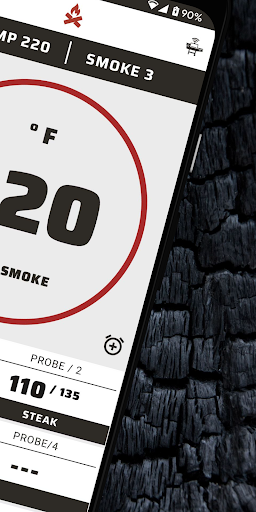
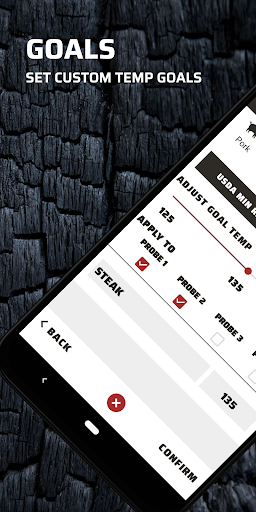
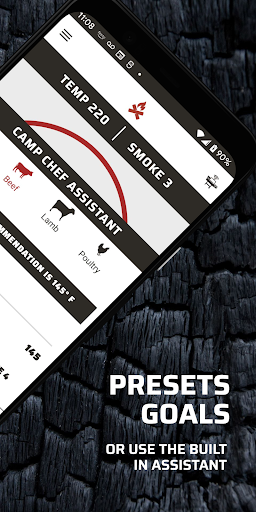
This is an old version. A new version has been published as Camp Chef Connect.
Control your grill from your phone
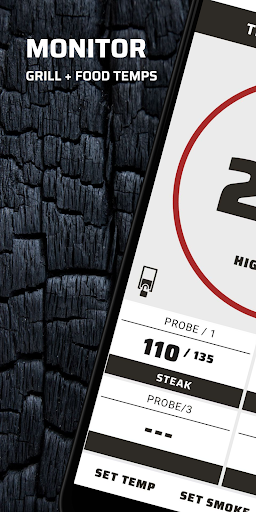
Tastiness is only a tap away! Use the Camp Chef app to connect to your WIFI/Bluetooth enabled pellet grill. You’ll be able to set and monitor temperatures, adjust smoke levels, and shut down your grill from your mobile device.
Monitor your cook
Actively monitor the temperature of your grill and meat probes on your phone. Set and enable pop-up notifications for grill timers or once meat probe goal temperatures have been met. Have the ability to connect and monitor your grill from anywhere, as if you were standing beside your grill.
Your data stored on all your devices
By creating an account through the Camp Chef app, your grill’s cook data is available to you at all times on all your mobile devices. Seamlessly switch between multiple Camp Chef grills. Historical cook graphs (coming soon) will allow you to view the results of a specific cook over time. These graphs will grant you access to information and insights allowing you to view what went well and what you would change.
Robust help and support
(Coming soon.) Access questions and answers by viewing various FAQ and how-to articles right from the app. Explore topics such as grill maintenance and care, optimal cook temperatures for certain meats, and much more!
Setup your Camp Chef grill
Use the app to connect your Camp Chef pellet grill to your local WIFI network, pair with Bluetooth, and more.
और दिखाएं

1. MEmu इंस्टॉलर को डाउनलोड करें और इंस्टॉलेशन को पूरा करें

2. MEmu शुरू करें फिर होमपेज पर Google Play खोलें

3. Google Play में Camp Chef खोजें
Install
4. Camp Chef डाउनलोड कर इंस्टॉल करें
5. इंस्टॉल पूरा होने पर आइकन दबाएं

6. MEmu का उपयोग करके अपने कंप्यूटर पर Camp Chef का अनुभव करें
MEmu Play सबसे बेहतरीन मुफ़्त Android एमुलेटर है और 5 करोड़ लोग पहले ही इसके शानदार Android ऐप अनुभव का आनंद ले चुके हैं। MEmu 9 वर्चुअलाइज़ेशन तकनीक आपको अपने PC पर हज़ारों Android ऐप्स, यहाँ तक कि सबसे ज़्यादा ग्राफ़िक्स वाले ऐप्स भी, आसानी से चलाने की सुविधा देती है।
असीमित बैटरी या मोबाइल डेटा के साथ बेहतर ग्राफिक्स के साथ बड़ी स्क्रीन; लंबी अवधि।
कीबोर्ड और माउस या गेमपैड के उत्तम नियंत्रण के लिए संपूर्ण कीमैपिंग का समर्थन करता हैं।
एक ही पीसी पर मल्टी-इंस्टेंस मैनेजर के साथ एक समय में कई गेम खाते या कार्य कर सकते हैं।
Use Camp Chef on PC by following steps: