
Normal VPN - Stable&Safe Proxy
अपडेट किया गया
वर्तमान वर्शन
1.3.2
संसाधन

Normal VPN - Stable&Safe Proxy पर अपनी मोबाइल डेटा सीमा पार करने को अलविदा कहें और छोटी स्क्रीन की सीमाओं से मुक्त होकर बड़े डिस्प्ले के लाभों का अनुभव करें। अब, आप अपने कीबोर्ड और माउस का उपयोग करके फुल-स्क्रीन मोड में टॉपर्स क्लैन की शक्ति का अनुभव कर सकते हैं। MEmu Play में वे सभी बेहतरीन सुविधाएँ हैं जिनकी आप अपेक्षा करते हैं: त्वरित इंस्टॉलेशन और आसान सेटअप, सहज नियंत्रण, बैटरी की आवश्यकता नहीं, और कोई डेटा या कॉल समय सीमा नहीं। नया MEmu 9 आपके कंप्यूटर पर Normal VPN - Stable&Safe Proxy का उपयोग करने के लिए सबसे अच्छा विकल्प है। हमारा मालिकाना मल्टी-इंस्टेंस मैनेजर एक साथ दो या अधिक खातों को चलाने का समर्थन करता है। इससे भी महत्वपूर्ण बात यह है कि हमारा अनूठा इम्यूलेशन इंजन आपके कंप्यूटर के प्रदर्शन का पूरा उपयोग करता है, जिससे एक सहज और निर्बाध अनुभव मिलता है।
और दिखाएं
डाउनलोड करें Normal VPN - Stable&Safe Proxy पीसी पर MEmu एंड्रॉयड एमुलेटर के साथ बड़े पर्दे पर खेलने का आनंद लें। Normal Proxy is one of the best and easiest choice to access all your favorite online content safely.
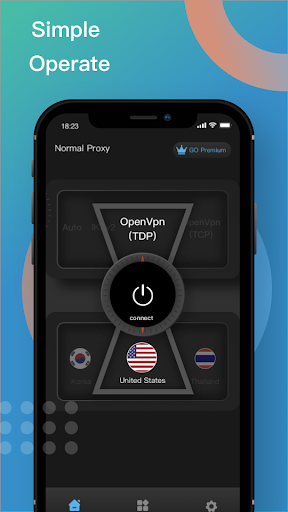
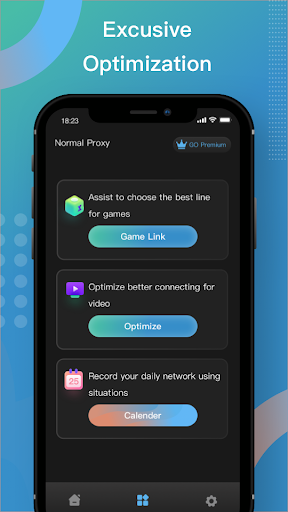
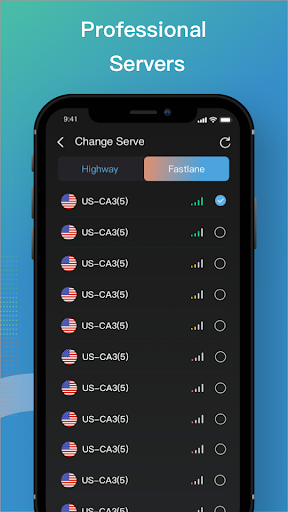
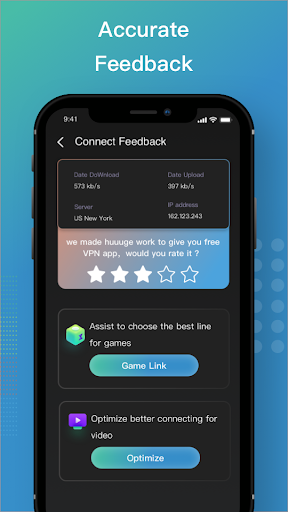
Normal Proxy is one of the best and easiest choice to access all your favorite online content safely. With our professional servers and other premium features, you can access many content safely and stably. What's more, has a much faster and steadyconnection speed, and better privacy and security protection. Normal Proxy is the easiest choice for you.
Two main features of Proxy:
• Incognito Browsing: using a Proxy you don’t even have to install any incognito browser. Simply turn on your proxy and all of your Internet traffic is completely encrypted. Your online activities are completely private.
• Wifi Safety: because all your online traffic is encrypted through a proxy, whatever public WiFi hotspot you are trying to access, you will be shielded from public Wifi risks and enjoy complete Wifi security.
For more detailed data usage and service terms, please refer to our privacy agreement and terms of service content
http://normalproxy.com/terms
http://normalproxy.com/privacy
Contact us
If you have any questions or suggestions, feel free to reach us on EasyUsingProxy@protonmail.com or visit our website www.normalproxy.comfor more information.
और दिखाएं

1. MEmu इंस्टॉलर को डाउनलोड करें और इंस्टॉलेशन को पूरा करें

2. MEmu शुरू करें फिर होमपेज पर Google Play खोलें

3. Google Play में Normal VPN - Stable&Safe Proxy खोजें
Install
4. Normal VPN - Stable&Safe Proxy डाउनलोड कर इंस्टॉल करें
5. इंस्टॉल पूरा होने पर आइकन दबाएं

6. MEmu का उपयोग करके अपने कंप्यूटर पर Normal VPN - Stable&Safe Proxy का अनुभव करें
MEmu Play सबसे बेहतरीन मुफ़्त Android एमुलेटर है और 5 करोड़ लोग पहले ही इसके शानदार Android ऐप अनुभव का आनंद ले चुके हैं। MEmu 9 वर्चुअलाइज़ेशन तकनीक आपको अपने PC पर हज़ारों Android ऐप्स, यहाँ तक कि सबसे ज़्यादा ग्राफ़िक्स वाले ऐप्स भी, आसानी से चलाने की सुविधा देती है।
असीमित बैटरी या मोबाइल डेटा के साथ बेहतर ग्राफिक्स के साथ बड़ी स्क्रीन; लंबी अवधि।
कीबोर्ड और माउस या गेमपैड के उत्तम नियंत्रण के लिए संपूर्ण कीमैपिंग का समर्थन करता हैं।
एक ही पीसी पर मल्टी-इंस्टेंस मैनेजर के साथ एक समय में कई गेम खाते या कार्य कर सकते हैं।
Use Normal VPN - Stable&Safe Proxy on PC by following steps: