ShareMe - #1 file sharing & data transfer app
अपडेट किया गया
वर्तमान वर्शन
3.47.11
संसाधन

ShareMe - #1 file sharing & data transfer app पर अपनी मोबाइल डेटा सीमा पार करने को अलविदा कहें और छोटी स्क्रीन की सीमाओं से मुक्त होकर बड़े डिस्प्ले के लाभों का अनुभव करें। अब, आप अपने कीबोर्ड और माउस का उपयोग करके फुल-स्क्रीन मोड में टॉपर्स क्लैन की शक्ति का अनुभव कर सकते हैं। MEmu Play में वे सभी बेहतरीन सुविधाएँ हैं जिनकी आप अपेक्षा करते हैं: त्वरित इंस्टॉलेशन और आसान सेटअप, सहज नियंत्रण, बैटरी की आवश्यकता नहीं, और कोई डेटा या कॉल समय सीमा नहीं। नया MEmu 9 आपके कंप्यूटर पर ShareMe - #1 file sharing & data transfer app का उपयोग करने के लिए सबसे अच्छा विकल्प है। हमारा मालिकाना मल्टी-इंस्टेंस मैनेजर एक साथ दो या अधिक खातों को चलाने का समर्थन करता है। इससे भी महत्वपूर्ण बात यह है कि हमारा अनूठा इम्यूलेशन इंजन आपके कंप्यूटर के प्रदर्शन का पूरा उपयोग करता है, जिससे एक सहज और निर्बाध अनुभव मिलता है।
और दिखाएं
डाउनलोड करें ShareMe - #1 file sharing & data transfer app पीसी पर MEmu एंड्रॉयड एमुलेटर के साथ बड़े पर्दे पर खेलने का आनंद लें। Your privacy and security are of the utmost importance to us.
Your privacy and security are of the utmost importance to us.
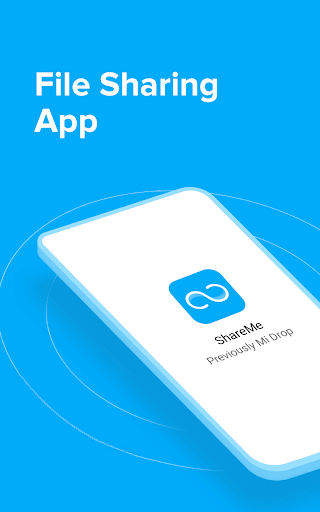
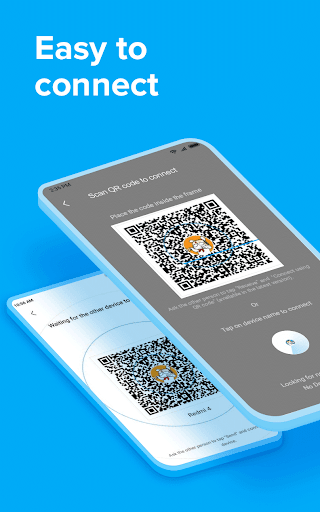
ShareMe is a safe and easy-to-use app that supports wireless file sharing.
Main features
Transfer & share files
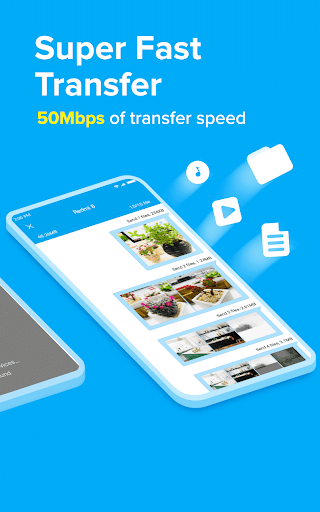
ShareMe works on Android devices. Quickly share images, videos, music, apps, and files between Android mobile devices.
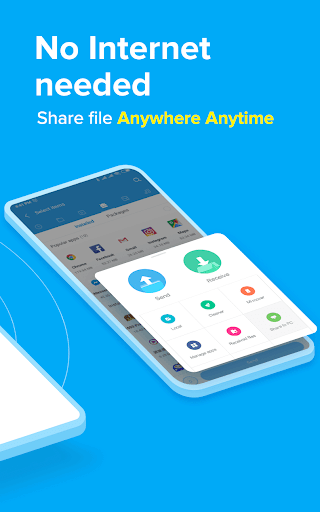
Share files without the Internet
Transfer files without connecting to the network.
Intuitive and friendly UI
ShareMe's user-friendly UI makes file transfer simple. Files are sorted into categories like music, apps, and images, which makes them easy to find and share.
Resume interrupted transfers
No worries if your transfer got interrupted. You can resume it with a simple tap, no need to start over.
Send large files
Share photos, music, videos, apps, documents, and more.
Multiple languages supported:
English, Español, Chinese, Português, ру́сский язы́к, українська мова, Tiếng Việt.
Send us your feedback at: mi-shareme@xiaomi.com
और दिखाएं

1. MEmu इंस्टॉलर को डाउनलोड करें और इंस्टॉलेशन को पूरा करें

2. MEmu शुरू करें फिर होमपेज पर Google Play खोलें

3. Google Play में ShareMe - #1 file sharing & data transfer app खोजें
Install
4. ShareMe - #1 file sharing & data transfer app डाउनलोड कर इंस्टॉल करें
5. इंस्टॉल पूरा होने पर आइकन दबाएं

6. MEmu का उपयोग करके अपने कंप्यूटर पर ShareMe - #1 file sharing & data transfer app का अनुभव करें
MEmu Play सबसे बेहतरीन मुफ़्त Android एमुलेटर है और 5 करोड़ लोग पहले ही इसके शानदार Android ऐप अनुभव का आनंद ले चुके हैं। MEmu 9 वर्चुअलाइज़ेशन तकनीक आपको अपने PC पर हज़ारों Android ऐप्स, यहाँ तक कि सबसे ज़्यादा ग्राफ़िक्स वाले ऐप्स भी, आसानी से चलाने की सुविधा देती है।
असीमित बैटरी या मोबाइल डेटा के साथ बेहतर ग्राफिक्स के साथ बड़ी स्क्रीन; लंबी अवधि।
कीबोर्ड और माउस या गेमपैड के उत्तम नियंत्रण के लिए संपूर्ण कीमैपिंग का समर्थन करता हैं।
एक ही पीसी पर मल्टी-इंस्टेंस मैनेजर के साथ एक समय में कई गेम खाते या कार्य कर सकते हैं।
Use ShareMe - #1 file sharing & data transfer app on PC by following steps: