SPlayer - All Video Player
अपडेट किया गया
वर्तमान वर्शन
1.0.26
संसाधन

SPlayer - All Video Player पर अपनी मोबाइल डेटा सीमा पार करने को अलविदा कहें और छोटी स्क्रीन की सीमाओं से मुक्त होकर बड़े डिस्प्ले के लाभों का अनुभव करें। अब, आप अपने कीबोर्ड और माउस का उपयोग करके फुल-स्क्रीन मोड में टॉपर्स क्लैन की शक्ति का अनुभव कर सकते हैं। MEmu Play में वे सभी बेहतरीन सुविधाएँ हैं जिनकी आप अपेक्षा करते हैं: त्वरित इंस्टॉलेशन और आसान सेटअप, सहज नियंत्रण, बैटरी की आवश्यकता नहीं, और कोई डेटा या कॉल समय सीमा नहीं। नया MEmu 9 आपके कंप्यूटर पर SPlayer - All Video Player का उपयोग करने के लिए सबसे अच्छा विकल्प है। हमारा मालिकाना मल्टी-इंस्टेंस मैनेजर एक साथ दो या अधिक खातों को चलाने का समर्थन करता है। इससे भी महत्वपूर्ण बात यह है कि हमारा अनूठा इम्यूलेशन इंजन आपके कंप्यूटर के प्रदर्शन का पूरा उपयोग करता है, जिससे एक सहज और निर्बाध अनुभव मिलता है।
और दिखाएं
डाउनलोड करें SPlayer - All Video Player पीसी पर MEmu एंड्रॉयड एमुलेटर के साथ बड़े पर्दे पर खेलने का आनंद लें। SPlayer is a professional video playback that can support video link downloading.
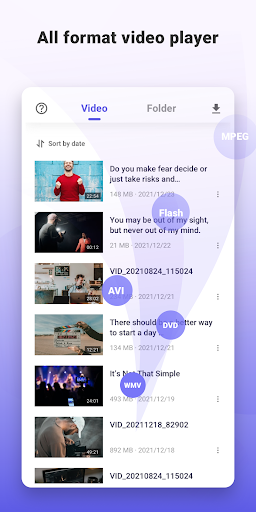
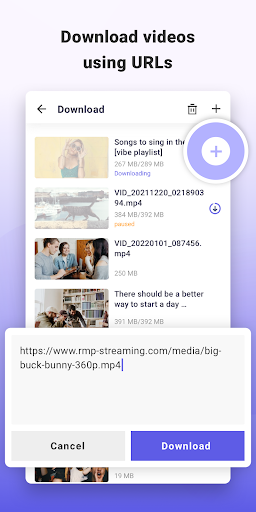
SPlayer is a professional video playback that can support video link downloading. It supports all video formats, supports 4K/Ultra HD video files, and is capable of HD playback. SPlayer is exactly what you need.
SPlayer is a free video player that can support mp4, mpk, 3gp, and other formats of video playback, it can also support video links downloading, and all of this is free.
Main functions:
- Ultra HD video player, supports 4K.
- Multiple video format support.
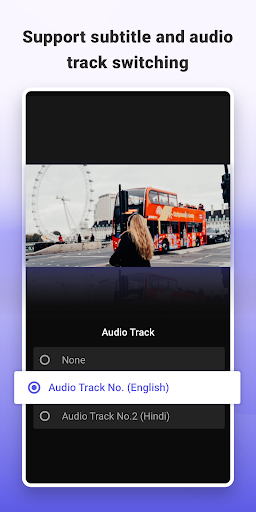
- Multiple subtitle files support.
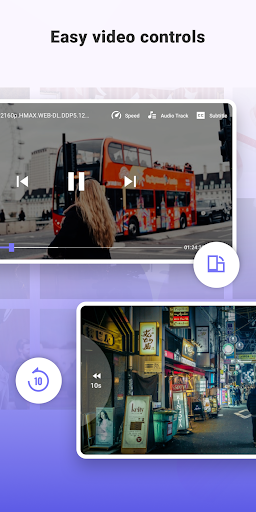
- Speed control: Can customize playback speed.
- Adjust volume, brightness, and playback progress with simple operation.
- Watch folder videos offline: You can play all the videos on your phone without spending data.
- High-speed download video link: You can multitask to download any video you want to watch, and achieve high speed.
SPlayer is a completely free HD video player, simple and powerful. Any video format is supported. It is an all-around player.
We would love to hear your suggestions. Feel free to contact us anytime: help.superplayer@gmail.com
और दिखाएं

1. MEmu इंस्टॉलर को डाउनलोड करें और इंस्टॉलेशन को पूरा करें

2. MEmu शुरू करें फिर होमपेज पर Google Play खोलें

3. Google Play में SPlayer - All Video Player खोजें
Install
4. SPlayer - All Video Player डाउनलोड कर इंस्टॉल करें
5. इंस्टॉल पूरा होने पर आइकन दबाएं

6. MEmu का उपयोग करके अपने कंप्यूटर पर SPlayer - All Video Player का अनुभव करें
MEmu Play सबसे बेहतरीन मुफ़्त Android एमुलेटर है और 5 करोड़ लोग पहले ही इसके शानदार Android ऐप अनुभव का आनंद ले चुके हैं। MEmu 9 वर्चुअलाइज़ेशन तकनीक आपको अपने PC पर हज़ारों Android ऐप्स, यहाँ तक कि सबसे ज़्यादा ग्राफ़िक्स वाले ऐप्स भी, आसानी से चलाने की सुविधा देती है।
असीमित बैटरी या मोबाइल डेटा के साथ बेहतर ग्राफिक्स के साथ बड़ी स्क्रीन; लंबी अवधि।
कीबोर्ड और माउस या गेमपैड के उत्तम नियंत्रण के लिए संपूर्ण कीमैपिंग का समर्थन करता हैं।
एक ही पीसी पर मल्टी-इंस्टेंस मैनेजर के साथ एक समय में कई गेम खाते या कार्य कर सकते हैं।
Use SPlayer - All Video Player on PC by following steps: