Loklok-Videos library
अपडेट किया गया
वर्तमान वर्शन
1.9.3
संसाधन

Loklok-Videos library पर अपनी मोबाइल डेटा सीमा पार करने को अलविदा कहें और छोटी स्क्रीन की सीमाओं से मुक्त होकर बड़े डिस्प्ले के लाभों का अनुभव करें। अब, आप अपने कीबोर्ड और माउस का उपयोग करके फुल-स्क्रीन मोड में टॉपर्स क्लैन की शक्ति का अनुभव कर सकते हैं। MEmu Play में वे सभी बेहतरीन सुविधाएँ हैं जिनकी आप अपेक्षा करते हैं: त्वरित इंस्टॉलेशन और आसान सेटअप, सहज नियंत्रण, बैटरी की आवश्यकता नहीं, और कोई डेटा या कॉल समय सीमा नहीं। नया MEmu 9 आपके कंप्यूटर पर Loklok-Videos library का उपयोग करने के लिए सबसे अच्छा विकल्प है। हमारा मालिकाना मल्टी-इंस्टेंस मैनेजर एक साथ दो या अधिक खातों को चलाने का समर्थन करता है। इससे भी महत्वपूर्ण बात यह है कि हमारा अनूठा इम्यूलेशन इंजन आपके कंप्यूटर के प्रदर्शन का पूरा उपयोग करता है, जिससे एक सहज और निर्बाध अनुभव मिलता है।
और दिखाएं
डाउनलोड करें Loklok-Videos library पीसी पर MEmu एंड्रॉयड एमुलेटर के साथ बड़े पर्दे पर खेलने का आनंद लें। Loklok is a media app with a massive amount of content and features to entertain people through the wonders of media entertainment.
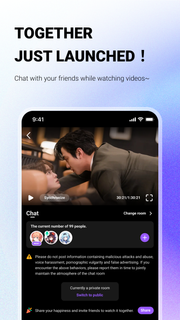
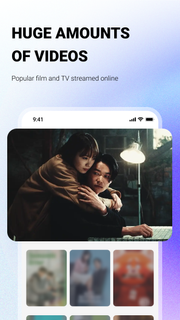

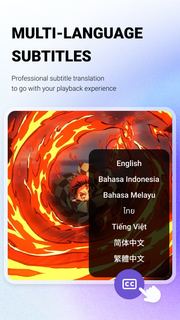
Loklok is a media app with a massive amount of content and features to entertain people through the wonders of media entertainment. Moreover, its updates are instantaneous and ready to bring everyone the latest content to immerse in the pleasure of watching movies. People can freely personalize the entire library or user experience for more interesting exploration in this wonderful application.1:WATCH ANYTHING WITH A HIGH-QUALITY STREAMING SERVICE2:VARIOUS CATEGORIES TO WATCH OR PERSONALIZE3:AN INNOVATIVE INTERFACE LAYOUT FOR PROFESSIONAL EXPERIENCE4:DOWNLOAD THE FAVORITE MOVIE OR SERIAL TO WATCH OFFLINELoklok promises to bring people unique and creative content in various genres or styles to entertain users. Best of all, the variety of genres or features always opens up new possibilities for people and gives them more ideas to customize the app fully. People can also join a user-friendly community and share or talk about popular content trending recently.
और दिखाएं

1. MEmu इंस्टॉलर को डाउनलोड करें और इंस्टॉलेशन को पूरा करें

2. MEmu शुरू करें फिर होमपेज पर Google Play खोलें

3. Google Play में Loklok-Videos library खोजें
Install
4. Loklok-Videos library डाउनलोड कर इंस्टॉल करें
5. इंस्टॉल पूरा होने पर आइकन दबाएं

6. MEmu का उपयोग करके अपने कंप्यूटर पर Loklok-Videos library का अनुभव करें
MEmu Play सबसे बेहतरीन मुफ़्त Android एमुलेटर है और 5 करोड़ लोग पहले ही इसके शानदार Android ऐप अनुभव का आनंद ले चुके हैं। MEmu 9 वर्चुअलाइज़ेशन तकनीक आपको अपने PC पर हज़ारों Android ऐप्स, यहाँ तक कि सबसे ज़्यादा ग्राफ़िक्स वाले ऐप्स भी, आसानी से चलाने की सुविधा देती है।
असीमित बैटरी या मोबाइल डेटा के साथ बेहतर ग्राफिक्स के साथ बड़ी स्क्रीन; लंबी अवधि।
कीबोर्ड और माउस या गेमपैड के उत्तम नियंत्रण के लिए संपूर्ण कीमैपिंग का समर्थन करता हैं।
एक ही पीसी पर मल्टी-इंस्टेंस मैनेजर के साथ एक समय में कई गेम खाते या कार्य कर सकते हैं।
Use Loklok-Videos library on PC by following steps: