PDF Scanner & Editor by Kaagaz
अपडेट किया गया
वर्तमान वर्शन
4.33.2
संसाधन

PDF Scanner & Editor by Kaagaz पर अपनी मोबाइल डेटा सीमा पार करने को अलविदा कहें और छोटी स्क्रीन की सीमाओं से मुक्त होकर बड़े डिस्प्ले के लाभों का अनुभव करें। अब, आप अपने कीबोर्ड और माउस का उपयोग करके फुल-स्क्रीन मोड में टॉपर्स क्लैन की शक्ति का अनुभव कर सकते हैं। MEmu Play में वे सभी बेहतरीन सुविधाएँ हैं जिनकी आप अपेक्षा करते हैं: त्वरित इंस्टॉलेशन और आसान सेटअप, सहज नियंत्रण, बैटरी की आवश्यकता नहीं, और कोई डेटा या कॉल समय सीमा नहीं। नया MEmu 9 आपके कंप्यूटर पर PDF Scanner & Editor by Kaagaz का उपयोग करने के लिए सबसे अच्छा विकल्प है। हमारा मालिकाना मल्टी-इंस्टेंस मैनेजर एक साथ दो या अधिक खातों को चलाने का समर्थन करता है। इससे भी महत्वपूर्ण बात यह है कि हमारा अनूठा इम्यूलेशन इंजन आपके कंप्यूटर के प्रदर्शन का पूरा उपयोग करता है, जिससे एक सहज और निर्बाध अनुभव मिलता है।
और दिखाएं
डाउनलोड करें PDF Scanner & Editor by Kaagaz पीसी पर MEmu एंड्रॉयड एमुलेटर के साथ बड़े पर्दे पर खेलने का आनंद लें। Kaagaz has a PDF Scanner, PDF Reader, PDF Editor, Cloud Storage, Tools like PDF Signature, PDF Compress , etc.
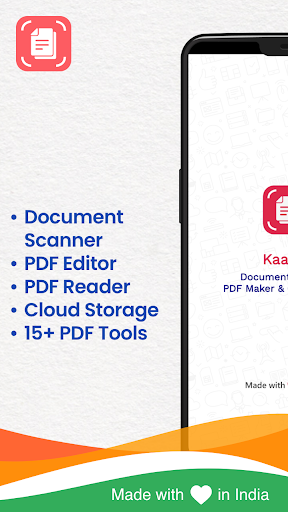
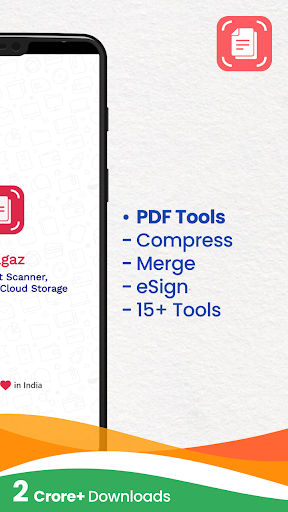
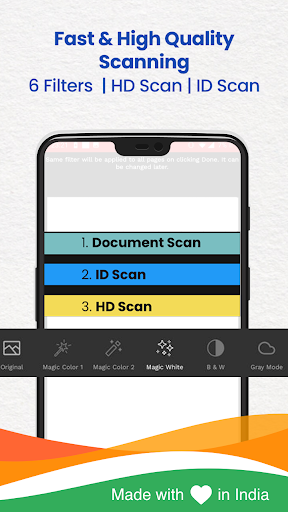
Kaagaz has a PDF Scanner, PDF Reader, PDF Editor, Cloud Storage, Tools like PDF Signature, PDF Compress , etc. PDF Scanner & Editor by Kaagaz is trusted by 2 Crore+ users, shops & businesses.
The no watermark & no sign in makes Kaagaz the best Document Scanner, PDF Reader, PDF Scanner & PDF Editor app for business owners, freelancers & individuals.
Kaagaz Scanner for iPhone is available in iOS App Store.
Best features of Kaagaz App are -
- Scan single/multiple page documents or kagaz & download/share them as JPG, PDF, or PNG
- scan PDFs in normal & HD quality; also scan 2 sided ID Cards on one side with Kaagaz ID Scanner
- Read & edit all types of PDF using various tools like Add Signature, PDF Merge, PDF Compress, PDF Split, etc.
- Edit PDFs using erase, highlight, add image to PDF, write text on PDF, etc.
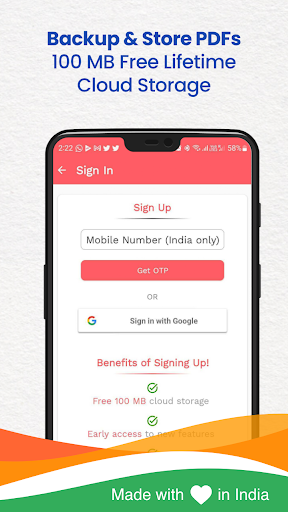
- Safely store all documents in Kaagaz Cloud - free lifetime 100 MB for every user
Kaagaz is the ✔️ Best Indian PDF Scanner App to scan documents, convert images to PDF or enhance your documents. All of this is without the annoying watermark.
Best features of Kaagaz Scanner & PDF Reader -
- Free to use Scanning
- Custom Watermark
- 20+ PDF Tools
Get free access to premium scanning features like Custom Watermark & Unlimited Scanning with PDF Scanner & PDF Editor
What all you can do with Kaagaz -
- Scan your document, Kagaz, PDF, or important papers like invoices, assignments, insurances, business documents, shop papers etc.
- Enhance the scan quality with multiple magic colour, black & white, grayscale filters & scan easily with auto cropping.
- Organize your scanned papers in folders & share as PDF/JPG files.
- Upload documents to online drives like Google Drive, Dropbox etc.
- Apply custom watermark.
- Import PDF to Kaagaz, merge PDFs, & read your PDF documents
- Edit PDFs using Write on PDF, Highlight, Add image, erase, etc.
- Access to PDF tools like PDF compress, image to PDF converter, document password remover, etc.
- Add Signature feature to easily add signature to all PDFs
- Free 100 MB cloud storage on secured Kaagaz Cloud
Kaagaz is a free-to-use & completely offline PDF Scanner which makes scanning documents easy while ensuring complete security of your business, work/personal data.
Why download Kaagaz PDF Scanner & PDF Converter -
- Best PDF Signature app - apply your signature on any document in under a minute
- Fastest Doc Scanner App with more than 2 Crore users & 4.5* rating and scanner for iPhone & Android is both top rated.
- Best Indian PDF Scanner App - Convert your phone camera to a document scanner.
- PDF Scanner App - Easily convert images to PDF with this Camera Scanner.
- Easy to use PDF Editor Tools - PDF Reader, PDF Compress, Doc Scanner, Erase, Highlight, Image to PDF converter & much more.
- PDF Reader - Read all your scanned documents easily with Kaagaz
- 6 filters Doc Scan - Original, B/W, Gray, Magic Colour 1, Magic Colour 2, White Magic.
- Simple Scan & Share - Scan Documents easily and share via email, cloud, WhatsApp & other mediums.
Now you can also use Kaagaz Scanner for iPhone - download from App Store.
Kaagaz is also known as Kagaz, Kaagaj, Kagaaz Scanner.
For any issues whatsapp on 969-1-969-969 or email - hello@kaagaz.app
और दिखाएं

1. MEmu इंस्टॉलर को डाउनलोड करें और इंस्टॉलेशन को पूरा करें

2. MEmu शुरू करें फिर होमपेज पर Google Play खोलें

3. Google Play में PDF Scanner & Editor by Kaagaz खोजें
Install
4. PDF Scanner & Editor by Kaagaz डाउनलोड कर इंस्टॉल करें
5. इंस्टॉल पूरा होने पर आइकन दबाएं

6. MEmu का उपयोग करके अपने कंप्यूटर पर PDF Scanner & Editor by Kaagaz का अनुभव करें
MEmu Play सबसे बेहतरीन मुफ़्त Android एमुलेटर है और 5 करोड़ लोग पहले ही इसके शानदार Android ऐप अनुभव का आनंद ले चुके हैं। MEmu 9 वर्चुअलाइज़ेशन तकनीक आपको अपने PC पर हज़ारों Android ऐप्स, यहाँ तक कि सबसे ज़्यादा ग्राफ़िक्स वाले ऐप्स भी, आसानी से चलाने की सुविधा देती है।
असीमित बैटरी या मोबाइल डेटा के साथ बेहतर ग्राफिक्स के साथ बड़ी स्क्रीन; लंबी अवधि।
कीबोर्ड और माउस या गेमपैड के उत्तम नियंत्रण के लिए संपूर्ण कीमैपिंग का समर्थन करता हैं।
एक ही पीसी पर मल्टी-इंस्टेंस मैनेजर के साथ एक समय में कई गेम खाते या कार्य कर सकते हैं।
Use PDF Scanner & Editor by Kaagaz on PC by following steps: