Photo Video Maker with Music
अपडेट किया गया
वर्तमान वर्शन
1.1.33
संसाधन

Photo Video Maker with Music पर अपनी मोबाइल डेटा सीमा पार करने को अलविदा कहें और छोटी स्क्रीन की सीमाओं से मुक्त होकर बड़े डिस्प्ले के लाभों का अनुभव करें। अब, आप अपने कीबोर्ड और माउस का उपयोग करके फुल-स्क्रीन मोड में टॉपर्स क्लैन की शक्ति का अनुभव कर सकते हैं। MEmu Play में वे सभी बेहतरीन सुविधाएँ हैं जिनकी आप अपेक्षा करते हैं: त्वरित इंस्टॉलेशन और आसान सेटअप, सहज नियंत्रण, बैटरी की आवश्यकता नहीं, और कोई डेटा या कॉल समय सीमा नहीं। नया MEmu 9 आपके कंप्यूटर पर Photo Video Maker with Music का उपयोग करने के लिए सबसे अच्छा विकल्प है। हमारा मालिकाना मल्टी-इंस्टेंस मैनेजर एक साथ दो या अधिक खातों को चलाने का समर्थन करता है। इससे भी महत्वपूर्ण बात यह है कि हमारा अनूठा इम्यूलेशन इंजन आपके कंप्यूटर के प्रदर्शन का पूरा उपयोग करता है, जिससे एक सहज और निर्बाध अनुभव मिलता है।
और दिखाएं
MEmu Play के साथ PC पर Photo Video Maker with Music इस्तेमाल करने के शानदार अनुभव का आनंद लें। यह एक शक्तिशाली मुफ़्त Android एमुलेटर है जो आपको डेस्कटॉप वर्ज़न के लिए हज़ारों Android ऐप्स उपलब्ध कराता है। दोस्तों से जुड़ने और अपने काम को और भी बेहतर बनाने का आनंद लें! संगीत, इफेक्ट्स और प्रोफेशनल एडिटिंग टूल्स के साथ शानदार वीडियो बनाएं।.
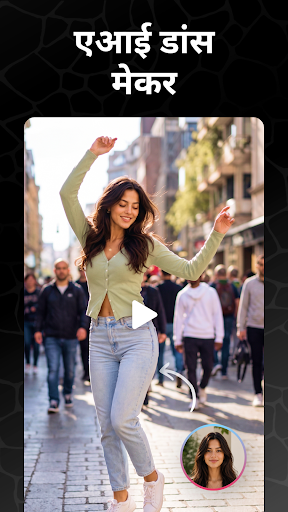
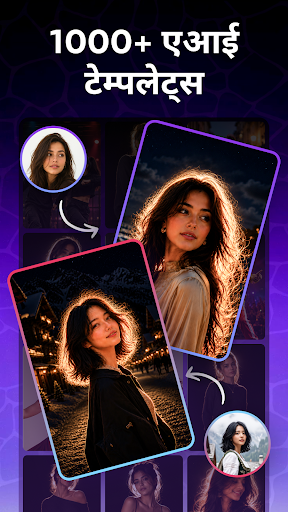

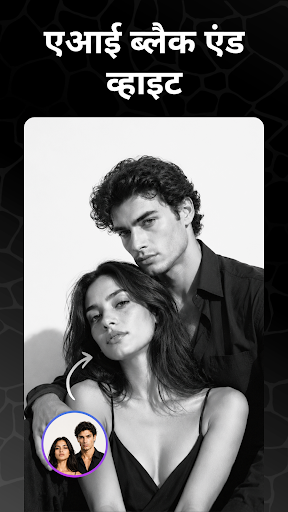
संगीत, इफेक्ट्स और प्रोफेशनल एडिटिंग टूल्स के साथ शानदार वीडियो बनाएं।
Photo & Video Maker with Music की मदद से आप अपनी फ़ोटो और क्लिप्स को कुछ ही मिनटों में प्रोफेशनल लुक वाले वीडियो में बदल सकते हैं — वह भी बिना किसी एडिटिंग अनुभव के। खूबसूरत स्लाइडशो से लेकर क्रिएटिव वीडियो तक, अपनी यादों को नए अंदाज़ में पेश करें।
जन्मदिन, शादी, यात्रा की यादें, इवेंट्स या पर्सनल प्रोजेक्ट्स — यह वीडियो एडिटर आपके खास पलों को कैप्चर और शेयर करने का बेहतरीन तरीका है। अपनी फ़ोटो और वीडियो को स्लाइडशो या शॉर्ट मूवी में बदलें।
वीडियो और स्लाइडशो क्रिएशन
• फोटो से वीडियो – अपनी पसंदीदा तस्वीरों से स्लाइडशो बनाएं।
• म्यूजिक जोड़ें – हमारी लाइब्रेरी से चुनें या अपना म्यूजिक जोड़ें।
• टेक्स्ट, स्टिकर्स और इमोजी – क्रिएटिव एलिमेंट्स से पर्सनलाइज़ करें।
• फ़िल्टर और इफेक्ट्स – वीडियो को खास स्टाइल और कलर दें।
• फ्रेम्स और ओवरलेज़ – हर मौके के लिए स्पेशल डिज़ाइन।
प्रोफेशनल एडिटिंग टूल्स
• वीडियो क्रॉप और ट्रिम – सिर्फ़ ज़रूरी हिस्से रखें।
• वीडियो मर्ज करें – कई क्लिप्स को एक वीडियो में जोड़ें।
• स्लो मोशन / फास्ट मोशन – स्पीड एडजस्ट कर क्रिएटिव इफेक्ट्स पाएं।
• रिवर्स वीडियो – वीडियो को उल्टा चलाएं।
• वीडियो कम्प्रेस करें – साइज घटाएं, HD क्वालिटी बनाए रखें।
एडवांस्ड ऑडियो टूल्स
• म्यूजिक और वॉयसओवर जोड़ें – व्लॉग्स और शॉर्ट वीडियो के लिए परफ़ेक्ट।
• ऑडियो ट्रिम करें – सिर्फ़ ज़रूरी हिस्सा इस्तेमाल करें।
• वीडियो से ऑडियो निकालें – अपने क्लिप्स का साउंड सेव करें।
• वीडियो को MP3 में बदलें – वीडियो को ऑडियो फ़ाइल में कन्वर्ट करें।
क्रिएटिव मीडिया टूल्स
• फोटो कोलाज मेकर – कई तस्वीरों को सुंदर लेआउट में मिलाएं।
• वीडियो को GIF में बदलें – मज़ेदार लूप एनिमेशन बनाएं।
• वॉटरमार्क वीडियो – अपने कंटेंट को लोगो या सिग्नेचर से सुरक्षित करें।
वीडियो बनाने का तरीका
1. गैलरी से फोटो या वीडियो चुनें।
2. म्यूजिक, इफेक्ट्स, टेक्स्ट और स्टिकर्स जोड़ें।
3. एडिट, ट्रिम, मर्ज या स्पीड एडजस्ट करें।
4. हाई क्वालिटी में सेव करें और शेयर करें।
लोग हमें क्यों पसंद करते हैं
• नए यूज़र्स के लिए आसान, प्रो के लिए पावरफुल।
• हर मौके के लिए परफ़ेक्ट: जन्मदिन, लव स्टोरी, ट्रैवल, ट्रेंड्स।
• जल्दी और बेहतरीन क्वालिटी के रिज़ल्ट।
और दिखाएं

1. MEmu इंस्टॉलर को डाउनलोड करें और इंस्टॉलेशन को पूरा करें

2. MEmu शुरू करें फिर होमपेज पर Google Play खोलें

3. Google Play में Photo Video Maker with Music खोजें
Install
4. Photo Video Maker with Music डाउनलोड कर इंस्टॉल करें
5. इंस्टॉल पूरा होने पर आइकन दबाएं

6. MEmu का उपयोग करके अपने कंप्यूटर पर Photo Video Maker with Music का अनुभव करें
MEmu Play सबसे बेहतरीन मुफ़्त Android एमुलेटर है और 5 करोड़ लोग पहले ही इसके शानदार Android ऐप अनुभव का आनंद ले चुके हैं। MEmu 9 वर्चुअलाइज़ेशन तकनीक आपको अपने PC पर हज़ारों Android ऐप्स, यहाँ तक कि सबसे ज़्यादा ग्राफ़िक्स वाले ऐप्स भी, आसानी से चलाने की सुविधा देती है।
असीमित बैटरी या मोबाइल डेटा के साथ बेहतर ग्राफिक्स के साथ बड़ी स्क्रीन; लंबी अवधि।
कीबोर्ड और माउस या गेमपैड के उत्तम नियंत्रण के लिए संपूर्ण कीमैपिंग का समर्थन करता हैं।
एक ही पीसी पर मल्टी-इंस्टेंस मैनेजर के साथ एक समय में कई गेम खाते या कार्य कर सकते हैं।
Use Photo Video Maker with Music on PC by following steps: