PikPak-Safe Cloud, Video Saver
अपडेट किया गया
वर्तमान वर्शन
1.49.3
संसाधन

PikPak-Safe Cloud, Video Saver पर अपनी मोबाइल डेटा सीमा पार करने को अलविदा कहें और छोटी स्क्रीन की सीमाओं से मुक्त होकर बड़े डिस्प्ले के लाभों का अनुभव करें। अब, आप अपने कीबोर्ड और माउस का उपयोग करके फुल-स्क्रीन मोड में टॉपर्स क्लैन की शक्ति का अनुभव कर सकते हैं। MEmu Play में वे सभी बेहतरीन सुविधाएँ हैं जिनकी आप अपेक्षा करते हैं: त्वरित इंस्टॉलेशन और आसान सेटअप, सहज नियंत्रण, बैटरी की आवश्यकता नहीं, और कोई डेटा या कॉल समय सीमा नहीं। नया MEmu 9 आपके कंप्यूटर पर PikPak-Safe Cloud, Video Saver का उपयोग करने के लिए सबसे अच्छा विकल्प है। हमारा मालिकाना मल्टी-इंस्टेंस मैनेजर एक साथ दो या अधिक खातों को चलाने का समर्थन करता है। इससे भी महत्वपूर्ण बात यह है कि हमारा अनूठा इम्यूलेशन इंजन आपके कंप्यूटर के प्रदर्शन का पूरा उपयोग करता है, जिससे एक सहज और निर्बाध अनुभव मिलता है।
और दिखाएं
डाउनलोड करें PikPak-Safe Cloud, Video Saver पीसी पर MEmu एंड्रॉयड एमुलेटर के साथ बड़े पर्दे पर खेलने का आनंद लें। PikPak - Private cloud that saves your favorite files conveniently.

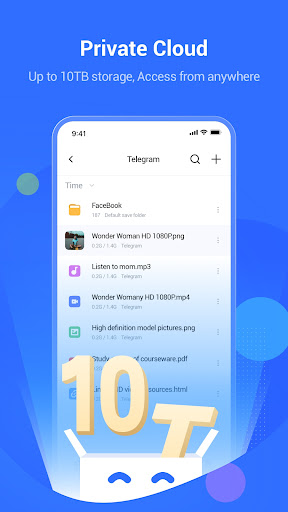
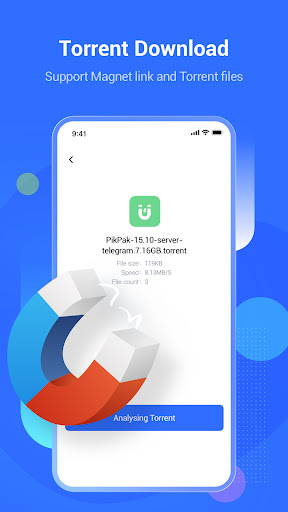
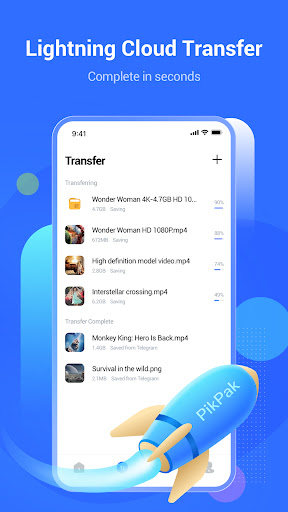
PikPak - Private cloud that saves your favorite files conveniently. Supports online photo preview and video playing.
You can forward favorite files to PikPak via Telegram-bot, or save them through system sharing; Then find them in PikPak.
PikPak uses secure backup technology to avoid file loss.
PikPak Highlights:
-Up to 10TB of cloud storage: you can store up to 8000 video files.
-Powerful Telegram Bot: one-click forwarding to save files and links from Telegram, Twitter, TikTok, Facebook, etc..
-Leading acceleration technology for fast saving of all files via cloud transfer.
-Convenient preview of image and video.
-Manage the files in the collection by creating folders.
Install PikPak now and you will have a pleasant file collection and viewing experience. You can sign in with your Google, Facebook account, or sign in with your email address.
If you have any questions about PikPak, please join the official PikPak user group: https://t.me/pikpak_userservice; You can also feel free to support@mypikpak.com Feedback to us.
Reminder: PikPak will display the screen according to the original proportion when playing the video on the TV device.
और दिखाएं

1. MEmu इंस्टॉलर को डाउनलोड करें और इंस्टॉलेशन को पूरा करें

2. MEmu शुरू करें फिर होमपेज पर Google Play खोलें

3. Google Play में PikPak-Safe Cloud, Video Saver खोजें
Install
4. PikPak-Safe Cloud, Video Saver डाउनलोड कर इंस्टॉल करें
5. इंस्टॉल पूरा होने पर आइकन दबाएं

6. MEmu का उपयोग करके अपने कंप्यूटर पर PikPak-Safe Cloud, Video Saver का अनुभव करें
MEmu Play सबसे बेहतरीन मुफ़्त Android एमुलेटर है और 5 करोड़ लोग पहले ही इसके शानदार Android ऐप अनुभव का आनंद ले चुके हैं। MEmu 9 वर्चुअलाइज़ेशन तकनीक आपको अपने PC पर हज़ारों Android ऐप्स, यहाँ तक कि सबसे ज़्यादा ग्राफ़िक्स वाले ऐप्स भी, आसानी से चलाने की सुविधा देती है।
असीमित बैटरी या मोबाइल डेटा के साथ बेहतर ग्राफिक्स के साथ बड़ी स्क्रीन; लंबी अवधि।
कीबोर्ड और माउस या गेमपैड के उत्तम नियंत्रण के लिए संपूर्ण कीमैपिंग का समर्थन करता हैं।
एक ही पीसी पर मल्टी-इंस्टेंस मैनेजर के साथ एक समय में कई गेम खाते या कार्य कर सकते हैं।
Use PikPak-Safe Cloud, Video Saver on PC by following steps: