SAX Video Player: All Format Video Player
अपडेट किया गया
वर्तमान वर्शन
1.0
संसाधन

SAX Video Player: All Format Video Player पर अपनी मोबाइल डेटा सीमा पार करने को अलविदा कहें और छोटी स्क्रीन की सीमाओं से मुक्त होकर बड़े डिस्प्ले के लाभों का अनुभव करें। अब, आप अपने कीबोर्ड और माउस का उपयोग करके फुल-स्क्रीन मोड में टॉपर्स क्लैन की शक्ति का अनुभव कर सकते हैं। MEmu Play में वे सभी बेहतरीन सुविधाएँ हैं जिनकी आप अपेक्षा करते हैं: त्वरित इंस्टॉलेशन और आसान सेटअप, सहज नियंत्रण, बैटरी की आवश्यकता नहीं, और कोई डेटा या कॉल समय सीमा नहीं। नया MEmu 9 आपके कंप्यूटर पर SAX Video Player: All Format Video Player का उपयोग करने के लिए सबसे अच्छा विकल्प है। हमारा मालिकाना मल्टी-इंस्टेंस मैनेजर एक साथ दो या अधिक खातों को चलाने का समर्थन करता है। इससे भी महत्वपूर्ण बात यह है कि हमारा अनूठा इम्यूलेशन इंजन आपके कंप्यूटर के प्रदर्शन का पूरा उपयोग करता है, जिससे एक सहज और निर्बाध अनुभव मिलता है।
और दिखाएं
डाउनलोड करें SAX Video Player: All Format Video Player पीसी पर MEmu एंड्रॉयड एमुलेटर के साथ बड़े पर्दे पर खेलने का आनंद लें। Video Player All Format is a professional video playback tool.
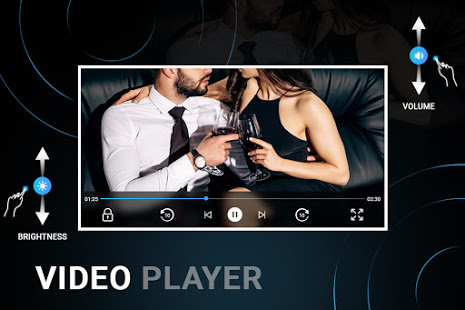

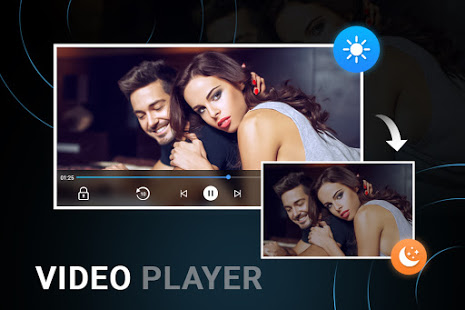
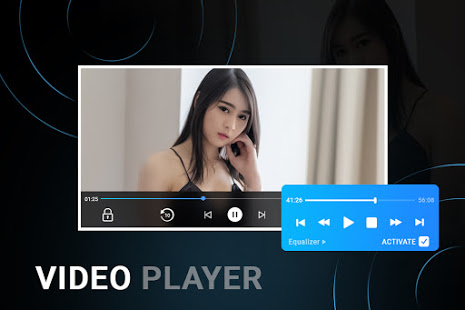
Video Player All Format is a professional video playback tool. It supports ALL video formats, 4K/ultra HD video files, and plays them with high-definition. It is one of the best HD video players for android tablet and android phone.
This Video Player is specifically designed for personalised experience for watching videos and listening to music of all the formats. The realistic control buttons and interface.
SAX Video Player: All Format Video Player app, can play all types of video format and audio format on your android device without any trouble. You can enjoy high quality hot video files or audio file your device. All Format Video Player Play all format video, including MKV, MP4, M4V, AVI, MOV, 3GP, FLV, WMV, RMVB, TS etc.
KEY FEATURE:
1) Play video in the pop-up window.
2) HD Video Player Support all video formats, including. MP4, MKV, WMV, TS, 3GP, WEBM, AVI, MOV, etc.
3) Identify ALL video files on your device and SD Card automatically.
4) Mange or Share videos easily.
5) Easy to control volume, brightness and playing progress.
6) Play video with stretch Mode. also, play as audio.
7) Multi playback option: Lock-Unlock Screen, Play Video multiple speed, Continuos play video list.
Disclaimer :- Sax video player does not contains any sexual activity or sexual content.
Thank You!
और दिखाएं

1. MEmu इंस्टॉलर को डाउनलोड करें और इंस्टॉलेशन को पूरा करें

2. MEmu शुरू करें फिर होमपेज पर Google Play खोलें

3. Google Play में SAX Video Player: All Format Video Player खोजें
Install
4. SAX Video Player: All Format Video Player डाउनलोड कर इंस्टॉल करें
5. इंस्टॉल पूरा होने पर आइकन दबाएं

6. MEmu का उपयोग करके अपने कंप्यूटर पर SAX Video Player: All Format Video Player का अनुभव करें
MEmu Play सबसे बेहतरीन मुफ़्त Android एमुलेटर है और 5 करोड़ लोग पहले ही इसके शानदार Android ऐप अनुभव का आनंद ले चुके हैं। MEmu 9 वर्चुअलाइज़ेशन तकनीक आपको अपने PC पर हज़ारों Android ऐप्स, यहाँ तक कि सबसे ज़्यादा ग्राफ़िक्स वाले ऐप्स भी, आसानी से चलाने की सुविधा देती है।
असीमित बैटरी या मोबाइल डेटा के साथ बेहतर ग्राफिक्स के साथ बड़ी स्क्रीन; लंबी अवधि।
कीबोर्ड और माउस या गेमपैड के उत्तम नियंत्रण के लिए संपूर्ण कीमैपिंग का समर्थन करता हैं।
एक ही पीसी पर मल्टी-इंस्टेंस मैनेजर के साथ एक समय में कई गेम खाते या कार्य कर सकते हैं।
Use SAX Video Player: All Format Video Player on PC by following steps: