Realistic Torch Mod Minecraft
अपडेट किया गया
वर्तमान वर्शन
1.90
संसाधन

Realistic Torch Mod Minecraft पर अपनी मोबाइल डेटा सीमा पार करने को अलविदा कहें और छोटी स्क्रीन की सीमाओं से मुक्त होकर बड़े डिस्प्ले के लाभों का अनुभव करें। अब, आप अपने कीबोर्ड और माउस का उपयोग करके फुल-स्क्रीन मोड में टॉपर्स क्लैन की शक्ति का अनुभव कर सकते हैं। MEmu Play में वे सभी बेहतरीन सुविधाएँ हैं जिनकी आप अपेक्षा करते हैं: त्वरित इंस्टॉलेशन और आसान सेटअप, सहज नियंत्रण, बैटरी की आवश्यकता नहीं, और कोई डेटा या कॉल समय सीमा नहीं। नया MEmu 9 आपके कंप्यूटर पर Realistic Torch Mod Minecraft का उपयोग करने के लिए सबसे अच्छा विकल्प है। हमारा मालिकाना मल्टी-इंस्टेंस मैनेजर एक साथ दो या अधिक खातों को चलाने का समर्थन करता है। इससे भी महत्वपूर्ण बात यह है कि हमारा अनूठा इम्यूलेशन इंजन आपके कंप्यूटर के प्रदर्शन का पूरा उपयोग करता है, जिससे एक सहज और निर्बाध अनुभव मिलता है।
और दिखाएं
डाउनलोड करें Realistic Torch Mod Minecraft पीसी पर MEmu एंड्रॉयड एमुलेटर के साथ बड़े पर्दे पर खेलने का आनंद लें। Realistic Torch Addon for Minecraft Pocket Edition adds a realistic torch vibe to your game with cool features that will light up your world!
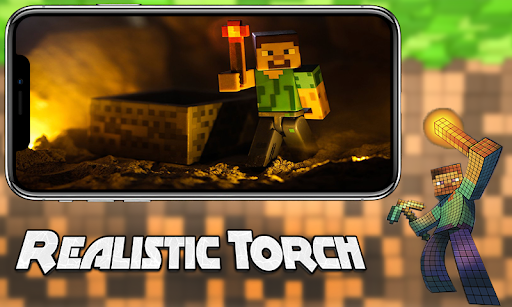
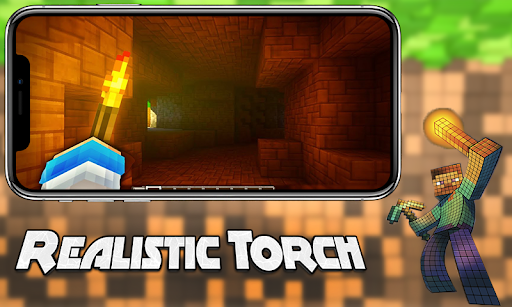
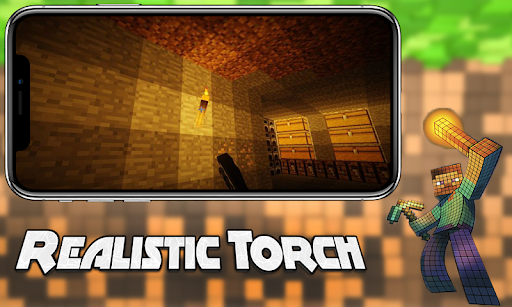
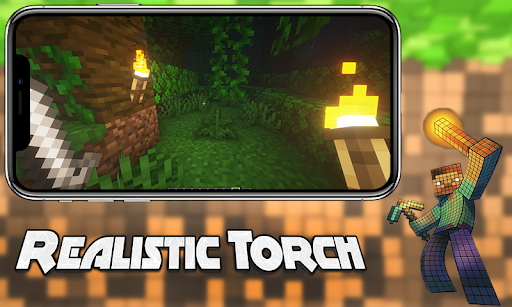
Realistic Torch Addon for Minecraft Pocket Edition adds a realistic torch vibe to your game with cool features that will light up your world! This is the same addon that will help you save time on placing torches when extracting new resources in the mine. This Realistic Torch Mod can be used in the right hand and will light your way!
Going into the mine with only one torch, it's always so annoying. Especially when you don't have the resources to craft this item to plant more torches in the mines. Well, don't worry, this addon will add a realistic torch atmosphere to your Mincraft (MCPE) game with cool features that will light up your epic mine world!
Hold a torch in your hand to light up your surroundings! This addon adds some more realistically features. The Realistic Torch mod will not work if you are in rain or water. The torches is best used in caves or dark areas of your world!
If there is no rain in the world of Mincraft PE, then you are not in the water and not inside the block. The torches will work. To make this addon more realistically and enjoyable, when it rains the torches will stop working! The same for water if you are in the water. It won't work.
You can add more realism in this addon with the new texture pack RTX Shader resourses pack for MCPE, make your world as lively, realistically and beautiful as possible, travel through the pixel world with our textures, and realistically HD Shader for craftsman game.
और दिखाएं

1. MEmu इंस्टॉलर को डाउनलोड करें और इंस्टॉलेशन को पूरा करें

2. MEmu शुरू करें फिर होमपेज पर Google Play खोलें

3. Google Play में Realistic Torch Mod Minecraft खोजें
Install
4. Realistic Torch Mod Minecraft डाउनलोड कर इंस्टॉल करें
5. इंस्टॉल पूरा होने पर आइकन दबाएं

6. MEmu का उपयोग करके अपने कंप्यूटर पर Realistic Torch Mod Minecraft का अनुभव करें
MEmu Play सबसे बेहतरीन मुफ़्त Android एमुलेटर है और 5 करोड़ लोग पहले ही इसके शानदार Android ऐप अनुभव का आनंद ले चुके हैं। MEmu 9 वर्चुअलाइज़ेशन तकनीक आपको अपने PC पर हज़ारों Android ऐप्स, यहाँ तक कि सबसे ज़्यादा ग्राफ़िक्स वाले ऐप्स भी, आसानी से चलाने की सुविधा देती है।
असीमित बैटरी या मोबाइल डेटा के साथ बेहतर ग्राफिक्स के साथ बड़ी स्क्रीन; लंबी अवधि।
कीबोर्ड और माउस या गेमपैड के उत्तम नियंत्रण के लिए संपूर्ण कीमैपिंग का समर्थन करता हैं।
एक ही पीसी पर मल्टी-इंस्टेंस मैनेजर के साथ एक समय में कई गेम खाते या कार्य कर सकते हैं।
Use Realistic Torch Mod Minecraft on PC by following steps: