Realme c53 launcher, theme
अपडेट किया गया
वर्तमान वर्शन
10
संसाधन

Realme c53 launcher, theme पर अपनी मोबाइल डेटा सीमा पार करने को अलविदा कहें और छोटी स्क्रीन की सीमाओं से मुक्त होकर बड़े डिस्प्ले के लाभों का अनुभव करें। अब, आप अपने कीबोर्ड और माउस का उपयोग करके फुल-स्क्रीन मोड में टॉपर्स क्लैन की शक्ति का अनुभव कर सकते हैं। MEmu Play में वे सभी बेहतरीन सुविधाएँ हैं जिनकी आप अपेक्षा करते हैं: त्वरित इंस्टॉलेशन और आसान सेटअप, सहज नियंत्रण, बैटरी की आवश्यकता नहीं, और कोई डेटा या कॉल समय सीमा नहीं। नया MEmu 9 आपके कंप्यूटर पर Realme c53 launcher, theme का उपयोग करने के लिए सबसे अच्छा विकल्प है। हमारा मालिकाना मल्टी-इंस्टेंस मैनेजर एक साथ दो या अधिक खातों को चलाने का समर्थन करता है। इससे भी महत्वपूर्ण बात यह है कि हमारा अनूठा इम्यूलेशन इंजन आपके कंप्यूटर के प्रदर्शन का पूरा उपयोग करता है, जिससे एक सहज और निर्बाध अनुभव मिलता है।
और दिखाएं
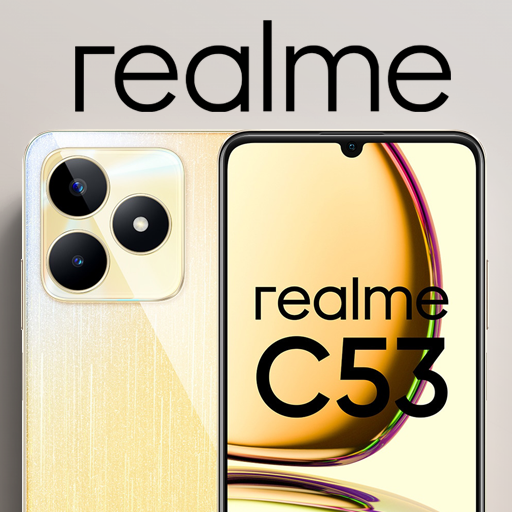
डाउनलोड करें Realme c53 launcher, theme पीसी पर MEmu एंड्रॉयड एमुलेटर के साथ बड़े पर्दे पर खेलने का आनंद लें। Theme For Realme c53 is designed by observing users needs that are bored from the old home screen look of their phone.
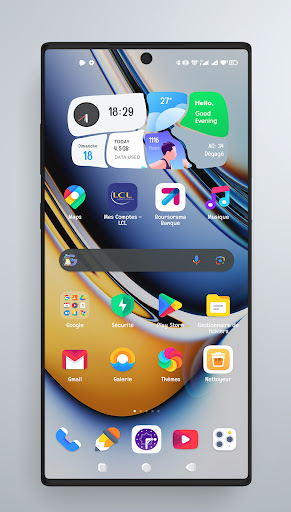
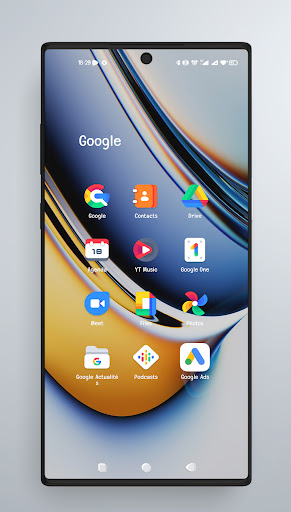
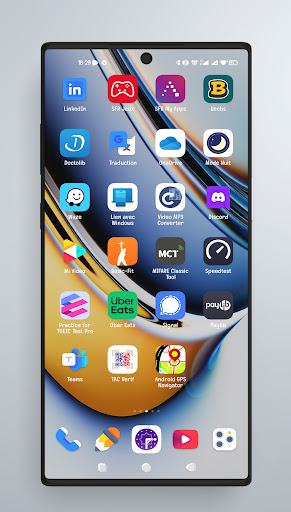
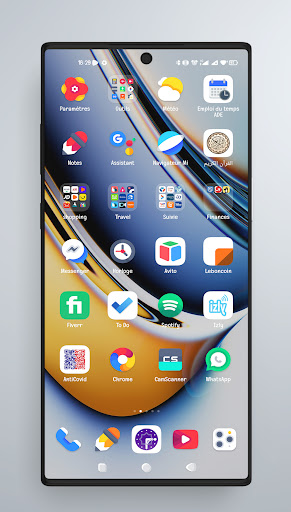
Theme For Realme c53 is designed by observing users needs that are bored from the old home screen look of their phone. Realme c53 theme is about what we care of our apps users.
Realme c53 theme contains newest & best of top launcher for all phones with icon-pack for Realme c53 pro- Realme c53 theme style, icon pack, themes, wallpapers and with many features. Realme c53 wallpaper- FuntouchOS icon pack newest & best of top launcher for all phones with Theme for Realme c53 theme - launcher for iphone style, icon pack, themes, wallpapers and with many features.
Realme c53 Theme supported launchers:
⦁ Nova Launcher
⦁ ADW Launcher
⦁ TSF Launcher
⦁ Go Launcher
⦁ Apex Launcher
⦁ Action Launcher
⦁ ADW1 Launcher
⦁ Aviate launcher
⦁ Lucid Launcher
⦁ Line Launcher
⦁ Mini Launcher
⦁ Zero Launcher
⦁ Holo Launcher
⦁ Holo HD Launcher
⦁ KK Launcher
⦁ Launcher Smart
Download this theme for Realme c53 pro app and share the fun with people we love.
और दिखाएं

1. MEmu इंस्टॉलर को डाउनलोड करें और इंस्टॉलेशन को पूरा करें

2. MEmu शुरू करें फिर होमपेज पर Google Play खोलें

3. Google Play में Realme c53 launcher, theme खोजें
Install
4. Realme c53 launcher, theme डाउनलोड कर इंस्टॉल करें
5. इंस्टॉल पूरा होने पर आइकन दबाएं

6. MEmu का उपयोग करके अपने कंप्यूटर पर Realme c53 launcher, theme का अनुभव करें
MEmu Play सबसे बेहतरीन मुफ़्त Android एमुलेटर है और 5 करोड़ लोग पहले ही इसके शानदार Android ऐप अनुभव का आनंद ले चुके हैं। MEmu 9 वर्चुअलाइज़ेशन तकनीक आपको अपने PC पर हज़ारों Android ऐप्स, यहाँ तक कि सबसे ज़्यादा ग्राफ़िक्स वाले ऐप्स भी, आसानी से चलाने की सुविधा देती है।
असीमित बैटरी या मोबाइल डेटा के साथ बेहतर ग्राफिक्स के साथ बड़ी स्क्रीन; लंबी अवधि।
कीबोर्ड और माउस या गेमपैड के उत्तम नियंत्रण के लिए संपूर्ण कीमैपिंग का समर्थन करता हैं।
एक ही पीसी पर मल्टी-इंस्टेंस मैनेजर के साथ एक समय में कई गेम खाते या कार्य कर सकते हैं।
Use Realme c53 launcher, theme on PC by following steps: