
Scute: App & Website Blocker
अपडेट किया गया
वर्तमान वर्शन
2.0.1
संसाधन

Scute: App & Website Blocker पर अपनी मोबाइल डेटा सीमा पार करने को अलविदा कहें और छोटी स्क्रीन की सीमाओं से मुक्त होकर बड़े डिस्प्ले के लाभों का अनुभव करें। अब, आप अपने कीबोर्ड और माउस का उपयोग करके फुल-स्क्रीन मोड में टॉपर्स क्लैन की शक्ति का अनुभव कर सकते हैं। MEmu Play में वे सभी बेहतरीन सुविधाएँ हैं जिनकी आप अपेक्षा करते हैं: त्वरित इंस्टॉलेशन और आसान सेटअप, सहज नियंत्रण, बैटरी की आवश्यकता नहीं, और कोई डेटा या कॉल समय सीमा नहीं। नया MEmu 9 आपके कंप्यूटर पर Scute: App & Website Blocker का उपयोग करने के लिए सबसे अच्छा विकल्प है। हमारा मालिकाना मल्टी-इंस्टेंस मैनेजर एक साथ दो या अधिक खातों को चलाने का समर्थन करता है। इससे भी महत्वपूर्ण बात यह है कि हमारा अनूठा इम्यूलेशन इंजन आपके कंप्यूटर के प्रदर्शन का पूरा उपयोग करता है, जिससे एक सहज और निर्बाध अनुभव मिलता है।
और दिखाएं
MEmu Play के साथ PC पर Scute: App & Website Blocker इस्तेमाल करने के शानदार अनुभव का आनंद लें। यह एक शक्तिशाली मुफ़्त Android एमुलेटर है जो आपको डेस्कटॉप वर्ज़न के लिए हज़ारों Android ऐप्स उपलब्ध कराता है। दोस्तों से जुड़ने और अपने काम को और भी बेहतर बनाने का आनंद लें! Scute was built because every app blocker we tried always had the same problem, they were too easy to get around.
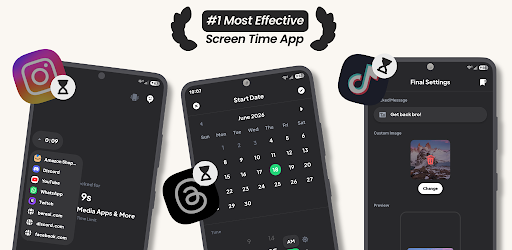
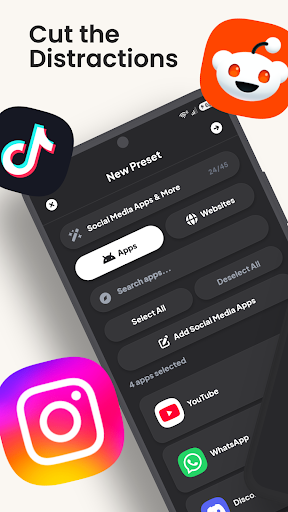
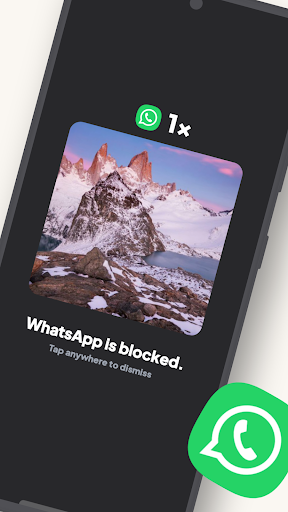
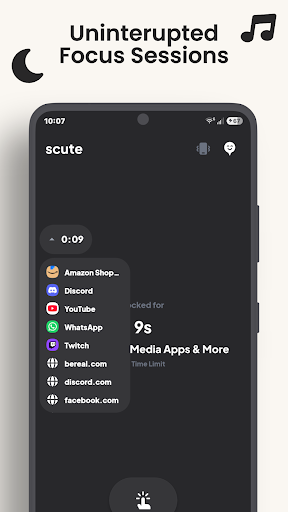
Scute was built because every app blocker we tried always had the same problem, they were too easy to get around. You can toggle them off, force stop them, or uninstall them the moment willpower runs low. A blocker you can bypass the second you're tempted isn't really blocking anything.
Scute is built to actually hold. You choose how strict you want it to be, and when you commit to a session, the easy exits are gone. No toggling it off, no slipping into Settings, no "just one minute." You set the rules up front, so in the moment, there's nothing to give in to.
You're always in control of how far that goes. Block one app or all of them. Set a 30-minute timer or lock yourself out for a week. Use Strict Mode when you want zero escape routes, or keep things flexible with lifelines or non-strict sessions for lighter holds.
What you can block:
• Any app on your phone, social media, games, browsers, whatever pulls you in
• Specific websites to stop the doom scrolling
• Keywords across the web, so any page mentioning them gets blocked
• Adult content automatically with the built-in adult-site filter
• Notifications from blocked apps so they can't tempt you back
• The Settings app itself, so you can't disable permissions
• Create named presets for different situations like work mode, sleep mode, or study mode
Flexible timing:
• Set a duration in minutes, hours, or days
• Pick an exact end time or a specific date
• No time limit, stay locked until you manually end it
Scheduling:
• Schedule presets to activate automatically at a set time
• Recurring schedules, daily, weekly, or custom
• Runs in the background with notifications
Safety & control:
• Strict Mode disables all ways to bypass, no turning back
• Lifelines let you set a limited number of emergency unlocks per session
• Unlock Reason makes you type out a reason before you can unlock, so leaving a session is a deliberate choice, not an impulse
• Open Cooldown locks you out of Scute itself for a set time after you dismiss a block, so you can't keep reopening to fiddle with settings
• Alert Notifications email a trusted contact every time a blocked app is opened during a session
• Browser Shield blocks unsupported browsers that could bypass website blocking
• Prevent Uninstallation locks down the app itself so it can't be removed mid-session
• Block the Settings app to prevent permission tampering
Overlay customization:
• Custom blocked screen text and image
• Skip the overlay entirely, just kick back to home
• Custom redirect to open a specific URL when a blocked app is opened
Accessibility Service: Scute uses the Accessibility Service to detect when blocked apps are opened and send you back to the home screen. Required for core app-blocking. No personal data is collected, stored, or shared.
VPN Service: Scute uses a local, on-device VPN to block specific websites. It only intercepts DNS requests — no traffic leaves your device, and no browsing data is collected, stored, or shared.
Foreground Service: Scute runs a foreground service to keep your blocks and scheduled sessions active even when the app is closed or after a restart. A notification is shown while a session is active, as required. No personal data is collected, stored, or shared.
Socials: linktr.ee/scuteapp
Support: support@scuteapp.com
Info: info@scuteapp.com
Privacy Policy: https://scuteapp.com/privacy-policy
Terms of Service: https://scuteapp.com/terms-of-service
और दिखाएं

1. MEmu इंस्टॉलर को डाउनलोड करें और इंस्टॉलेशन को पूरा करें

2. MEmu शुरू करें फिर होमपेज पर Google Play खोलें

3. Google Play में Scute: App & Website Blocker खोजें
Install
4. Scute: App & Website Blocker डाउनलोड कर इंस्टॉल करें
5. इंस्टॉल पूरा होने पर आइकन दबाएं

6. MEmu का उपयोग करके अपने कंप्यूटर पर Scute: App & Website Blocker का अनुभव करें
MEmu Play सबसे बेहतरीन मुफ़्त Android एमुलेटर है और 5 करोड़ लोग पहले ही इसके शानदार Android ऐप अनुभव का आनंद ले चुके हैं। MEmu 9 वर्चुअलाइज़ेशन तकनीक आपको अपने PC पर हज़ारों Android ऐप्स, यहाँ तक कि सबसे ज़्यादा ग्राफ़िक्स वाले ऐप्स भी, आसानी से चलाने की सुविधा देती है।
असीमित बैटरी या मोबाइल डेटा के साथ बेहतर ग्राफिक्स के साथ बड़ी स्क्रीन; लंबी अवधि।
कीबोर्ड और माउस या गेमपैड के उत्तम नियंत्रण के लिए संपूर्ण कीमैपिंग का समर्थन करता हैं।
एक ही पीसी पर मल्टी-इंस्टेंस मैनेजर के साथ एक समय में कई गेम खाते या कार्य कर सकते हैं।
Use Scute: App & Website Blocker on PC by following steps: