
TimeAct by SureAct
अपडेट किया गया
वर्तमान वर्शन
2.2.0
संसाधन

TimeAct by SureAct पर अपनी मोबाइल डेटा सीमा पार करने को अलविदा कहें और छोटी स्क्रीन की सीमाओं से मुक्त होकर बड़े डिस्प्ले के लाभों का अनुभव करें। अब, आप अपने कीबोर्ड और माउस का उपयोग करके फुल-स्क्रीन मोड में टॉपर्स क्लैन की शक्ति का अनुभव कर सकते हैं। MEmu Play में वे सभी बेहतरीन सुविधाएँ हैं जिनकी आप अपेक्षा करते हैं: त्वरित इंस्टॉलेशन और आसान सेटअप, सहज नियंत्रण, बैटरी की आवश्यकता नहीं, और कोई डेटा या कॉल समय सीमा नहीं। नया MEmu 9 आपके कंप्यूटर पर TimeAct by SureAct का उपयोग करने के लिए सबसे अच्छा विकल्प है। हमारा मालिकाना मल्टी-इंस्टेंस मैनेजर एक साथ दो या अधिक खातों को चलाने का समर्थन करता है। इससे भी महत्वपूर्ण बात यह है कि हमारा अनूठा इम्यूलेशन इंजन आपके कंप्यूटर के प्रदर्शन का पूरा उपयोग करता है, जिससे एक सहज और निर्बाध अनुभव मिलता है।
और दिखाएं
MEmu Play के साथ PC पर TimeAct by SureAct इस्तेमाल करने के शानदार अनुभव का आनंद लें। यह एक शक्तिशाली मुफ़्त Android एमुलेटर है जो आपको डेस्कटॉप वर्ज़न के लिए हज़ारों Android ऐप्स उपलब्ध कराता है। दोस्तों से जुड़ने और अपने काम को और भी बेहतर बनाने का आनंद लें! The daily record of work activity, from any place and at any time, and with probative value.
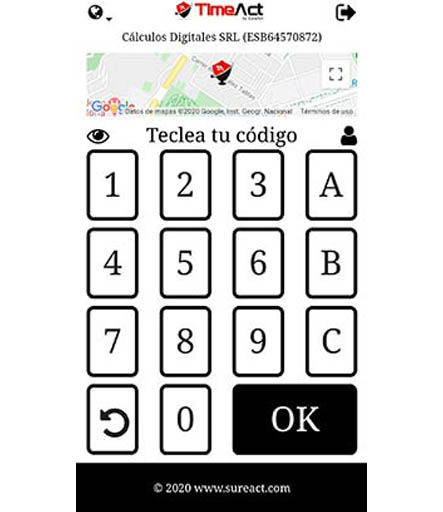
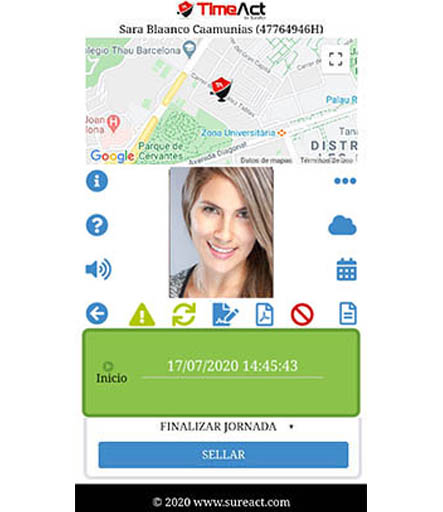
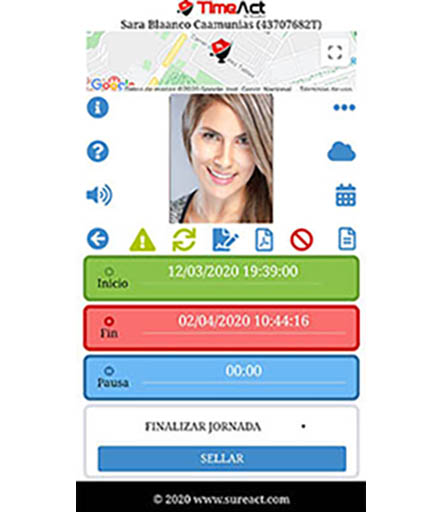
The daily record of work activity, from any place and at any time, and with probative value. Know the status, time and location of your employees at the time of sealing. Registers the most fundamental states of work, with maximum simplicity: start and end of the day, breaks, vacations, paid leave, medical leave, start and end of vacations. Take advantage of an obligation; reduces absenteeism and unproductive times, facilitates the request and management of vacations and paid leave.
It facilitates the immediate obtaining of up to three types of report by date ranges: actions performed, current status and work activity times. The reports are sealed and certified automatically.
The structuring in three levels of operation, company, center of work and project, allows to improve the scandallo of costs.
As a link between the employee and the company, it allows the application and approval of vacations and paid leave, as well as the electronic signature, with probative value, of communications and authorizations. The employee can consult his diary and work calendar whenever and wherever he wishes.
The work calendar, according to agreement, is customizable for each employee. It allows a control and a dynamic regulation of the activity, individual by individual.
It is an ideal tool for companies with a strong geographic relocation and / or employees in continuous displacement.
Pay-per-use web service, compatible with desktops, laptops and mobiles.
और दिखाएं

1. MEmu इंस्टॉलर को डाउनलोड करें और इंस्टॉलेशन को पूरा करें

2. MEmu शुरू करें फिर होमपेज पर Google Play खोलें

3. Google Play में TimeAct by SureAct खोजें
Install
4. TimeAct by SureAct डाउनलोड कर इंस्टॉल करें
5. इंस्टॉल पूरा होने पर आइकन दबाएं

6. MEmu का उपयोग करके अपने कंप्यूटर पर TimeAct by SureAct का अनुभव करें
MEmu Play सबसे बेहतरीन मुफ़्त Android एमुलेटर है और 5 करोड़ लोग पहले ही इसके शानदार Android ऐप अनुभव का आनंद ले चुके हैं। MEmu 9 वर्चुअलाइज़ेशन तकनीक आपको अपने PC पर हज़ारों Android ऐप्स, यहाँ तक कि सबसे ज़्यादा ग्राफ़िक्स वाले ऐप्स भी, आसानी से चलाने की सुविधा देती है।
असीमित बैटरी या मोबाइल डेटा के साथ बेहतर ग्राफिक्स के साथ बड़ी स्क्रीन; लंबी अवधि।
कीबोर्ड और माउस या गेमपैड के उत्तम नियंत्रण के लिए संपूर्ण कीमैपिंग का समर्थन करता हैं।
एक ही पीसी पर मल्टी-इंस्टेंस मैनेजर के साथ एक समय में कई गेम खाते या कार्य कर सकते हैं।
Use TimeAct by SureAct on PC by following steps: