Toshiba TV Remote Control
अपडेट किया गया
वर्तमान वर्शन
9.0
संसाधन

Toshiba TV Remote Control पर अपनी मोबाइल डेटा सीमा पार करने को अलविदा कहें और छोटी स्क्रीन की सीमाओं से मुक्त होकर बड़े डिस्प्ले के लाभों का अनुभव करें। अब, आप अपने कीबोर्ड और माउस का उपयोग करके फुल-स्क्रीन मोड में टॉपर्स क्लैन की शक्ति का अनुभव कर सकते हैं। MEmu Play में वे सभी बेहतरीन सुविधाएँ हैं जिनकी आप अपेक्षा करते हैं: त्वरित इंस्टॉलेशन और आसान सेटअप, सहज नियंत्रण, बैटरी की आवश्यकता नहीं, और कोई डेटा या कॉल समय सीमा नहीं। नया MEmu 9 आपके कंप्यूटर पर Toshiba TV Remote Control का उपयोग करने के लिए सबसे अच्छा विकल्प है। हमारा मालिकाना मल्टी-इंस्टेंस मैनेजर एक साथ दो या अधिक खातों को चलाने का समर्थन करता है। इससे भी महत्वपूर्ण बात यह है कि हमारा अनूठा इम्यूलेशन इंजन आपके कंप्यूटर के प्रदर्शन का पूरा उपयोग करता है, जिससे एक सहज और निर्बाध अनुभव मिलता है।
और दिखाएं
डाउनलोड करें Toshiba TV Remote Control पीसी पर MEmu एंड्रॉयड एमुलेटर के साथ बड़े पर्दे पर खेलने का आनंद लें। Why Toshiba TV Remote Control.
Why Toshiba TV Remote Control
------------------------------------------
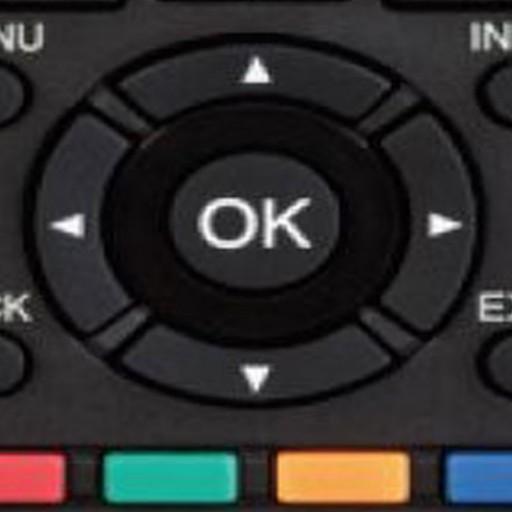
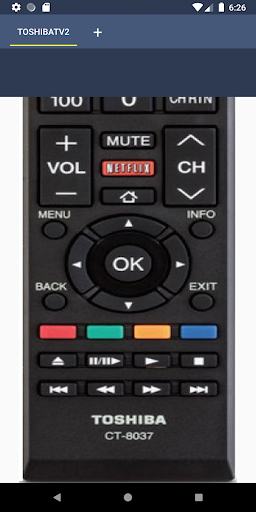
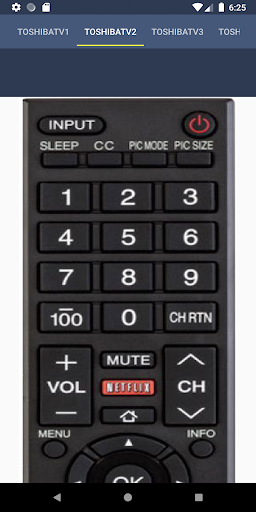
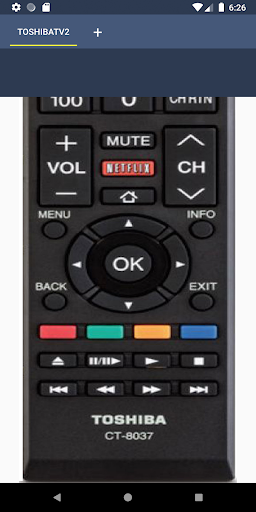
Feel as original remote, this remote has all the functions that a normal remote contains. Simple and easy to use Toshiba Remote Control will make your life easier.
What are the Functions
--------------------------------------
This Toshiba Remote Control has the below mentioned Functions
> Power
> Volume Up/Down
> Channel Up/Down
> Mute
> Input
> Home
> Pre Channel
> Menu
> Key Pad
> Multi Media Buttons
> Settings
Why Should I Make This Remote Control my daily Usage Tool
-------------------------------------------------------------------------------------------------
It will always be in your pocket and will never brake or you will never lose it.
How to Use
------------------
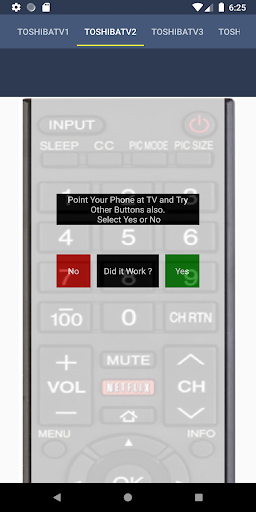
Simply Install and check each remote by pressing Power Button or any other button.
What are the Supporting Mobiles
----------------------------------------------------
All Mobiles with IR Blaster supports this Toshiba TV Remote.
Who should I contact
----------------------------------
Email us at justremotecontrolinc@gmail.com, good reviews motivate developers and improves Apps.
और दिखाएं

1. MEmu इंस्टॉलर को डाउनलोड करें और इंस्टॉलेशन को पूरा करें

2. MEmu शुरू करें फिर होमपेज पर Google Play खोलें

3. Google Play में Toshiba TV Remote Control खोजें
Install
4. Toshiba TV Remote Control डाउनलोड कर इंस्टॉल करें
5. इंस्टॉल पूरा होने पर आइकन दबाएं

6. MEmu का उपयोग करके अपने कंप्यूटर पर Toshiba TV Remote Control का अनुभव करें
MEmu Play सबसे बेहतरीन मुफ़्त Android एमुलेटर है और 5 करोड़ लोग पहले ही इसके शानदार Android ऐप अनुभव का आनंद ले चुके हैं। MEmu 9 वर्चुअलाइज़ेशन तकनीक आपको अपने PC पर हज़ारों Android ऐप्स, यहाँ तक कि सबसे ज़्यादा ग्राफ़िक्स वाले ऐप्स भी, आसानी से चलाने की सुविधा देती है।
असीमित बैटरी या मोबाइल डेटा के साथ बेहतर ग्राफिक्स के साथ बड़ी स्क्रीन; लंबी अवधि।
कीबोर्ड और माउस या गेमपैड के उत्तम नियंत्रण के लिए संपूर्ण कीमैपिंग का समर्थन करता हैं।
एक ही पीसी पर मल्टी-इंस्टेंस मैनेजर के साथ एक समय में कई गेम खाते या कार्य कर सकते हैं।
Use Toshiba TV Remote Control on PC by following steps: