Turkish English Bible
अपडेट किया गया
वर्तमान वर्शन
1.1.7
संसाधन

Turkish English Bible पर अपनी मोबाइल डेटा सीमा पार करने को अलविदा कहें और छोटी स्क्रीन की सीमाओं से मुक्त होकर बड़े डिस्प्ले के लाभों का अनुभव करें। अब, आप अपने कीबोर्ड और माउस का उपयोग करके फुल-स्क्रीन मोड में टॉपर्स क्लैन की शक्ति का अनुभव कर सकते हैं। MEmu Play में वे सभी बेहतरीन सुविधाएँ हैं जिनकी आप अपेक्षा करते हैं: त्वरित इंस्टॉलेशन और आसान सेटअप, सहज नियंत्रण, बैटरी की आवश्यकता नहीं, और कोई डेटा या कॉल समय सीमा नहीं। नया MEmu 9 आपके कंप्यूटर पर Turkish English Bible का उपयोग करने के लिए सबसे अच्छा विकल्प है। हमारा मालिकाना मल्टी-इंस्टेंस मैनेजर एक साथ दो या अधिक खातों को चलाने का समर्थन करता है। इससे भी महत्वपूर्ण बात यह है कि हमारा अनूठा इम्यूलेशन इंजन आपके कंप्यूटर के प्रदर्शन का पूरा उपयोग करता है, जिससे एक सहज और निर्बाध अनुभव मिलता है।
और दिखाएं
MEmu Play के साथ PC पर Turkish English Bible इस्तेमाल करने के शानदार अनुभव का आनंद लें। यह एक शक्तिशाली मुफ़्त Android एमुलेटर है जो आपको डेस्कटॉप वर्ज़न के लिए हज़ारों Android ऐप्स उपलब्ध कराता है। दोस्तों से जुड़ने और अपने काम को और भी बेहतर बनाने का आनंद लें! The Bi-lingual version of Turkish-English Bible is established in a single application.
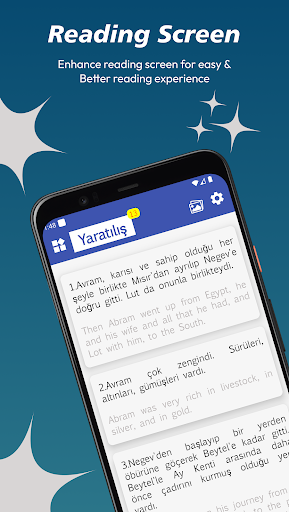
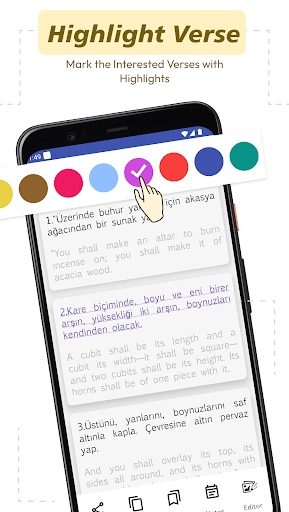
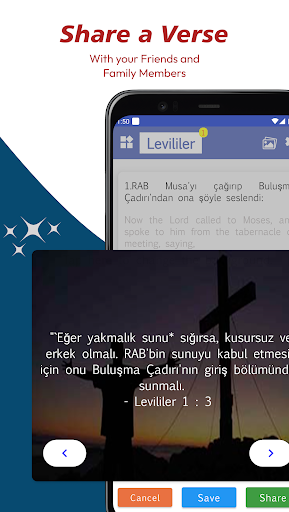
The Bi-lingual version of Turkish-English Bible is established in a single application. The righteous meaning of a Verse in the Holy Bible Scripture is now readable in two languages simultaneously. There are other languages in the bi-lingual app, with inclusion from the Oly Bible brand turning the novel readers into Bible readers in easily understanding the wordings of God Jesus. Read the Holy Bible in your mother tongue accompanied by English; here, it's Turkish and English parallel Bible.
Features:
Bible: Read the entire content in the final Verses.
Old Testament: The books are concluded with the first division of Christian Bibles.
New Testament:The second most division of Christian Bibles.
Quotes: Image quoted with the Verse.
Continue Reading:Resume reading process where you left off.
Videos: Go through the life lessons by God Jesus.
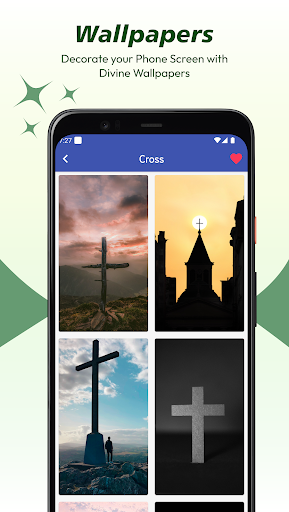
Wallpapers: Fill the backgrounds of the mobile screen with pictures.
Search: Looking for a particular term in the whole Verse.
Daily Verse: Get an alert with a Verse a day.
My Library: The markings of Verse in particular categories.
Festival Calendar: Lookover to celebrate the Festivals and Events of Christianity.
App Settings:
Dark Mode: Make the bible reading in the dark mode with text inversed in white color and background color in black.
Font Settings: Kindly Select the Font Family and set the Font size in the application.
Themes: Change the color theme of the complete application from the available color palette.
Notification Alarm: Set the verse on a daily alarm that one is notified at a particular time.
Reset: It repositions all the settings changes alone to the default one.
और दिखाएं

1. MEmu इंस्टॉलर को डाउनलोड करें और इंस्टॉलेशन को पूरा करें

2. MEmu शुरू करें फिर होमपेज पर Google Play खोलें

3. Google Play में Turkish English Bible खोजें
Install
4. Turkish English Bible डाउनलोड कर इंस्टॉल करें
5. इंस्टॉल पूरा होने पर आइकन दबाएं

6. MEmu का उपयोग करके अपने कंप्यूटर पर Turkish English Bible का अनुभव करें
MEmu Play सबसे बेहतरीन मुफ़्त Android एमुलेटर है और 5 करोड़ लोग पहले ही इसके शानदार Android ऐप अनुभव का आनंद ले चुके हैं। MEmu 9 वर्चुअलाइज़ेशन तकनीक आपको अपने PC पर हज़ारों Android ऐप्स, यहाँ तक कि सबसे ज़्यादा ग्राफ़िक्स वाले ऐप्स भी, आसानी से चलाने की सुविधा देती है।
असीमित बैटरी या मोबाइल डेटा के साथ बेहतर ग्राफिक्स के साथ बड़ी स्क्रीन; लंबी अवधि।
कीबोर्ड और माउस या गेमपैड के उत्तम नियंत्रण के लिए संपूर्ण कीमैपिंग का समर्थन करता हैं।
एक ही पीसी पर मल्टी-इंस्टेंस मैनेजर के साथ एक समय में कई गेम खाते या कार्य कर सकते हैं।
Use Turkish English Bible on PC by following steps: