
Schoolboy Escape 3D: Runaway
Updated
Current Version
1734100122
Offered By

With your passion for Schoolboy Escape 3D: Runaway, you shouldn’t have to limit yourself to the small screen of a phone. Play like a pro and take full control of the game using a keyboard and mouse. MEmu gives you everything you’re looking for. Download and play Schoolboy Escape 3D: Runaway on PC. Play as long as you want — no more worries about battery life, mobile data, or unexpected calls. The all-new MEmu 9 is the best way to play Schoolboy Escape 3D: Runaway on PC. With our expertly designed keymapping system, Schoolboy Escape 3D: Runaway feels just like a real PC game. The MEmu multi-instance manager lets you run two or more accounts on the same device at the same time. Most importantly, our exclusive emulation engine unlocks your PC’s full potential, delivering smooth and seamless performance.
Show more
Download Schoolboy Escape 3D: Runaway on PC with MEmu Android Emulator. Enjoy playing on big screen. "Oh, you troublemaker!
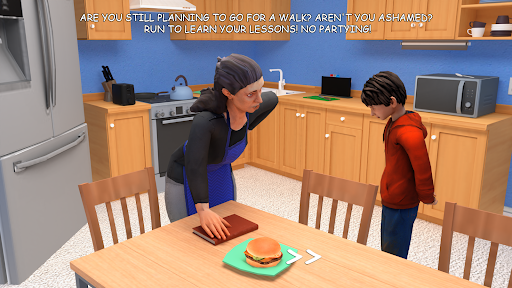

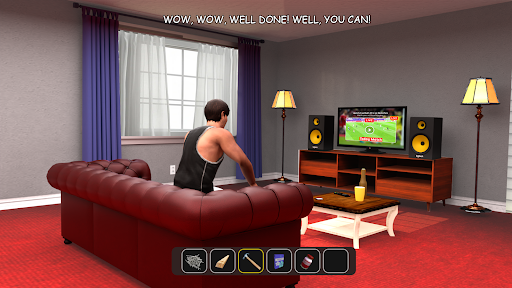
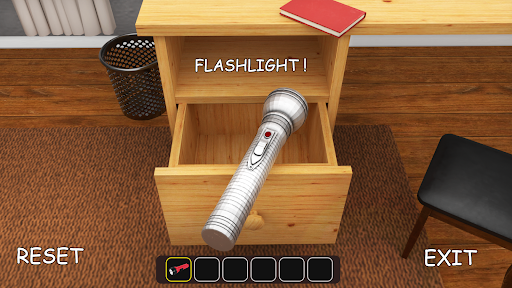
"Oh, you troublemaker! Get to studying!" your parents said as they grounded you. But you’re determined to find a way to runaway & hang out with your friends.
Step into the role of a schoolboy who's been punished for a poor grade and is now trying to escape without alerting mom and dad.
The gameplay features a variety of tasks and obstacles to conquer as you work toward your ultimate goal: freedom. To avoid getting caught by your parents, you’ll need to sneak into hiding spots like closets, under beds, or behind doors. Make clever use of tools like keys, distraction gadgets, and other items to unlock doors, set up traps, and keep your parents distracted.
The game’s storyline is filled with hidden secrets. Why are the parents so strict? Could there be a deeper mystery at play? As you explore the house, uncover diaries, notes, and other clues to piece together the family’s story and reveal what’s truly going on in this household.
Key Features:
3D first-person perspective.
Stealth gameplay: stay hidden, avoid detection, and keep quiet!
Solve puzzles and discover items to devise your escape plan.
Watch out—parents will notice any open doors or cabinets!
Prepare yourself for an exhilarating adventure that will test your courage and cleverness. Download "Schoolboy Escape 3D: Runaway" today and step into a world of suspense, strategy, and quick thinking. Will you help the boy outsmart his parents and earn his freedom? The outcome of his daring escape lies entirely in your hands!
Show more

1. Download MEmu installer and finish the setup

2. Start MEmu then open Google Play on the desktop

3. Search Schoolboy Escape 3D: Runaway in Google Play
Install
4. Download and Install Schoolboy Escape 3D: Runaway
5. On install completion click the icon to start

6. Enjoy playing Schoolboy Escape 3D: Runaway on PC with MEmu
MEmu Play is the best Android emulator and 100 million people already enjoy its superb Android gaming experience. The MEmu virtualization technology empowers you to play thousands of Android games smoothly on your PC, even the most graphic-intensive ones.
Bigger screen with better graphics; Long duration, without limitation of battery or mobile data.
Full Keymapping support for precise control of keyboard and mouse or gamepad.
Multiple game accounts or tasks on single PC at one time with Multi-Instance manager.
Play Schoolboy Escape 3D: Runaway on PC by following steps: