楽天チケットアプリ
Updated
Current Version
4.18.2
Offered By

Stop worrying about high battery drain when using 楽天チケットアプリ on your phone. Free yourself from the tiny screen and enjoy the app on a much larger display. From now on, get a full-screen experience of your app with the convenience of a keyboard and mouse. MEmu offers you all the surprising features you’d expect: quick installation and easy setup, intuitive controls, and no more worries about battery life, mobile data, or unexpected calls. The all-new MEmu 9 is the choice for using 楽天チケットアプリ on your computer. With the MEmu multi-instance manager, you can run two or more accounts at the same time. Most importantly, our exclusive emulation engine unlocks your PC’s full potential, delivering smooth and enjoyable performance.
Show more
Enjoy superb experience of using 楽天チケットアプリ on PC with MEMU App Player. It's a powerful free Android emulator which provides you with thousands of android apps for their desktop version. Enjoy connecting with friends and polishing your work with higher efficiency! 楽天チケットアプリは、音楽ライブ・舞台・スポーツなどのチケットが購入できるスマホアプリです!
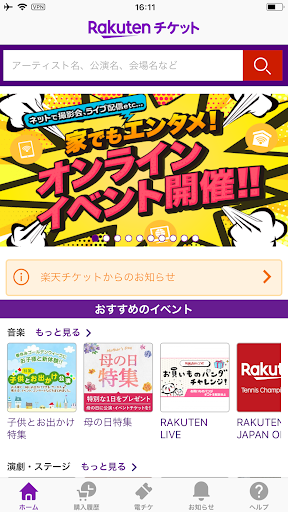
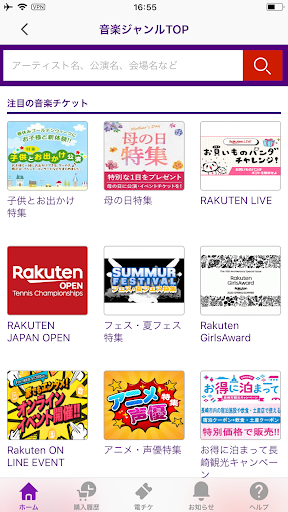
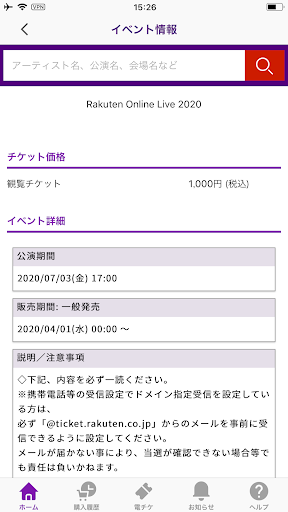
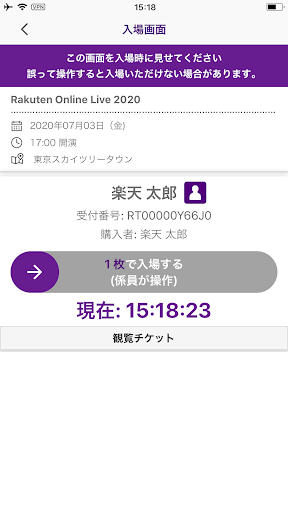
楽天チケットアプリは、音楽ライブ・舞台・スポーツなどのチケットが購入できるスマホアプリです!
おすすめイベントの情報も満載です。
また、電子チケットでの受取・分配・入場ができます。受け取りの手間がなく急なイベント参加もスムーズです!
楽天チケットサイトにてチケットの受取方法を「楽天チケットアプリ受取」を選択して購入すれば、アプリでチケットを受け取ることができます。
チケットの配送を待ったり、コンビニへ行く手間もなく、簡単です。また、アプリからお友達にチケットを送ることもできます。
※使い方の詳細は楽天チケットヘルプページよりご確認いただけます。
◆主要な機能
・楽天IDでのログイン
・抽選・一般チケットの申込み
・電子チケットの受取・入場
・購入履歴の確認
・電子チケット利用の際に電話番号の認証
・過去の受取チケットの保存、閲覧
・同行者にチケットを分配
・リセール機能
※リセールの可否は公演によって異なります。
<アプリでのチケット申込み・電子チケットのご利用には楽天会員登録が必要です>
Show more

1. Download MEmu installer and finish the setup

2. Start MEmu then open Google Play on the desktop

3. Search 楽天チケットアプリ in Google Play
Install
4. Download and Install 楽天チケットアプリ
5. On install completion click the icon to start

6. Enjoy using 楽天チケットアプリ on PC with MEmu
MEmu Play is the best Android emulator, and 100 million users already enjoy its superb Android app experience. Powered by advanced virtualization technology, it lets you enjoy thousands of Android apps smoothly on your PC—including the most graphics-intensive ones.
Bigger screen with better graphics; Long duration, without limitation of battery or mobile data.
Full Keymapping support for precise control of keyboard and mouse or gamepad.
Multiple game accounts or tasks on single PC at one time with Multi-Instance manager.
Use 楽天チケットアプリ on PC by following steps: