USDT Mining, Crypto USDT Miner
Updated
Current Version
13.0
Offered By

Stop worrying about high battery drain when using USDT Mining, Crypto USDT Miner on your phone. Free yourself from the tiny screen and enjoy the app on a much larger display. From now on, get a full-screen experience of your app with the convenience of a keyboard and mouse. MEmu offers you all the surprising features you’d expect: quick installation and easy setup, intuitive controls, and no more worries about battery life, mobile data, or unexpected calls. The all-new MEmu 9 is the choice for using USDT Mining, Crypto USDT Miner on your computer. With the MEmu multi-instance manager, you can run two or more accounts at the same time. Most importantly, our exclusive emulation engine unlocks your PC’s full potential, delivering smooth and enjoyable performance.
Show more
Enjoy superb experience of using USDT Mining, Crypto USDT Miner on PC with MEMU App Player. It's a powerful free Android emulator which provides you with thousands of android apps for their desktop version. Enjoy connecting with friends and polishing your work with higher efficiency! USDT Mining provides a simple way to mine USDT & earn USDT in Crypto Cloud mining app.
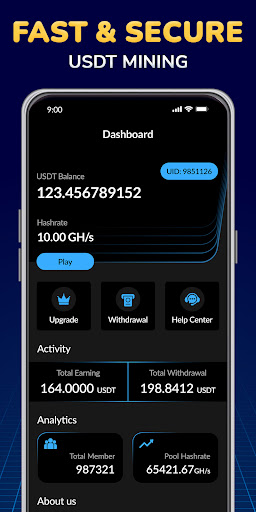
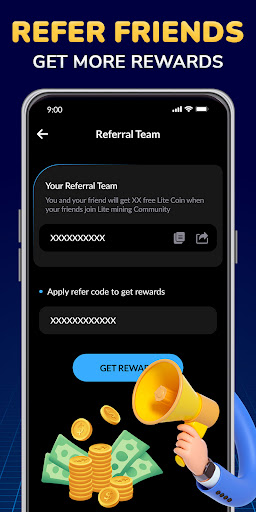
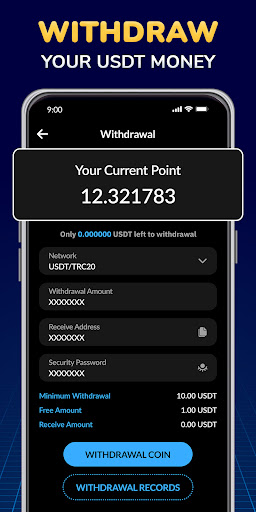
USDT Mining provides a simple way to mine USDT & earn USDT in Crypto Cloud mining app
USDT cloud mining is the ultimate, completely free app for anyone interested in crypto, stock market, and finance. Our easy-to-use mobile app allows you to mine the USDT cryptocurrency directly from your phone, without the need for expensive mining hardware or technical knowledge. Our app offers an intuitive interface and a secure, reliable cloud mining process. Simply create an account, choose your mining plan, and start earning USDT right now.
Cloud mining provides a low-cost way to mine cryptocurrencies. Whether it is quantitative trading or DeFi technology, you can easily participate in blockchain transactions with a small amount of capital and obtain stable income.
------------- FEATURES-------------
- CRYPTO CLOUD MINING
Start mining USDT for free... easy access to the cryptocurrency world for everyone.
- BOOST
This feature will give you the double of USDT from your mining activity for 24 hours.
- FRIENDS SYSTEM
Invite a friend and both will get a special bonus.
- WITHDRAW
When you will reach the minimum amount you can request a Payout to your Coinbase email address.
- SAFETY
We ensure data security through a strong technical team
- Efficient and simple
We want to bring them to you in the most efficient and affordable way possible.
With USDT cloud mining, you can track your mining progress in real time and exchange your earnings directly to your USDT wallet. You can also upgrade your contract to mine USDT even faster and increase your profits. Plus, our app offers a referral program where you can earn additional USDT by inviting your friends and family to join.
The USDT Miner application offers the easiest interface to make free mining with a single click in the advanced crypto money world. By creating an account, you will be able to start crypto mining quickly and easily.
Disclaimer
-This app does not use your device resources to mine USDT. You can confirm by looking at the resource usage of your device while the application is running.
-If you are a developer or a member of the official team and you have any problems with us, please contact us.
Show more

1. Download MEmu installer and finish the setup

2. Start MEmu then open Google Play on the desktop

3. Search USDT Mining, Crypto USDT Miner in Google Play
Install
4. Download and Install USDT Mining, Crypto USDT Miner
5. On install completion click the icon to start

6. Enjoy using USDT Mining, Crypto USDT Miner on PC with MEmu
MEmu Play is the best Android emulator, and 100 million users already enjoy its superb Android app experience. Powered by advanced virtualization technology, it lets you enjoy thousands of Android apps smoothly on your PC—including the most graphics-intensive ones.
Bigger screen with better graphics; Long duration, without limitation of battery or mobile data.
Full Keymapping support for precise control of keyboard and mouse or gamepad.
Multiple game accounts or tasks on single PC at one time with Multi-Instance manager.
Use USDT Mining, Crypto USDT Miner on PC by following steps: