Warhammer 40,000: Dark Heresy
Diupdate
Versi Saat Ini
Ditawarkan Oleh

Dengan sepenuh kebulatan hati Anda dalam memainkan Warhammer 40,000: Dark Heresy, tangan Anda tak seharusnya hanya terbatas pada layar kecil handphone Anda.Bermainlah layaknya seorang profesional dan dapatkan kendali penuh dalam permainan Anda dengan papan ketik dan tetikus.MEmu menawarkan seluruh hal yang Anda harapkan.Unduh dan mainkan Warhammer 40,000: Dark Heresy pada PC. Bermainlah selama yang Anda inginkan, tanpa keterbatasan dari baterai, data seluler dan panggilan yang mengganggu.MEmu 9 baru merupakan pilihan terbaik untuk memainkan Warhammer 40,000: Dark Heresy pada PC. Dipersiapkan bersama teknologi ahli kami, sistem pemetaan kunci preset yang canggih menjadikan Warhammer 40,000: Dark Heresy sebagai permainan PC sejati.Manajer banyak hal dari MEmu memungkinkan Anda untuk memainkan 2 atau banyak akun pada perangkat yang sama.Dan yang terpenting, mesin emulasi eksklusif kami bisa melepaskan potensi penuh PC Anda, membuat segalanya berjalan lancar.
Tampilkan Lebih banyak
Unduh Warhammer 40,000: Dark Heresy di PC dengan Emulator Android MEmu. Nikmati permainan pada layar yang besar. Warhammer 40,000: Dark Heresy is an immersive role-playing game set in the grim and dystopian universe of the Warhammer 40,000 franchise.
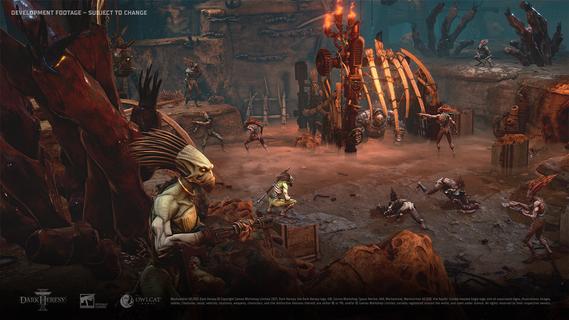
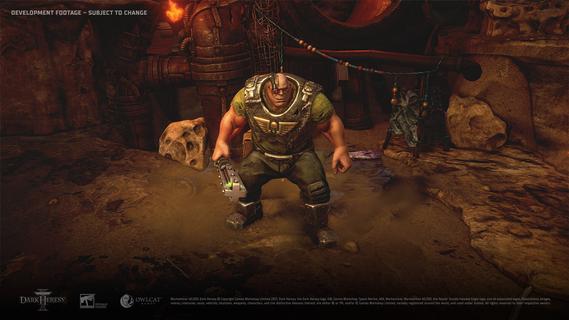
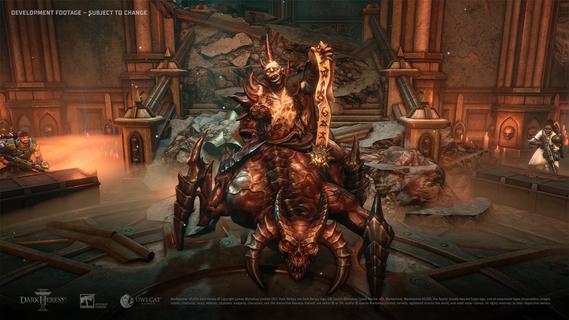
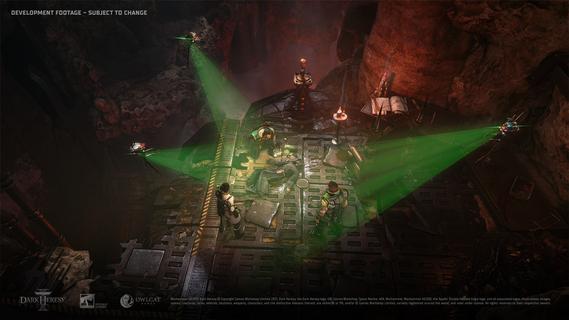
Warhammer 40,000: Dark Heresy is an immersive role-playing game set in the grim and dystopian universe of the Warhammer 40,000 franchise. In this dark future, where humanity is beset by numerous threats from across the galaxy, you take on the role of an Acolyte serving the Inquisition—an elite secret organization dedicated to rooting out heresy, corruption, and alien influence that threaten the Imperium of Man. The game is a party-based, story-driven cRPG, meaning players not only control their own character but also lead a group of companions with unique skills and backgrounds. Each investigation or mission requires cooperation, strategic thinking, and careful planning, adding depth and complexity to the gameplay. You navigate through rich narrative arcs full of intrigue, mystery, and danger, uncovering vast conspiracies that challenge the very foundations of the Imperium. Tactical combat plays a crucial role in Dark Heresy. Battles are carefully paced and rewarding, emphasizing both positioning and the intelligent use of skills and abilities. Players must master a variety of weapons, combat styles, and psychic powers in order to overcome both human foes and terrifying alien creatures. Every fight poses a serious threat, reinforcing the tension and high stakes of the world you inhabit. Beyond combat, the game heavily emphasizes decision-making and moral dilemmas. As an agent of the Inquisition, you act as a conduit for the God-Emperor’s will, tasked with enforcing order and loyalty, often at the expense of personal feelings or friendships. The choices you make can have far-reaching consequences, influencing not only the fate of your party but also the lives of entire planets. This blend of narrative depth and ethical complexity adds layers of immersion and replayability. Visually, Dark Heresy captures the dark, gothic aesthetic synonymous with Warhammer 40,000, featuring environments filled with grim industrial design, dilapidated cities, and eerie cathedrals. The atmospheric art style complements the game’s tone perfectly, creating a believable and oppressive universe where hope feels distant and vigilance is the only way to survive. Overall, Warhammer 40,000: Dark Heresy offers a compelling blend of rich storytelling, strategic gameplay, and moral ambiguity. It invites players to step into the shoes of a loyal servant of the Emperor, tasked with battling the shadows both within and outside humanity’s vast empire. Fans of cRPGs and the Warhammer 40,000 setting will find this game a deeply engaging and challenging experience, as it captures the essence of the eternal struggle against corruption and chaos in the far future.
Tampilkan Lebih banyak

1. Unduh dan instal MEmu APP

2. Menjalankan MEmu lalu buka Google Play di halaman

3. Cari Warhammer 40,000: Dark Heresy di Google Play
Install
4. Unduh dan instal Warhammer 40,000: Dark Heresy
5. Setelah insatl APP selesai,klik ikon untuk mulai

6. Nikmati bermain Warhammer 40,000: Dark Heresy di PC dengan MEmu
MEmu App Player adalah emulator Android gratis terbaik dan 50 Juta orang sudah menikmati pengalaman luar biasa dalam bermain gim Android. Teknologi virtualisasi MEmu memberi kekuasaan untuk memainkan ribuan gim Android dengan lancar di PC anda, bahkan gim dengan grafis yang paling tinggi.
Layar lebih besar dengan grafis yang lebih baik; durasi panjang, tanpa batasan baterai atau data seluler.
Didukung penuh oleh Pemetaan tombol yang lengkap untuk keakuratan kontrol keyboard dan mouse maupun gamepad.
Membuka beberapa akun game atau tugas di waktu yang sama hanya pada satu PC, dengan Multi-Instance manager.
Play Warhammer 40,000: Dark Heresy on PC by following steps: