Yuka
Diupdate
Versi Saat Ini
1.3.02
Ditawarkan Oleh

Dengan sepenuh kebulatan hati Anda dalam memainkan Yuka, tangan Anda tak seharusnya hanya terbatas pada layar kecil handphone Anda.Bermainlah layaknya seorang profesional dan dapatkan kendali penuh dalam permainan Anda dengan papan ketik dan tetikus.MEmu menawarkan seluruh hal yang Anda harapkan.Unduh dan mainkan Yuka pada PC. Bermainlah selama yang Anda inginkan, tanpa keterbatasan dari baterai, data seluler dan panggilan yang mengganggu.MEmu 9 baru merupakan pilihan terbaik untuk memainkan Yuka pada PC. Dipersiapkan bersama teknologi ahli kami, sistem pemetaan kunci preset yang canggih menjadikan Yuka sebagai permainan PC sejati.Manajer banyak hal dari MEmu memungkinkan Anda untuk memainkan 2 atau banyak akun pada perangkat yang sama.Dan yang terpenting, mesin emulasi eksklusif kami bisa melepaskan potensi penuh PC Anda, membuat segalanya berjalan lancar.
Tampilkan Lebih banyak
Unduh Yuka di PC dengan Emulator Android MEmu. Nikmati permainan pada layar yang besar. Yuka - An Exciting Experience of Strategy, Colors, and Tones!
Yuka - An Exciting Experience of Strategy, Colors, and Tones!
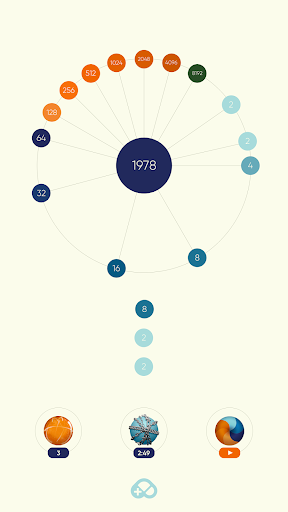
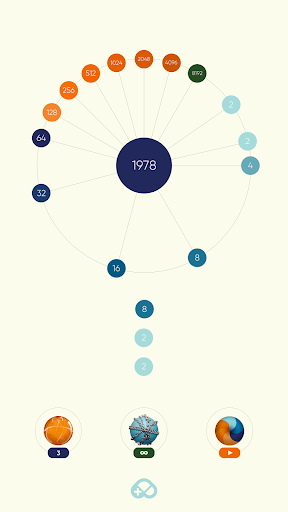
Yuka is an addictive mobile game that challenges your reflexes and strategy skills. In this colorful world, throw spheres, merge numbers, and reach the highest score while using both your quick thinking and intelligence!
How to Play:
- Launch spheres towards the center and merge them on the rotating circle.
- Match the same numbers side by side to create larger values.
- Start with a 2 and merge numbers, with a chance to add a 4!
- The play area shrinks, so you must match two of the same number!
- Each number has a corresponding tone, and as you merge numbers, that tone plays, enhancing the visual and auditory enjoyment of the game!
3 Special Boosters to Help You in Yuka’s Challenging World:
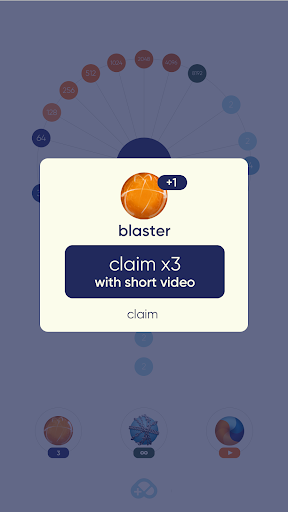
Blaster: Explodes all blue spheres on the screen, creating a large open space! Use this powerful booster to make strategic moves when you’re stuck.
Protector: For 5 minutes, you won’t burn if you place the same number on top of itself. Relax and continue playing!
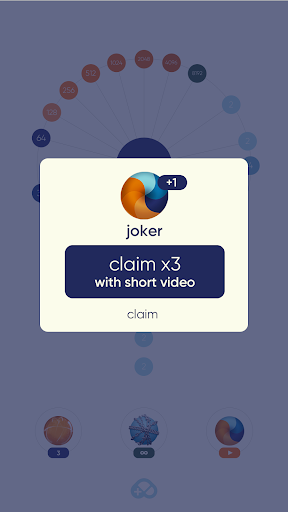
Joker: Transforms your thrown number into the largest adjacent value, enabling significant merges. This is the most effective way to quickly increase your score!
Key Features:
Simple yet challenging gameplay: Requires both fast reflexes and strategic thinking.
Colorful and eye-catching graphics: Each number has a color, making the game even more engaging.
Tonal Effects: Numbers produce specific tones as they merge, adding a fun auditory dimension to the game.
Strategic Depth: Use boosters wisely to achieve the highest score.
Levels progress from easy to hard: Yuka increases in difficulty with each level, providing new challenges.
Easy-to-understand interface and gameplay: A game suitable for all ages, offering a rewarding experience with room for mastery.
Why Yuka? Yuka is a game that will improve both your reflexes and intelligence, immersing you more with each play. Whether you play for a quick break or for long hours, Yuka offers an enjoyable experience for players of all ages.
Join the World of Yuka! Download now and step into this exciting world filled with colorful spheres. Outscore your rivals, achieve the highest score, and master Yuka!
Tampilkan Lebih banyak

1. Unduh dan instal MEmu APP

2. Menjalankan MEmu lalu buka Google Play di halaman

3. Cari Yuka di Google Play
Install
4. Unduh dan instal Yuka
5. Setelah insatl APP selesai,klik ikon untuk mulai

6. Nikmati bermain Yuka di PC dengan MEmu
MEmu App Player adalah emulator Android gratis terbaik dan 50 Juta orang sudah menikmati pengalaman luar biasa dalam bermain gim Android. Teknologi virtualisasi MEmu memberi kekuasaan untuk memainkan ribuan gim Android dengan lancar di PC anda, bahkan gim dengan grafis yang paling tinggi.
Layar lebih besar dengan grafis yang lebih baik; durasi panjang, tanpa batasan baterai atau data seluler.
Didukung penuh oleh Pemetaan tombol yang lengkap untuk keakuratan kontrol keyboard dan mouse maupun gamepad.
Membuka beberapa akun game atau tugas di waktu yang sama hanya pada satu PC, dengan Multi-Instance manager.
Play Yuka on PC by following steps: