AR Moscow City
Diupdate
Versi Saat Ini
1.0.6
Ditawarkan Oleh

Hentilah khawatir tentang biaya berlebihan saat menggunakan AR Moscow City di ponsel Anda, bebaskan diri Anda dari layar kecil dan nikmati menggunakan aplikasi pada tampilan yang lebih besar. Mulai sekarang, dapatkan pengalaman full-screen di aplikasi Anda dengan keyboard dan mouse. MEmu menyediakan semua fitur mengejutkan yang Anda harapkan: cepat menginstal dan mudah menggunakan, kontrol intuitif, tidak ada lagi batasan baterai, data seluler dan panggilan yang mengganggu. MEmu 9 yang baru adalah pilihan terbaik untuk menggunakan AR Moscow City di komputer Anda. Bersandi dengan absorpsi kami, manajer multi-instance memungkinkan pembukaan 2 akun atau lebih pada saat yang bersamaan. Dan yang paling penting, mesin emulasi eksklusif kami dapat melepaskan potensi penuh PC Anda, menjadikan semuanya lancar dan menyenangkan.
Tampilkan Lebih banyak
Unduh AR Moscow City di PC dengan Emulator Android MEmu. Nikmati permainan pada layar yang besar. AR Moscow City is an augmented reality (AR) app created specially for the guests of PANORAMA360, the highest observation deck in Europe, to see digital Moscow City Towers in conjunction with the real world: Federation Towers, Central Core, Evolution Tower, Imperia Towers, City of Capitals, Naberezhnaya Tower, IQ-quarter, Eurasia Tower, Mercury City Tower, OKO, Northern Tower, Neva Towers.
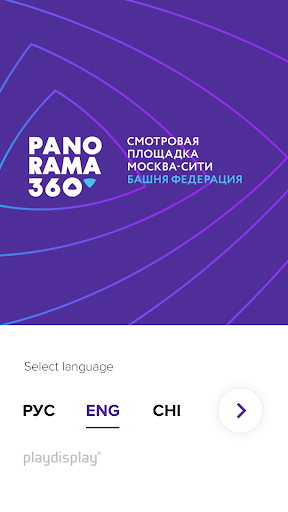
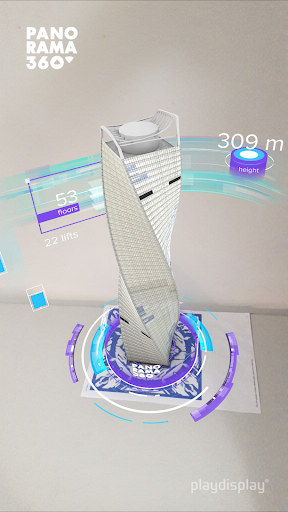
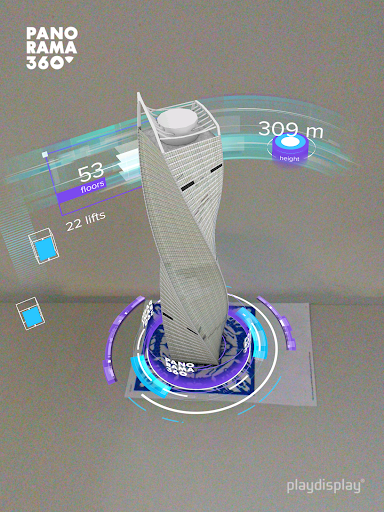
AR Moscow City is an augmented reality (AR) app created specially for the guests of PANORAMA360, the highest observation deck in Europe, to see digital Moscow City Towers in conjunction with the real world: Federation Towers, Central Core, Evolution Tower, Imperia Towers, City of Capitals, Naberezhnaya Tower, IQ-quarter, Eurasia Tower, Mercury City Tower, OKO, Northern Tower, Neva Towers.
The app contains a unique information about the construction features and the main characteristics of each showcased tower, while unusual comparisons to international sights will definitely make you smile.
The app is kid and elderly friendly. It is adapted for three languages: Russian, English and Chinese, so international guests can use it as well as local guests. You just point the camera of your mobile device at a special image (AR marker), located on the podium at the observation deck PANORAMA360, and a digital 3D animated tower with a beautiful infographic shows up in front of you in augmented reality. Options to rotate the AR object and the use of built-in camera make the process even more exciting.
Upload the AR Moscow City app and visit one of the most innovative observation decks in the world PANORAMA360 as many surprises are waiting for you there.
Now everyone can enjoy magic and share it with friends and family!
Tampilkan Lebih banyak

1. Unduh dan instal MEmu APP

2. Menjalankan MEmu lalu buka Google Play di halaman

3. Cari AR Moscow City di Google Play
Install
4. Unduh dan instal AR Moscow City
5. Setelah insatl APP selesai,klik ikon untuk mulai

6. Nikmati bermain AR Moscow City di PC dengan MEmu
MEmu Play adalah emulator Android gratis terbaik dan 50 Juta orang sudah menikmati pengalaman luar biasa dalam Aplikasi Android. Teknologi virtualisasi MEmu memberi kekuasaan untuk memainkan ribuan Aplikasi Android dengan lancar di PC anda, bahkan Aplikasi dengan grafis yang paling tinggi.
Layar lebih besar dengan grafis yang lebih baik; durasi panjang, tanpa batasan baterai atau data seluler.
Didukung penuh oleh Pemetaan tombol yang lengkap untuk keakuratan kontrol keyboard dan mouse maupun gamepad.
Membuka beberapa akun game atau tugas di waktu yang sama hanya pada satu PC, dengan Multi-Instance manager.
Use AR Moscow City on PC by following steps: