
Boom chat - LIVE chats & Meet
Diupdate
Versi Saat Ini
1.9.2
Ditawarkan Oleh

Hentilah khawatir tentang biaya berlebihan saat menggunakan Boom chat - LIVE chats & Meet di ponsel Anda, bebaskan diri Anda dari layar kecil dan nikmati menggunakan aplikasi pada tampilan yang lebih besar. Mulai sekarang, dapatkan pengalaman full-screen di aplikasi Anda dengan keyboard dan mouse. MEmu menyediakan semua fitur mengejutkan yang Anda harapkan: cepat menginstal dan mudah menggunakan, kontrol intuitif, tidak ada lagi batasan baterai, data seluler dan panggilan yang mengganggu. MEmu 9 yang baru adalah pilihan terbaik untuk menggunakan Boom chat - LIVE chats & Meet di komputer Anda. Bersandi dengan absorpsi kami, manajer multi-instance memungkinkan pembukaan 2 akun atau lebih pada saat yang bersamaan. Dan yang paling penting, mesin emulasi eksklusif kami dapat melepaskan potensi penuh PC Anda, menjadikan semuanya lancar dan menyenangkan.
Tampilkan Lebih banyak
Unduh Boom chat - LIVE chats & Meet di PC dengan Emulator Android MEmu. Nikmati permainan pada layar yang besar. Boom chat - LIVE chats & Meet.
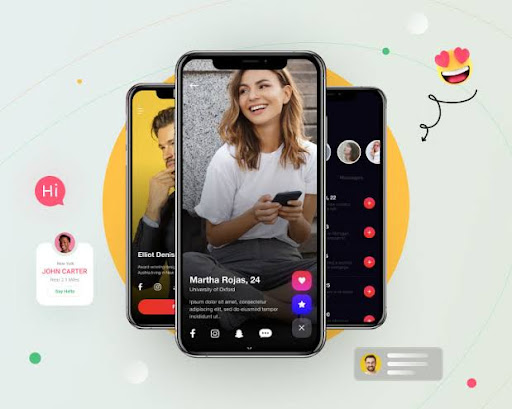


Boom chat - LIVE chats & Meet
Privacy Policy Page
Home
"Privacy Policy Page"
*Privacy Policy*
Neeraj built the Boom chat - LIVE chats & Meet app Or Website https://apnajeevansathi.com/ This SERVICE is provided by Neeraj at nominal cost and is intended for use as is.
This page is used to inform visitors regarding my policies with the collection, use, and disclosure of Personal Information if anyone decided to use my Service.
If you choose to use my Service, then you agree to the collection and use of information in relation to this policy. The Personal Information that I collect is used for providing and improving the Service. I will not use or share your information with anyone except as described in this Privacy Policy.
The terms used in this Privacy Policy have the same meanings as in our Terms and Conditions, which are accessible at https://clevergadgets.in/ unless otherwise defined in this Privacy Policy.
*Information Collection and Use*
For a better experience, while using our Service, I may require you to provide us with certain personally identifiable information, including but not limited to none. The information that I request will be retained on your device and is not collected by me in any way.
The app does use third-party services that may collect information used to identify you.
Link to the privacy policy of third-party service providers used by the app
* [Google Play Services](https://www.google.com/policies/privacy/)
*Log Data*
I want to inform you that whenever you use my Service, in a case of an error in the app I collect data and information (through third-party products) on your phone called Log Data. This Log Data may include information such as your device Internet Protocol (“IP”) address, device name, operating system version, the configuration of the app when utilizing my Service, the time and date of your use of the Service, and other statistics.
*Cookies*
Cookies are files with a small amount of data that are commonly used as anonymous unique identifiers. These are sent to your browser from the websites that you visit and are stored on your device's internal memory.
This Service does not use these “cookies” explicitly. However, the app may use third-party code and libraries that use “cookies” to collect information and improve their services. You have the option to either accept or refuse these cookies and know when a cookie is being sent to your device. If you choose to refuse our cookies, you may not be able to use some portions of this Service.
*Service Providers*
I may employ third-party companies and individuals due to the following reasons:
* To facilitate our Service;
* To provide the Service on our behalf;
* To perform Service-related services; or
* To assist us in analyzing how our Service is used.
I want to inform users of this Service that these third parties have access to their Personal Information. The reason is to perform the tasks assigned to them on our behalf. However, they are obligated not to disclose or use the information for any other purpose.
*Security*
I value your trust in providing us your Personal Information, thus we are striving to use commercially acceptable means of protecting it. But remember that no method of transmission over the internet, or method of electronic storage is 100% secure and reliable, and I cannot guarantee its absolute security.
This policy is effective as of 2236-12-30
*Contact Us*
If you have any questions or suggestions about my Privacy Policy, do not hesitate to contact me at support@mymatrimony.co.
Tampilkan Lebih banyak

1. Unduh dan instal MEmu APP

2. Menjalankan MEmu lalu buka Google Play di halaman

3. Cari Boom chat - LIVE chats & Meet di Google Play
Install
4. Unduh dan instal Boom chat - LIVE chats & Meet
5. Setelah insatl APP selesai,klik ikon untuk mulai

6. Nikmati bermain Boom chat - LIVE chats & Meet di PC dengan MEmu
MEmu Play adalah emulator Android gratis terbaik dan 50 Juta orang sudah menikmati pengalaman luar biasa dalam Aplikasi Android. Teknologi virtualisasi MEmu memberi kekuasaan untuk memainkan ribuan Aplikasi Android dengan lancar di PC anda, bahkan Aplikasi dengan grafis yang paling tinggi.
Layar lebih besar dengan grafis yang lebih baik; durasi panjang, tanpa batasan baterai atau data seluler.
Didukung penuh oleh Pemetaan tombol yang lengkap untuk keakuratan kontrol keyboard dan mouse maupun gamepad.
Membuka beberapa akun game atau tugas di waktu yang sama hanya pada satu PC, dengan Multi-Instance manager.
Use Boom chat - LIVE chats & Meet on PC by following steps: