BitTV
Diupdate
Versi Saat Ini
Ditawarkan Oleh

Hentilah khawatir tentang biaya berlebihan saat menggunakan BitTV di ponsel Anda, bebaskan diri Anda dari layar kecil dan nikmati menggunakan aplikasi pada tampilan yang lebih besar. Mulai sekarang, dapatkan pengalaman full-screen di aplikasi Anda dengan keyboard dan mouse. MEmu menyediakan semua fitur mengejutkan yang Anda harapkan: cepat menginstal dan mudah menggunakan, kontrol intuitif, tidak ada lagi batasan baterai, data seluler dan panggilan yang mengganggu. MEmu 9 yang baru adalah pilihan terbaik untuk menggunakan BitTV di komputer Anda. Bersandi dengan absorpsi kami, manajer multi-instance memungkinkan pembukaan 2 akun atau lebih pada saat yang bersamaan. Dan yang paling penting, mesin emulasi eksklusif kami dapat melepaskan potensi penuh PC Anda, menjadikan semuanya lancar dan menyenangkan.
Tampilkan Lebih banyak
Nikmati pengalaman luar biasa menggunakan BitTV di PC dengan MEmu Play. Emulator Android gratis dan canggih ini menyediakan ribuan aplikasi Android untuk versi desktop. Nikmati koneksi yang lancar bersama teman dan tingkatkan pekerjaan Anda dengan efisiensi yang lebih tinggi! Welcome to BitTV, a simple destination for discovering movies, TV shows, series, and a variety of entertainment content.
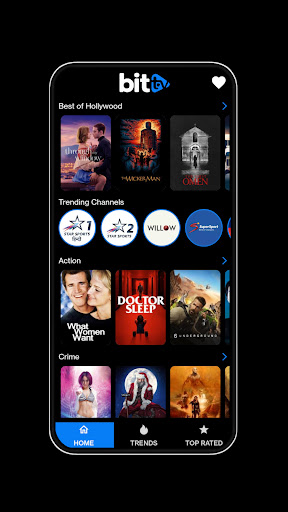
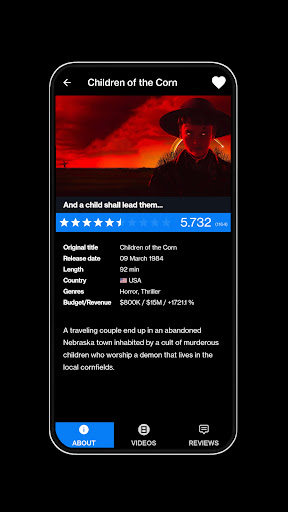
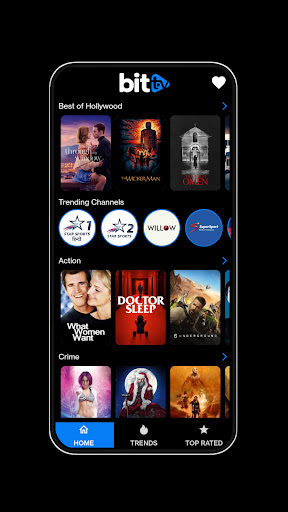
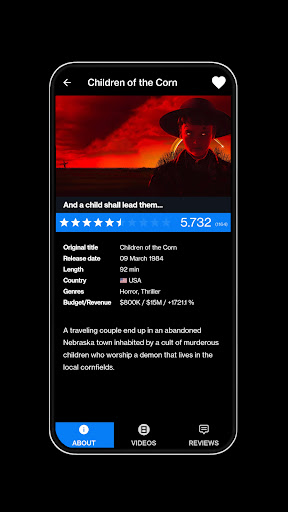
Welcome to BitTV, a simple destination for discovering movies, TV shows, series, and a variety of entertainment content. Whether you are searching for something exciting, relaxing, funny, dramatic, or completely new, BitTV helps you explore different entertainment options in one convenient place.
Movie Discovery Made Simple
Explore a wide range of movie titles and discover stories from different genres. Browse through available entertainment and find movies that fit your interests.
From action and adventure to comedy, romance, drama, mystery, and thrillers, explore different categories and discover something worth watching.
Explore TV Shows & Series
BitTV is also designed for television and series discovery. Browse available TV shows, explore different series, and find titles that match your preferred style of entertainment.
Whether you enjoy long-running series or want to discover something new, you can easily explore the available selection.
Find Your Next Favorite
Sometimes choosing what to watch can be difficult. BitTV gives you a convenient way to browse different titles and discover new entertainment.
Explore popular-looking titles, check different categories, and keep browsing until you find something that catches your attention.
Entertainment for Every Mood
Your entertainment choice can change with your mood. BitTV brings different genres and content types together so you can explore what interests you at any moment.
Looking for comedy? Explore it.
Want an engaging drama? Browse available titles.
Prefer action and adventure? Discover exciting options.
In the mood for suspense? Explore thriller and mystery content.
⭐ Easy & Convenient Experience
BitTV focuses on making entertainment discovery straightforward. Its simple approach lets you browse movies and TV content without unnecessary complications.
Explore titles, move between categories, and discover entertainment at your own pace.
Keep Discovering
There is always something new to explore when it comes to movies and television. BitTV gives you a convenient space to browse different entertainment options and discover titles you may not have considered before.
Whether you are a regular movie viewer, a fan of TV series, or simply looking for something interesting for your free time, BitTV makes discovering movies, TV shows, series, films, and entertainment simple and enjoyable.
Start exploring BitTV and find your next movie or series to discover.
Tampilkan Lebih banyak

1. Unduh dan instal MEmu APP

2. Menjalankan MEmu lalu buka Google Play di halaman

3. Cari BitTV di Google Play
Install
4. Unduh dan instal BitTV
5. Setelah insatl APP selesai,klik ikon untuk mulai

6. Nikmati bermain BitTV di PC dengan MEmu
MEmu Play adalah emulator Android gratis terbaik dan 50 Juta orang sudah menikmati pengalaman luar biasa dalam Aplikasi Android. Teknologi virtualisasi MEmu memberi kekuasaan untuk memainkan ribuan Aplikasi Android dengan lancar di PC anda, bahkan Aplikasi dengan grafis yang paling tinggi.
Layar lebih besar dengan grafis yang lebih baik; durasi panjang, tanpa batasan baterai atau data seluler.
Didukung penuh oleh Pemetaan tombol yang lengkap untuk keakuratan kontrol keyboard dan mouse maupun gamepad.
Membuka beberapa akun game atau tugas di waktu yang sama hanya pada satu PC, dengan Multi-Instance manager.
Use BitTV on PC by following steps: