Doctor Diary
Diupdate
Versi Saat Ini
5.0.11
Ditawarkan Oleh

Hentilah khawatir tentang biaya berlebihan saat menggunakan Doctor Diary di ponsel Anda, bebaskan diri Anda dari layar kecil dan nikmati menggunakan aplikasi pada tampilan yang lebih besar. Mulai sekarang, dapatkan pengalaman full-screen di aplikasi Anda dengan keyboard dan mouse. MEmu menyediakan semua fitur mengejutkan yang Anda harapkan: cepat menginstal dan mudah menggunakan, kontrol intuitif, tidak ada lagi batasan baterai, data seluler dan panggilan yang mengganggu. MEmu 9 yang baru adalah pilihan terbaik untuk menggunakan Doctor Diary di komputer Anda. Bersandi dengan absorpsi kami, manajer multi-instance memungkinkan pembukaan 2 akun atau lebih pada saat yang bersamaan. Dan yang paling penting, mesin emulasi eksklusif kami dapat melepaskan potensi penuh PC Anda, menjadikan semuanya lancar dan menyenangkan.
Tampilkan Lebih banyak
Unduh Doctor Diary di PC dengan Emulator Android MEmu. Nikmati permainan pada layar yang besar. Manage your patient's medical and health records and visit notes the easy way.
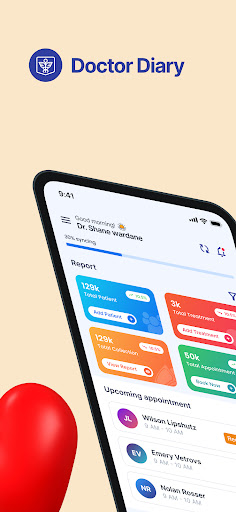
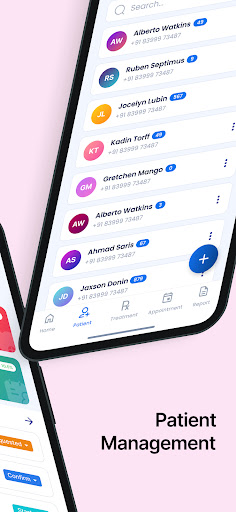
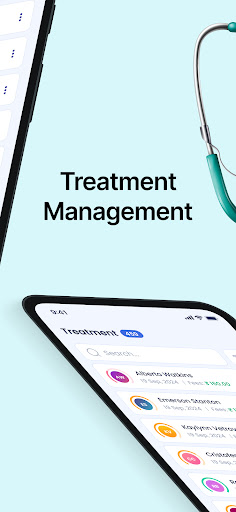

Manage your patient's medical and health records and visit notes the easy way. Using Doctor Diary you can manage all your patient records such as personal information, medical reports, medication, clinical notes, patient history, and other notes.Keep record of patients payment and add prescription to their treatment.
This app is useful for medical and health professionals who visit patients every now and then and needs a way to keep track of medical records. It is a handy app you can bring along whenever you do your medical practice.
Every step is given in order and also make easy not to miss the things during your history taking and examination.
Above all, you can save all your clinical data in a secure database. If your device is broken or lost, you don’t need to start from scratch. All your clinical data can be stored in a secure database that you only can access it after login into the app.
Key features
Simple, intuitive and easy to use.
Customize the patient information .
View patient visit / medical history
Built-in powerful tool to help manage reusable notes
Backup and restore data
categorized patient treatment level
Different count for paid and unpaid patient
Monthly and Daily Report
Access all your clinical data from any Android device
For doctor, dentist, nurse, surgeon, pediatrician, dermatologist, eye care clinic, paramedic, physician, small clinics, medical students, etc.
We hope you find this app useful and we welcome your suggestions. We will add more cool features as we go along. So stay tuned!
Tampilkan Lebih banyak

1. Unduh dan instal MEmu APP

2. Menjalankan MEmu lalu buka Google Play di halaman

3. Cari Doctor Diary di Google Play
Install
4. Unduh dan instal Doctor Diary
5. Setelah insatl APP selesai,klik ikon untuk mulai

6. Nikmati bermain Doctor Diary di PC dengan MEmu
MEmu Play adalah emulator Android gratis terbaik dan 50 Juta orang sudah menikmati pengalaman luar biasa dalam Aplikasi Android. Teknologi virtualisasi MEmu memberi kekuasaan untuk memainkan ribuan Aplikasi Android dengan lancar di PC anda, bahkan Aplikasi dengan grafis yang paling tinggi.
Layar lebih besar dengan grafis yang lebih baik; durasi panjang, tanpa batasan baterai atau data seluler.
Didukung penuh oleh Pemetaan tombol yang lengkap untuk keakuratan kontrol keyboard dan mouse maupun gamepad.
Membuka beberapa akun game atau tugas di waktu yang sama hanya pada satu PC, dengan Multi-Instance manager.
Use Doctor Diary on PC by following steps: