Easycap & UVC Player(FPViewer)
Diupdate
Versi Saat Ini
1.4.0
Ditawarkan Oleh

Hentilah khawatir tentang biaya berlebihan saat menggunakan Easycap & UVC Player(FPViewer) di ponsel Anda, bebaskan diri Anda dari layar kecil dan nikmati menggunakan aplikasi pada tampilan yang lebih besar. Mulai sekarang, dapatkan pengalaman full-screen di aplikasi Anda dengan keyboard dan mouse. MEmu menyediakan semua fitur mengejutkan yang Anda harapkan: cepat menginstal dan mudah menggunakan, kontrol intuitif, tidak ada lagi batasan baterai, data seluler dan panggilan yang mengganggu. MEmu 9 yang baru adalah pilihan terbaik untuk menggunakan Easycap & UVC Player(FPViewer) di komputer Anda. Bersandi dengan absorpsi kami, manajer multi-instance memungkinkan pembukaan 2 akun atau lebih pada saat yang bersamaan. Dan yang paling penting, mesin emulasi eksklusif kami dapat melepaskan potensi penuh PC Anda, menjadikan semuanya lancar dan menyenangkan.
Tampilkan Lebih banyak
Unduh Easycap & UVC Player(FPViewer) di PC dengan Emulator Android MEmu. Nikmati permainan pada layar yang besar. FPViewer is an application to display analog video using Easycap & UVC video grabber device connected via OTG cable to android device.
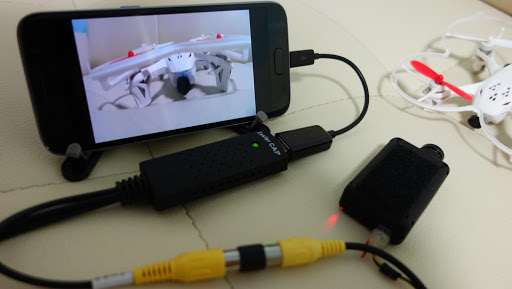
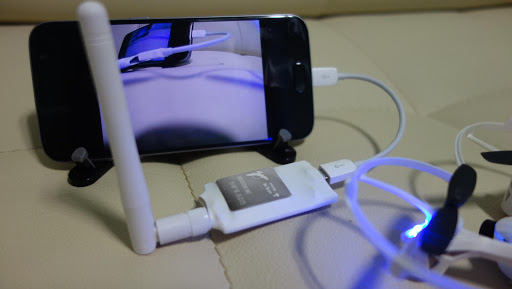
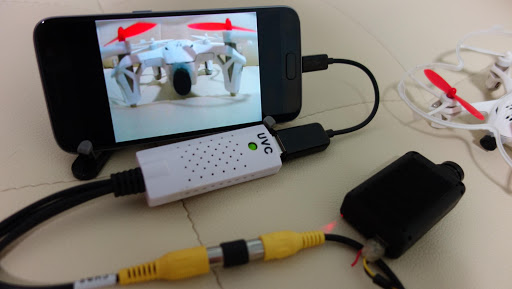
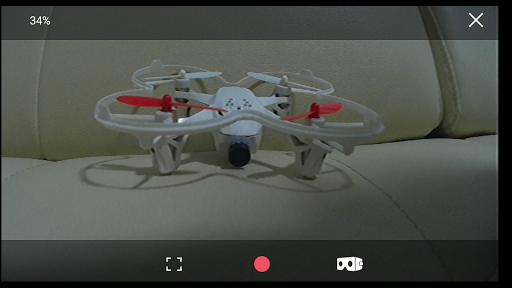
FPViewer is an application to display analog video using Easycap & UVC video grabber device connected via OTG cable to android device.(no root)
Also, FPViewer offers an optimized feature allows you to use the Android devices as FPV monitor.
■ Features
Easycap Viewer
Display analog video using Easycap video grabber device on android device.(only support UTV007, HTV600, HTV800 version Easycap and not support audio input)
FPV 5.8G Receiver OTG Viewer
Display a FPV 5.8G Receiver device.(Eachine ROTG01, ROTG02, ATX03, R051 and more)
UVC Video Grabber or UVC Webcam Viewer
Display analog video using UVC video grabber device on android device.(this device's function is same with Easycap) Also, If your USB camera is UVC type then, you can use the camera with this app.(only support 640x480 resolution)
Video Recording
Save display video as a MP4 file.(Android 4.3 or higher)
Side by Side(VR)
Support Side by Side(VR) mode, so you can use android device as fpv goggle.
Always On Top
Set the viewer screen to the top of the phone screen. so viewer screen never disappear even if you get a phone call or text notification.
Tampilkan Lebih banyak

1. Unduh dan instal MEmu APP

2. Menjalankan MEmu lalu buka Google Play di halaman

3. Cari Easycap & UVC Player(FPViewer) di Google Play
Install
4. Unduh dan instal Easycap & UVC Player(FPViewer)
5. Setelah insatl APP selesai,klik ikon untuk mulai

6. Nikmati bermain Easycap & UVC Player(FPViewer) di PC dengan MEmu
MEmu Play adalah emulator Android gratis terbaik dan 50 Juta orang sudah menikmati pengalaman luar biasa dalam Aplikasi Android. Teknologi virtualisasi MEmu memberi kekuasaan untuk memainkan ribuan Aplikasi Android dengan lancar di PC anda, bahkan Aplikasi dengan grafis yang paling tinggi.
Layar lebih besar dengan grafis yang lebih baik; durasi panjang, tanpa batasan baterai atau data seluler.
Didukung penuh oleh Pemetaan tombol yang lengkap untuk keakuratan kontrol keyboard dan mouse maupun gamepad.
Membuka beberapa akun game atau tugas di waktu yang sama hanya pada satu PC, dengan Multi-Instance manager.
Use Easycap & UVC Player(FPViewer) on PC by following steps: