Fake GPS Location- LocaEdit
Diupdate
Versi Saat Ini
1.2.0
Ditawarkan Oleh

Hentilah khawatir tentang biaya berlebihan saat menggunakan Fake GPS Location- LocaEdit di ponsel Anda, bebaskan diri Anda dari layar kecil dan nikmati menggunakan aplikasi pada tampilan yang lebih besar. Mulai sekarang, dapatkan pengalaman full-screen di aplikasi Anda dengan keyboard dan mouse. MEmu menyediakan semua fitur mengejutkan yang Anda harapkan: cepat menginstal dan mudah menggunakan, kontrol intuitif, tidak ada lagi batasan baterai, data seluler dan panggilan yang mengganggu. MEmu 9 yang baru adalah pilihan terbaik untuk menggunakan Fake GPS Location- LocaEdit di komputer Anda. Bersandi dengan absorpsi kami, manajer multi-instance memungkinkan pembukaan 2 akun atau lebih pada saat yang bersamaan. Dan yang paling penting, mesin emulasi eksklusif kami dapat melepaskan potensi penuh PC Anda, menjadikan semuanya lancar dan menyenangkan.
Tampilkan Lebih banyak
Unduh Fake GPS Location- LocaEdit di PC dengan Emulator Android MEmu. Nikmati permainan pada layar yang besar. LocaEdit is a useful app for Fake GPS location.
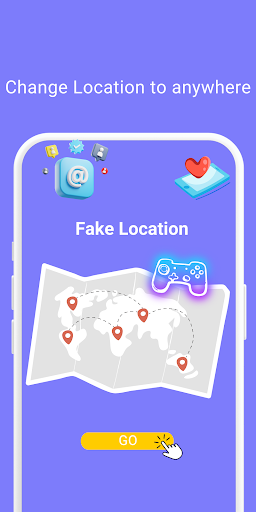
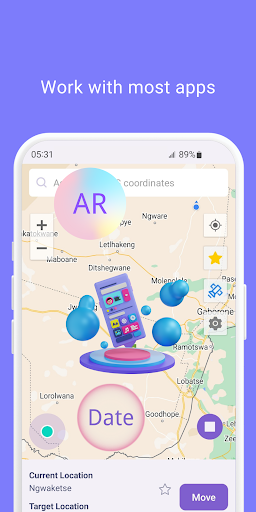
LocaEdit is a useful app for Fake GPS location. To play location change pranks, just tap to change your phone's GPS location.
Will override your current location and any app you want to test will assume you are in New York, London, or anywhere else in the world!
Key Feature::
Teleport Mode
Change GPS location with one click and easily teleport your phone anywhere in the world . This app sets a Fake GPS location so that all other app in your phone believe you are there!
Joystick Mode
360° joystick movement, one key to switch the speed of walking, riding, driving, you can also customize the speed unit and value, smooth control, enhance the game experience.
Simulated Navigation Mode
Simulated navigation routes with the option to plan trips on foot, by bike or by car
Simulate Multi-Point Route Mode
Simulate multi-point routes, with the option of travelling on foot, by bicycle or by car
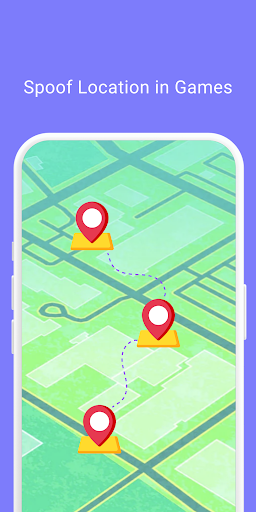
Game Mode
For AR games, it can help people who are unable to play location-based AR games properly due to physical conditions, social regulations or climate.
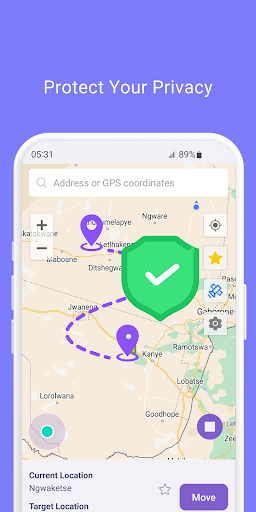
Privacy Protection
Effectively protect your real location information, safeguard your personal privacy and security Support popular apps
Suitable for most apps
Supports most location-based social media apps, AR games, navigation apps and location service apps to fully meet your application needs.
With this location faker and GPS changer, you can spoof your phone's GPS position. GPS spoofing and location simulation has never been easier!
Privacy Policy: https://www.mobispeedy.com/privacy-policy
Terms & Conditions: https://www.mobispeedy.com/terms-and-conditions.html
If you have any questions, please contact support@4digsoft.com
Tampilkan Lebih banyak

1. Unduh dan instal MEmu APP

2. Menjalankan MEmu lalu buka Google Play di halaman

3. Cari Fake GPS Location- LocaEdit di Google Play
Install
4. Unduh dan instal Fake GPS Location- LocaEdit
5. Setelah insatl APP selesai,klik ikon untuk mulai

6. Nikmati bermain Fake GPS Location- LocaEdit di PC dengan MEmu
MEmu Play adalah emulator Android gratis terbaik dan 50 Juta orang sudah menikmati pengalaman luar biasa dalam Aplikasi Android. Teknologi virtualisasi MEmu memberi kekuasaan untuk memainkan ribuan Aplikasi Android dengan lancar di PC anda, bahkan Aplikasi dengan grafis yang paling tinggi.
Layar lebih besar dengan grafis yang lebih baik; durasi panjang, tanpa batasan baterai atau data seluler.
Didukung penuh oleh Pemetaan tombol yang lengkap untuk keakuratan kontrol keyboard dan mouse maupun gamepad.
Membuka beberapa akun game atau tugas di waktu yang sama hanya pada satu PC, dengan Multi-Instance manager.
Use Fake GPS Location- LocaEdit on PC by following steps: