GEMS: Member
Diupdate
Versi Saat Ini
3.0.22
Ditawarkan Oleh

Hentilah khawatir tentang biaya berlebihan saat menggunakan GEMS: Member di ponsel Anda, bebaskan diri Anda dari layar kecil dan nikmati menggunakan aplikasi pada tampilan yang lebih besar. Mulai sekarang, dapatkan pengalaman full-screen di aplikasi Anda dengan keyboard dan mouse. MEmu menyediakan semua fitur mengejutkan yang Anda harapkan: cepat menginstal dan mudah menggunakan, kontrol intuitif, tidak ada lagi batasan baterai, data seluler dan panggilan yang mengganggu. MEmu 9 yang baru adalah pilihan terbaik untuk menggunakan GEMS: Member di komputer Anda. Bersandi dengan absorpsi kami, manajer multi-instance memungkinkan pembukaan 2 akun atau lebih pada saat yang bersamaan. Dan yang paling penting, mesin emulasi eksklusif kami dapat melepaskan potensi penuh PC Anda, menjadikan semuanya lancar dan menyenangkan.
Tampilkan Lebih banyak
Unduh GEMS: Member di PC dengan Emulator Android MEmu. Nikmati permainan pada layar yang besar. GEMS recognises that there is an increasing need in this fast-paced digital era for online, self-service channels that provide access to your membership information easily and swiftly.
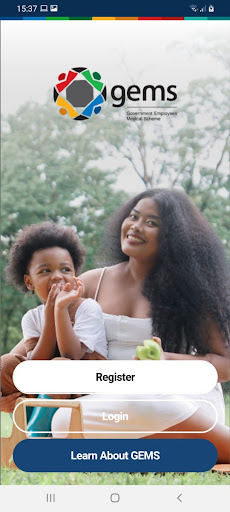
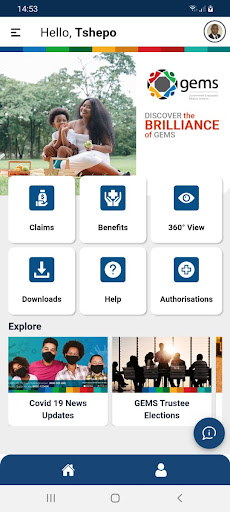
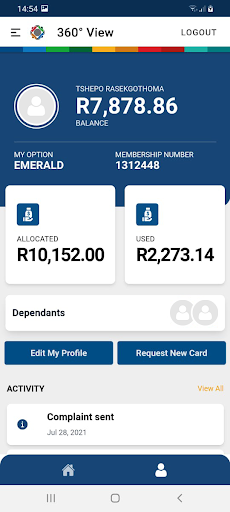
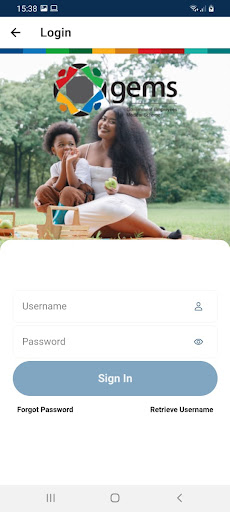
GEMS recognises that there is an increasing need in this fast-paced digital era for online, self-service channels that provide access to your membership information easily and swiftly.
We have designed the GEMS Member App with you in mind, providing you with the convenience of accessing information and services in the palm of your hand.
This is a smarter and more personalised experience, just for you.
Application features:
Here are some of the exciting, easy-to-navigate features, to cater to your membership needs:
· Personal profile: 360-member view
· Profile setup: This feature allows you to easily set up your profile and access details related to your Option.
· Manage and view your benefit usage: You can request a new card and view your benefit option and dependant/s information.
· Digital membership card: Access your digital card right here on the App.
· Claims: Easily submit, view, and export your claims statement.
· Document: Download your documents, such as your Personal Health Record, Tax Certificates, and Membership certificates.
· Authorisations: Submit your hospital pre-authorisation and track the status of your submission.
· Need us to call you back or require face-to-face interaction? Request for one of our Client Liaison Officers to call you back, or locate a walk-in-centre nearest to you using the App.
· Push Notifications: For added convenience, stay informed and up to date with the latest news and updates via our push notifications.
Tampilkan Lebih banyak

1. Unduh dan instal MEmu APP

2. Menjalankan MEmu lalu buka Google Play di halaman

3. Cari GEMS: Member di Google Play
Install
4. Unduh dan instal GEMS: Member
5. Setelah insatl APP selesai,klik ikon untuk mulai

6. Nikmati bermain GEMS: Member di PC dengan MEmu
MEmu Play adalah emulator Android gratis terbaik dan 50 Juta orang sudah menikmati pengalaman luar biasa dalam Aplikasi Android. Teknologi virtualisasi MEmu memberi kekuasaan untuk memainkan ribuan Aplikasi Android dengan lancar di PC anda, bahkan Aplikasi dengan grafis yang paling tinggi.
Layar lebih besar dengan grafis yang lebih baik; durasi panjang, tanpa batasan baterai atau data seluler.
Didukung penuh oleh Pemetaan tombol yang lengkap untuk keakuratan kontrol keyboard dan mouse maupun gamepad.
Membuka beberapa akun game atau tugas di waktu yang sama hanya pada satu PC, dengan Multi-Instance manager.
Use GEMS: Member on PC by following steps: